
Antispam and antivirus
AI antispam that learns from your company
Fake bank slips, scam links, attachments with viruses, someone pretending to be the director. The Lua filter blocks all of this before the inbox, with 99.91% accuracy measured by users' own corrections. It comes with every product, and with lua Shield it also protects the email server you already have.
Signing up is online and activation is automatic: pay by PIX and the account is ready in minutes for you to activate your domain. For questions, we answer on WhatsApp.
- Neural network that learns
- Own blocklists
- Antivirus on the way in and out
- Spamtraps and continuous learning
- In every product
What the filter handles day to day
Beyond annoying advertising, spam brings the scam that costs money and the virus that stops the company. Here is what happens in each case.
- A bank slip arrived from a supplier that does not exist.The link and the sender match our scam lists, and the message is rejected or goes to Spam before anyone pays.
- "I'm the director, make an urgent transfer."The message claims to be from your domain, but it fails SPF, DKIM and DMARC. The filter spots the forgery and does not deliver it.
- The invoice came with a strange attachment.The antivirus opens the attachment before the mailbox does. If it has a virus, the message is rejected and never reaches anyone.
- A new scam campaign started today.The neural network recognizes the look of the message even without a ready-made rule, and our spamtraps catch the campaign early and alert every filter.
- The newsletter you subscribe to landed in Spam.Take the message out of there once. The filter learns from your correction, for your mailbox, in the webmail, in Outlook or on your phone.
- Your most important customer cannot land in Spam.Put their address or domain on the allowed list, for one mailbox or for the whole company, in the admin panel.
- A company computer caught a virus.If it tries to send a virus through someone's account, the sending is blocked. Your customers do not receive it, and your domain name stays clean.
How the filter decides, layer by layer
Each message goes through several checks, from the cheapest to the most detailed. Obvious junk stops right at the door, and the finer analysis is left for what remains.
At the door, before accepting the message
The sending server is checked against reputation lists and for its behavior: a bot that speaks too early or does not follow protocol rules is rejected right there. Most spam ends at this stage, without taking up anyone's space.
Checking who sent it
SPF, DKIM, DMARC and ARC show whether the message came from a server authorized by the sender's domain. This is what catches anyone posing as your company, your bank or a supplier.
Content and links
The text, the subject and every link are compared against our lists of scam and phishing domains and against international lists. Fingerprints of mass campaigns, including those collected in our spamtraps, give away the same message sent to thousands of addresses.
The neural network and learning
A neural network and a statistical classifier each score the message. They were trained on the email that passes through the platform and keep learning every day, from what reaches our spamtraps and from each mailbox's corrections.
Antivirus on attachments
Attachments go through the antivirus, with signatures updated several times a day. A message with a virus is rejected.
The decision
With the scores added up, the message is rejected, goes to the Spam folder or reaches the inbox. Anything in doubt goes to Spam, never to the trash: nothing disappears without you being able to check.
Our own lists, built for the email that reaches Brazil
A public blocklist is made for the whole world and is slow to see the scams going around here. That is why we keep our own, based on what reaches our customers. They are lists adapted to our traffic, not generic ones, and that makes them more precise: they block more scams and stop fewer good emails.
Our own RBL of servers and networks
Addresses and networks that only send spam go on our RBL (the blocklist by server address). A whole network is listed only when it sends no legitimate email at all; when it is a single server, only that server is listed.
Sender domains
Families of domains created only to send spam, such as those that change a number at the end of the name with each campaign, are listed as soon as they appear.
Domains in scam links
The addresses that appear in phishing and scam links have their own list. On hosting services used by many people, we list only the exact address of the scam, never the whole service.
Allowed list
On the other side, sending providers, banks and legitimate services that many people use are kept on an allowed list, so a one-off abuse does not block everyone's good email.
Spamtraps
Spamtraps are trap addresses that no person uses, so everything that reaches them is spam. Each message becomes a fingerprint of the campaign to classify the next ones and trains the neural network, often before the campaign reaches customers.
Reviewed by people
The team reviews what got through and what was blocked, and every addition is recorded so it can be reversed. The lists reach all filters within minutes.
A filter that learns from the people who receive
Every company receives its own kind of email. What is advertising for an office is a customer order for a store. That is why the filter also learns from your mailbox, and not only from the average of everyone.
- Moving a message to Spam teaches that it is spam
- Taking a message out of Spam teaches that it is good
- It works in the webmail, in Outlook and on your phone, because the learning stays on the server
- The administrator maintains the allowed and blocked lists in the admin panel, and the team tunes the filter when a message slips through
- The neural network updates itself with the email that passes through the platform
- The spamtraps teach the filter about new campaigns before they reach you
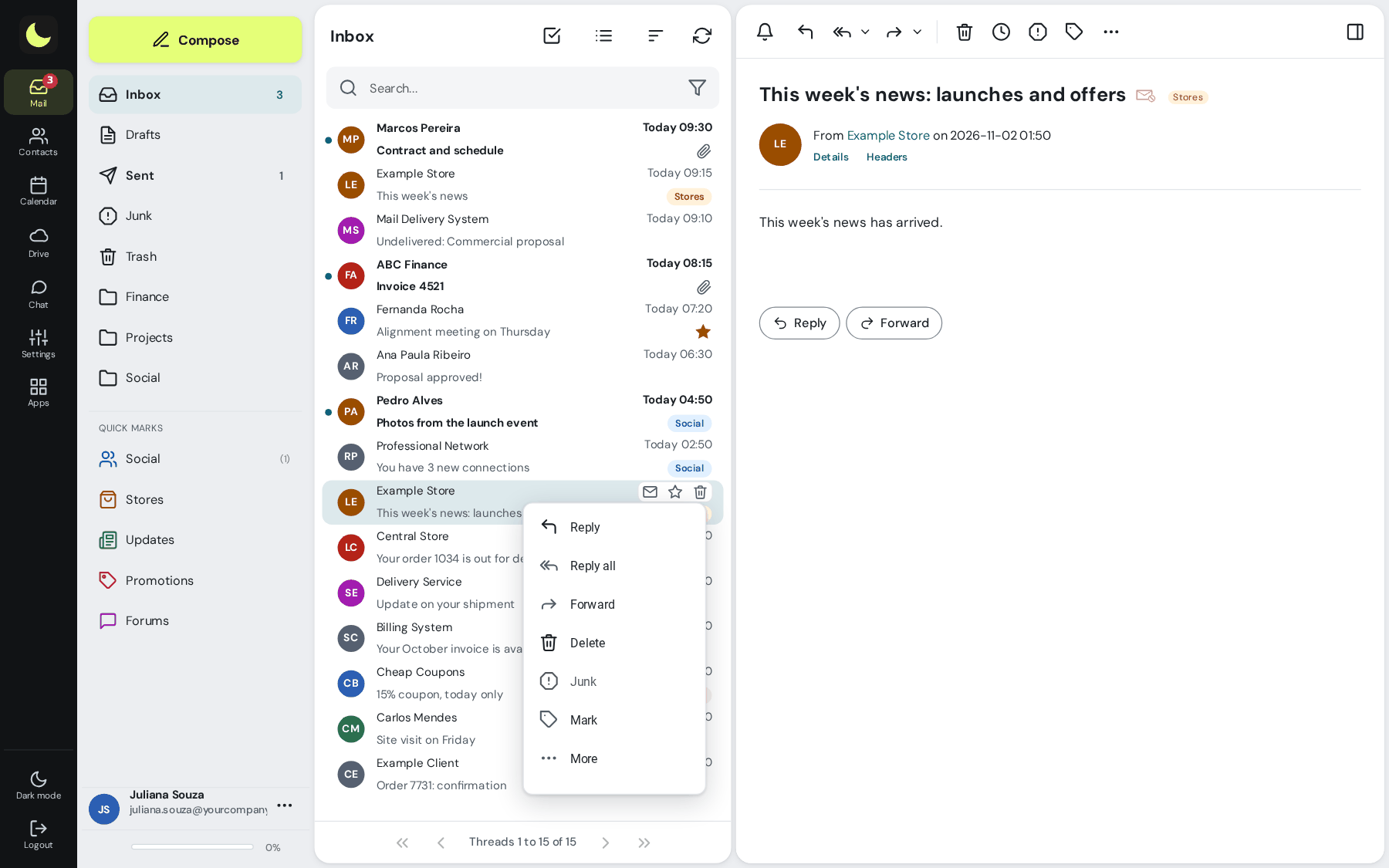
In control, without needing to be technical
Allowed and blocked
Lists of senders and domains, for the whole company or for a single mailbox. The important supplier always gets through, and whoever bothers you never gets in again.
Filtered messages in the admin panel
The administrator sees what the filter held back and the record of what was received and sent. When someone asks "did the email arrive?", the answer is right there.
Spam folder everywhere
Spam goes to the Spam folder in the webmail, in Outlook and on your phone. Nothing is silently deleted.
People watching the filter
The team tracks false positives, new campaigns and the rules every day. If something slips through, you move the message to Spam or tell support, and they tune it with you, in Portuguese.
Have your own server? Put our antispam in front of it
You do not need to bring your mailboxes to Lua to get this filter. With lua Shield, our antispam starts protecting your infrastructure: email for your domains goes through it first, passes through all the layers on this page and reaches your server clean.
Works with what you already have
Exchange, Zimbra, cPanel, Postfix or any server that receives email over SMTP. The mailboxes, users and data stay where they are.
Activation without migrating anyone
You point the domain's MX to Shield and allow our addresses on your server. The step by step is in the Shield manual.
A lighter, safer server
Spam, phishing and viruses stop before they reach your network. Your server stops spending processing and disk on junk, and your team stops maintaining rules and lists.
Flags the suspicious, rejects the obvious
Anything suspicious arrives flagged, and a simple rule on the server sends it to the Spam folder. Anything clearly spam is rejected at the door, with the reason in the admin panel and a notice to the sender.
For providers and resellers
Protect your own domains and those of the customers you already host, and resell the protection. Reseller program under your brand.
The same lists, the same neural network
Own RBL, domain lists, spamtraps, neural network and antivirus: it is the same filter as the lua.email mailboxes, kept up to date by the people who run it every day.
The same filter in every product
It does not matter where the mailboxes are: the email goes through the same antispam and the same antivirus.
Questions about the antispam
Does the lua.email antispam use AI?
Yes. A neural network and a statistical classifier look at each message together with the filter's other layers. Both learn every day from the email that passes through the platform and from the corrections of the people who receive it, so the filter keeps up with new scams without waiting for a manual rule.
How do you measure the 99.91% accuracy?
By users' own corrections: every message someone takes out of Spam, or sends there, counts as a filter error. Accuracy is the share of messages nobody had to correct.
What if an important email lands in Spam?
It does not disappear: it stays in the Spam folder, where you can check it. Take the message out and the filter learns from that. If it is a supplier or customer who cannot be missed, put the address or domain on the allowed list, for one mailbox or for the whole company.
Do you use only public blocklists?
No. Besides the international reputation lists, we keep our own: addresses of servers and networks that send spam, sender domains and domains used in scam links, built from what reaches our customers in Brazil and our spamtraps (trap addresses that only receive spam). They are reviewed by the team and reach all filters within minutes.
Is there an antivirus?
Yes. Attachments go through an antivirus with signatures updated several times a day, and a message with a virus is rejected. The same goes for outgoing email: if an infected computer tries to send a virus through the account of someone at the company, the sending is blocked. In lua Colabora, files are also scanned when they arrive.
Does the filter protect against fake email in my company's name?
Yes. The filter checks SPF, DKIM, DMARC and ARC on every message, and we set up those records on your domain at activation. A message that poses as your domain without authorization is rejected or goes to Spam.
Does it work in Outlook and on my phone?
Yes, because the filter sits on the server, before the mailbox. Spam goes to the Spam folder in any app, and moving a message into or out of Spam teaches the filter in Outlook and on your phone too.
I have my own email server. Can I use only the antispam?
Yes, with lua Shield. It sits at the entrance of your domains, filters, and delivers to your Exchange, Zimbra, cPanel or Postfix, without migrating anyone.
Is the antispam billed separately?
Not on lua.email: it comes on all plans. lua Bridge and lua Shield cost R$ 2.50 per account, per month, and the filter is the same.
See the filter working on your emails
Subscribe to lua.email online and use the antispam and antivirus from day one. Have your own server? We will assess lua Shield with you.
Prefer that our team contacts you? Leave your contact details
Online signup, with support from real people in Brazil.