
Guide
Collaborative email for teams that work together
At most companies, each person has their own mailbox, calendar, and files, and teamwork happens by forwarding email. Collaborative email is when mailboxes, calendars, contacts, files, and meetings belong to the team, with the same login. This guide shows what changes, scene by scene.
Signing up is online and activation is automatic: pay by PIX and the account is ready in minutes for you to activate your domain. For questions, we answer on WhatsApp.
What collaborative email is
It's email designed for the team, not just for each person. In practice, it's five pieces that work together.
Mailboxes the team shares
atendimento@ and financeiro@ answered by several people, each with their own account, and the reply going out from the team's address.
A calendar everyone can see
See who is free before scheduling, team, room, and vacation calendars, invitations with automatic replies on the event.
Company contacts in one place
All the domain's mailboxes and groups in the directory, and global address books with suppliers and clients for the whole team.
Files and documents instead of attachments
A large file becomes a link, a spreadsheet edited by several people at once, a team folder that doesn't depend on anyone's computer.
Chat and meetings alongside email
Team chat for what doesn't need email, and video meetings with the link created right in the calendar event.
One login for everything
In lua.email, all of this comes with the mailbox, in the webmail and in lua Colabora, with no separate package and no separate password for each tool.
Six scenes every office knows
If any of them looks familiar, your team is already paying the cost of not collaborating: lost time, clients without an answer, and information only one person has.
"Can you forward me that client's email?"
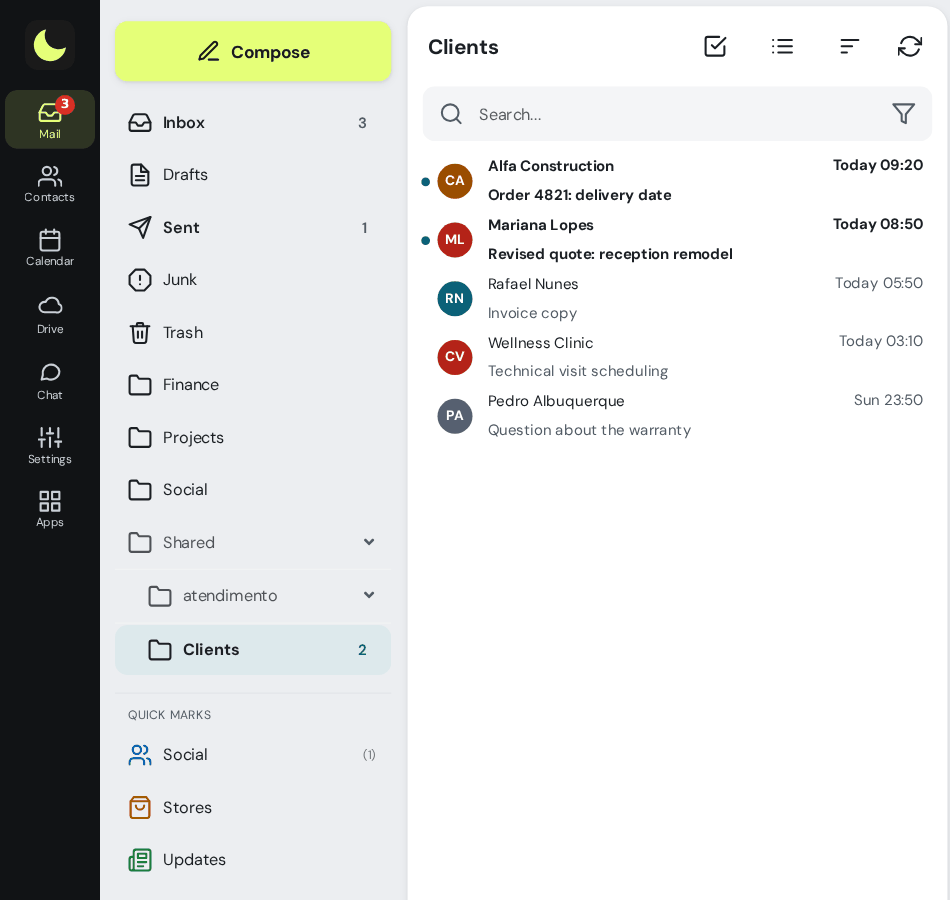
The client writes to atendimento@, only one person has the password, and they're on vacation. Or the password circulates and nobody knows who replied to what. With the shared mailbox, each person signs in with their own account and sees atendimento@ below their folders. The reply goes out from the team's address, the copy stays in the shared mailbox's Sent folder, and the history is right there for whoever arrives tomorrow.
"Who's free Thursday afternoon?"
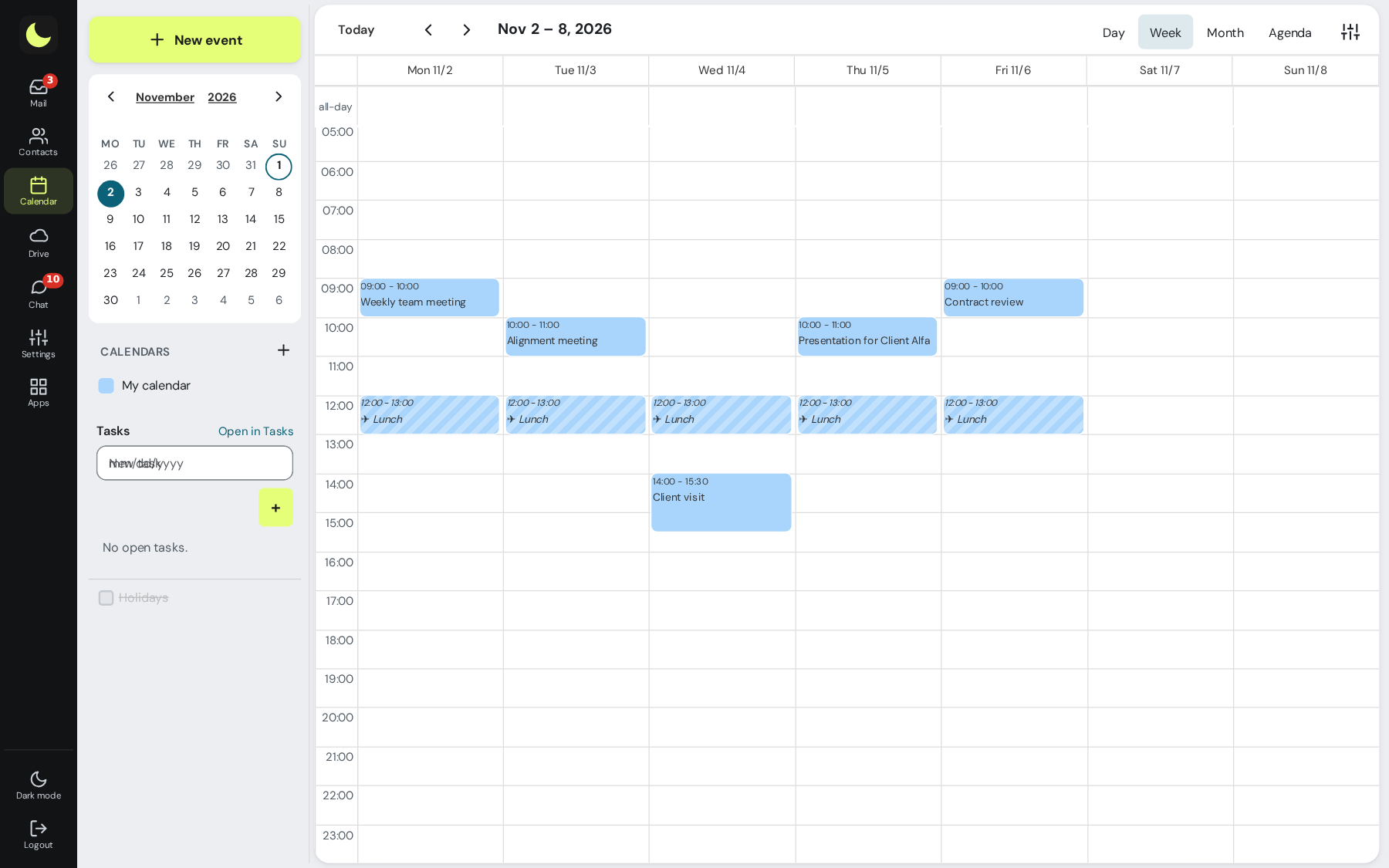
Scheduling a meeting for four people turns into ten messages back and forth. With the shared calendar, you see whether a coworker is free before inviting them, without needing to see the details of their calendar. When you build the event, the webmail shows who is busy and suggests up to three times when everyone is free. When the guest accepts or declines, the response goes into the event on its own, in the webmail, on the phone, and in Outlook.
"What's so-and-so's email again?"
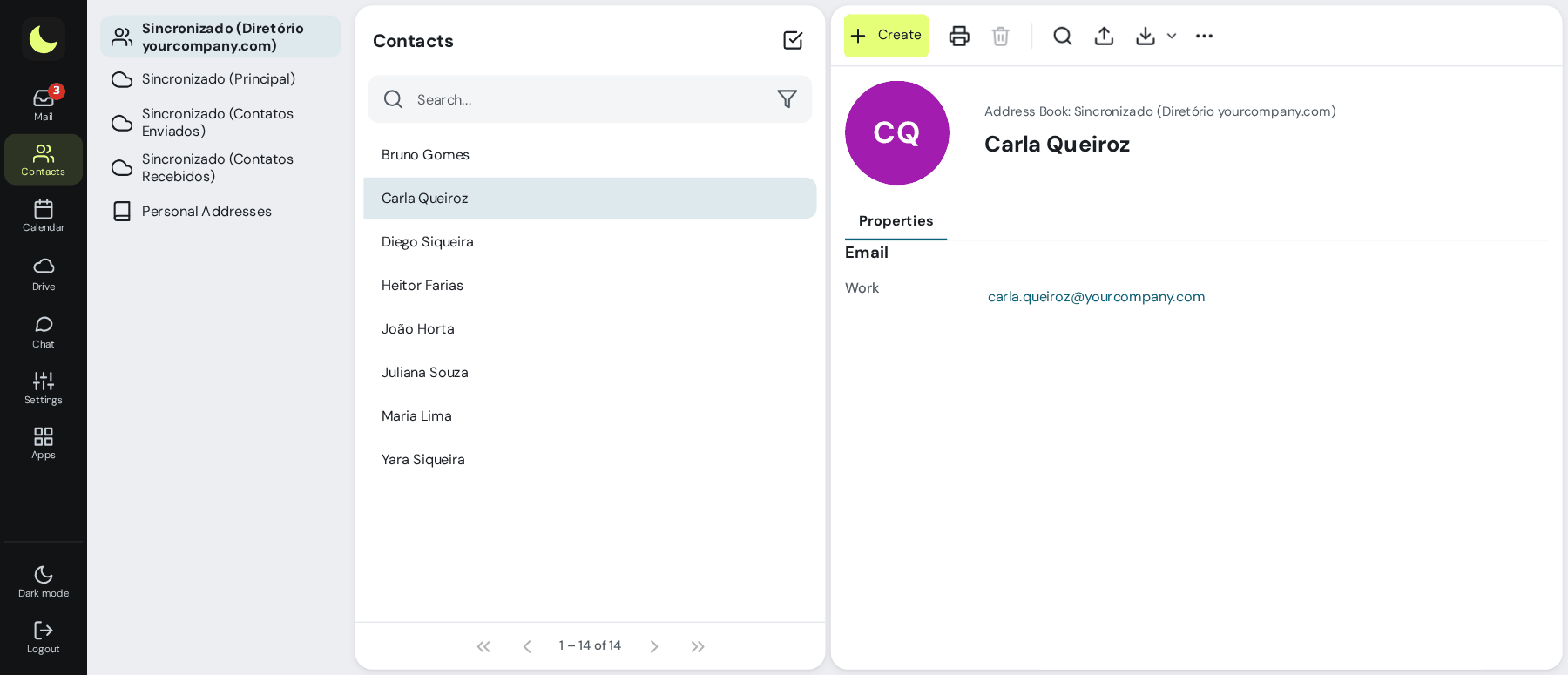
A new employee spends the first week asking for addresses. In the company directory, all the domain's mailboxes and groups appear on their own, and the global address books hold the contacts the whole team uses, such as suppliers and carriers. When you type the name, the address appears.
"The attachment bounced, it's too big"
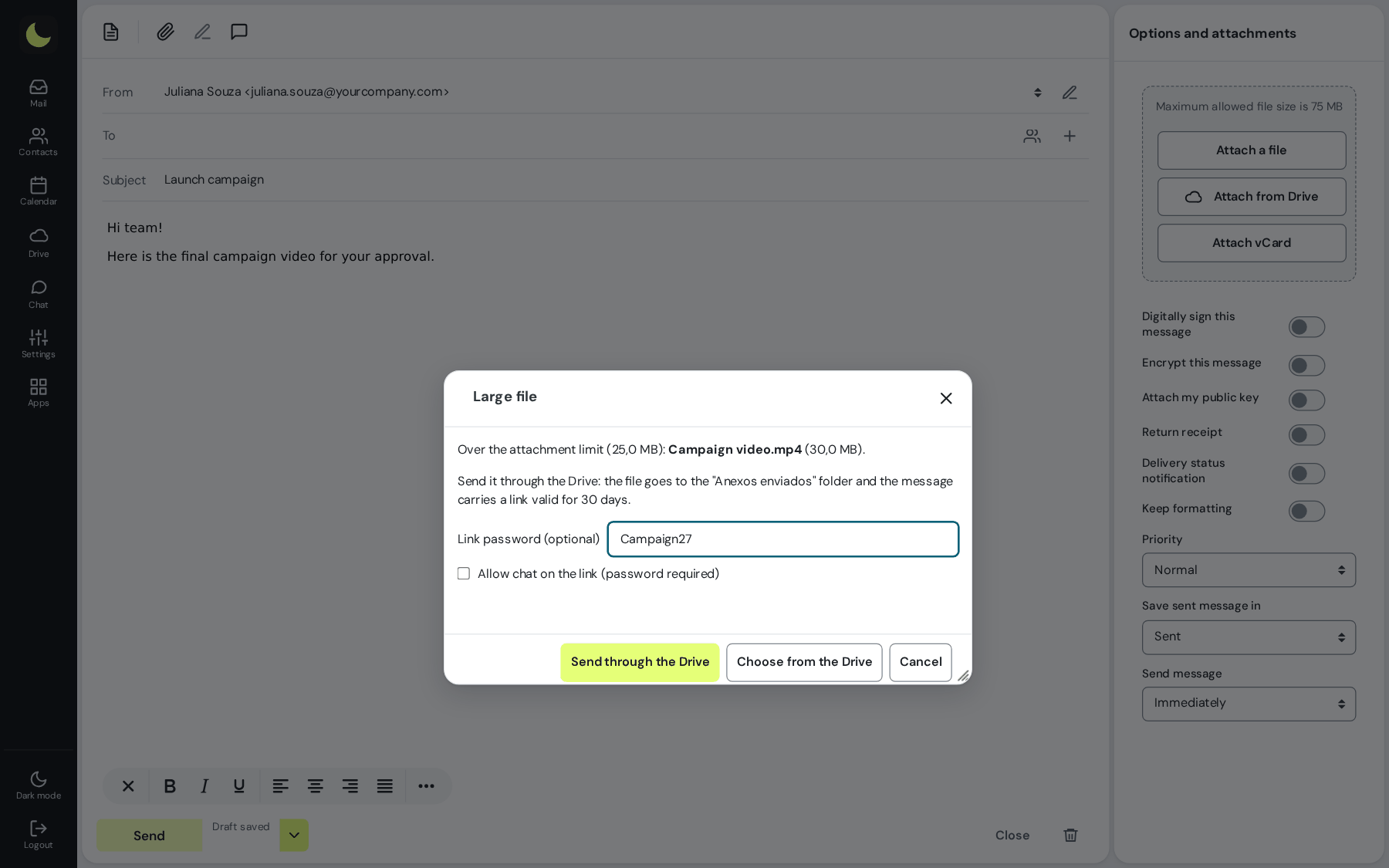
The video from the job site, the project in PDF, the folder of photos. Instead of hunting for a transfer service, just attach it: when the file exceeds the attachment size, the webmail sends it to Drive and puts a link valid for 30 days in the message, with a QR code. The recipient downloads it through the link, without creating an account.
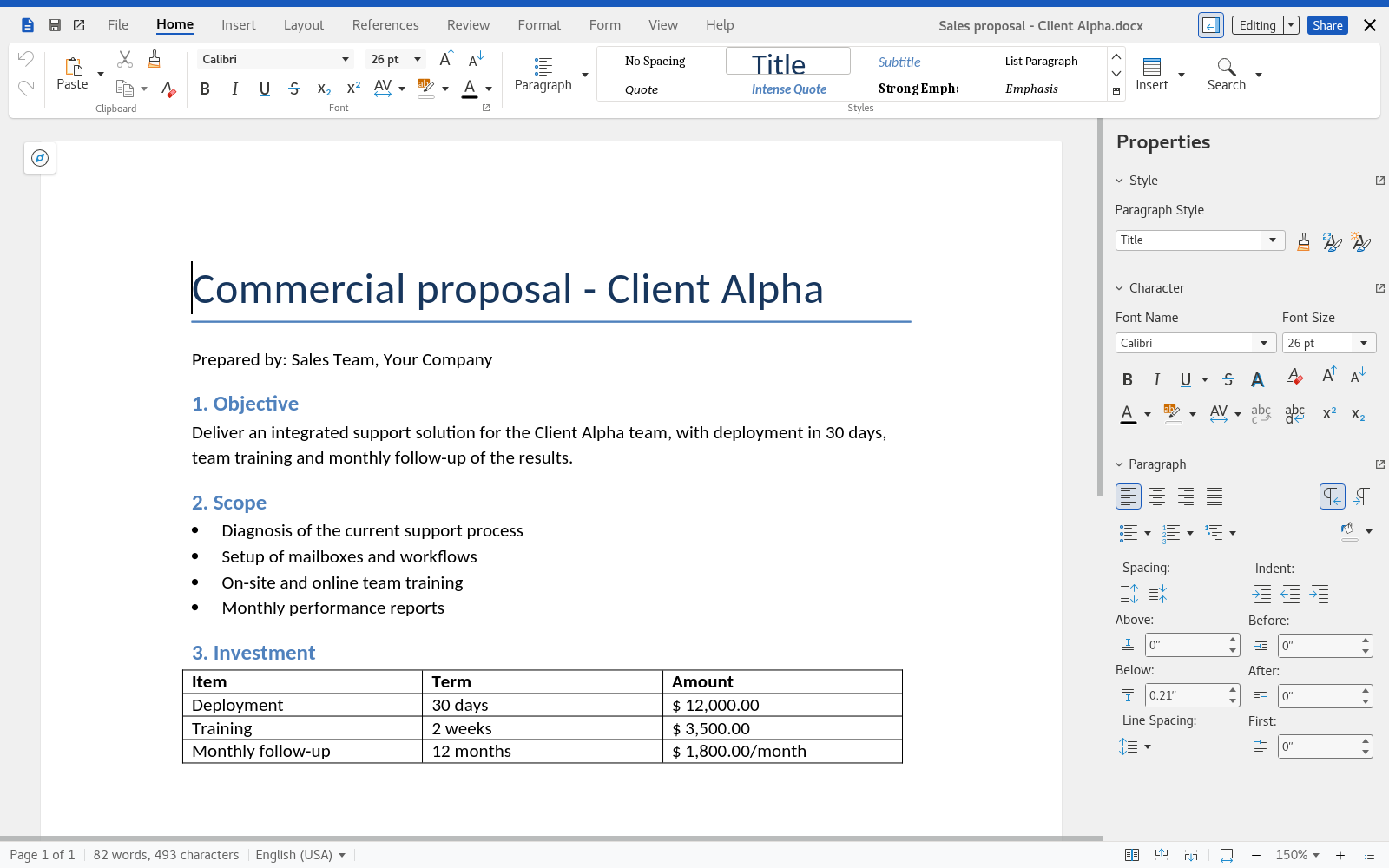
"Which is the right version of the spreadsheet?"
orcamento_v3_final_REVISADO.xlsx, emailed to five people, each changing their own copy. In lua Colabora, the spreadsheet sits in a team folder and several people edit at the same time, in the browser. There is only one version, and it's always the current one.
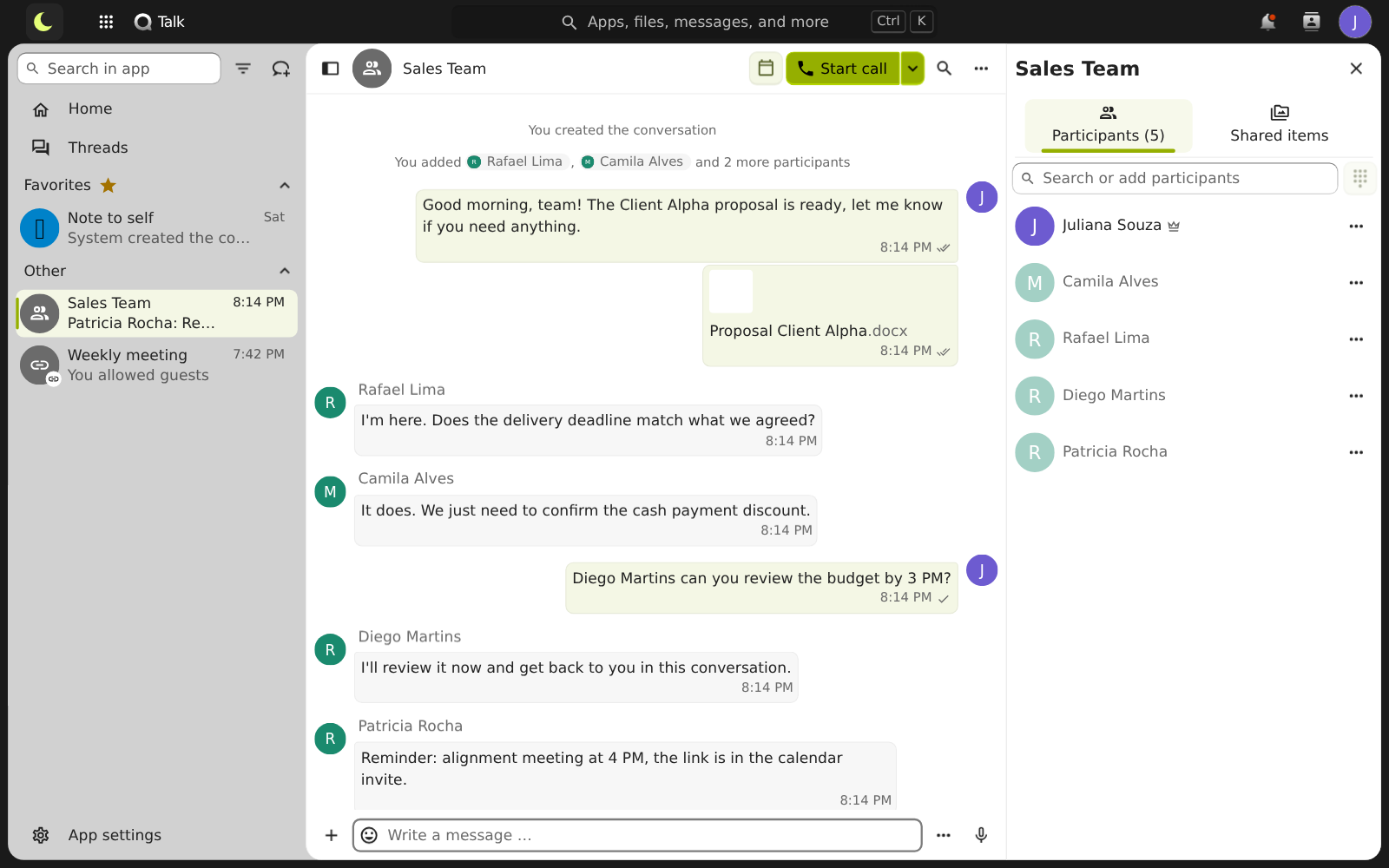
"Can you give me a quick call?"
Not everything needs an email with a subject and signature. The company chat handles the quick question without mixing work with personal WhatsApp. When you need a conversation, the video meeting is created in the calendar event, and the client joins through the link, without installing anything.
Did you recognize your team in any of these scenes?
Tell us how your team works today. We'll show you how your mailboxes, calendars, and folders would look.
Chat on WhatsApp See pricingPrefer that our team contacts you? Leave your contact details
What the company gains, and what the team gains
The company doesn't stop when someone is out
Vacation, sick leave, or someone leaving: the team's mailbox, calendar, and files stay accessible to whoever needs them, with the permissions you gave.
Clients are served by an address, not by a person
atendimento@ keeps replying quickly even when the team changes. Each customer's history lives in one place, not in the personal mailbox of whoever handled it.
Fewer tools to pay for and maintain
Files, documents and chat usually come in bundles of R$ 33 to R$ 41 per person. At lua.email they come with the mailbox, starting at R$ 8.90 (see the comparison, with each company's public prices).
New hires start working on day one
The new mailbox already sees the directory, calendars and team folders you share. Nobody has to forward anything for them to get started.
Your team loses less time
Nobody has to ask for a file again, dig up an old attachment or exchange ten messages to schedule a meeting, which leaves more time for customers.
One login for everything, on computer and phone
One password, with two-step verification, for email, calendar, files and meetings. On your phone, the mailbox is added as an Exchange account, with email, calendar and contacts together.
How to roll it out without a mess
Collaboration works when everything has an owner and a place. This is the plan we suggest for the first week.
Design the addresses
One mailbox per person. For each role, decide: group (everyone gets a copy, at no cost) or shared mailbox (the team replies from the same address).
Share the team mailboxes
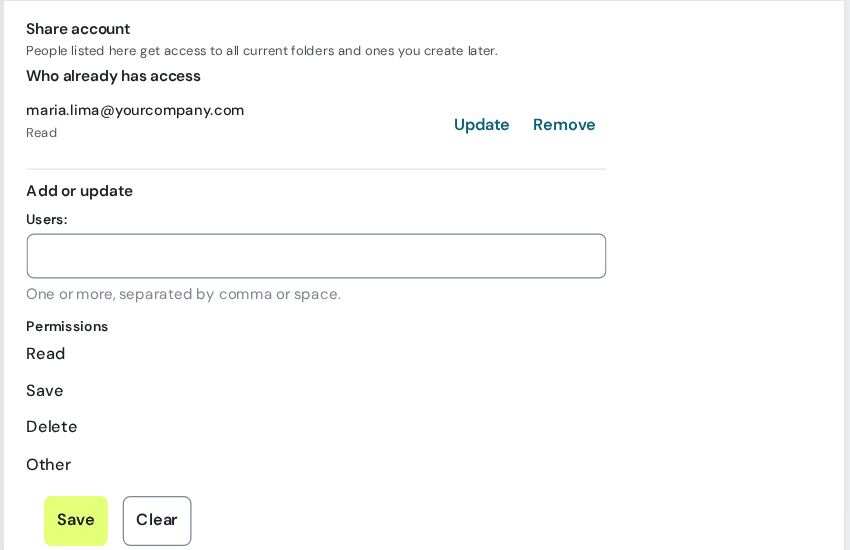
atendimento@, financeiro@, comercial@: give access to the people who reply, starting with Read only and expanding later.
Create the shared calendars
The team calendar, the meeting room calendar, and the vacation and absence calendar. Share them with whoever needs to view or edit.
Set up the folders in lua Colabora
One folder per area or per customer, shared with the right group. Files stop living on someone's computer.
Agree on the rules
Who answers atendimento@ and how fast, what goes in chat and what goes in email, where each type of file lives.
Questions about collaborative email
Is collaborative email the same thing as a shared mailbox?
A shared mailbox is one part of it. Collaborative email is the whole set: team mailboxes, shared calendar, company directory, files, documents and chat, all with the same login. At lua.email, all of this comes with every plan.
Does a shared mailbox count as a mailbox in the price?
It does: atendimento@ is a mailbox, with its own storage. If the idea is only to distribute messages to several people, without replying from the same address, a group does the job, and groups are free.
Does each person need a password for the team mailbox?
No. Each person signs in with their own account and sees the team mailbox in their folder list. Permissions (read, save, delete) are set per person, and nobody needs to know anyone else's password.
Does it work on the phone and in Outlook?
Yes. On iPhone and Android, the mailbox is added as an Exchange account, with email, calendar and contacts together. The shared mailbox shows up on its own in a colleague's folders, in webmail, Outlook, Thunderbird and on the phone. Each team calendar goes to the phone or Outlook through the Sync calendar option.
Will the team have to learn a new system?
Very little. The webmail looks like what the team already knows, and lua Colabora opens in one click, with the same login. The manual has step-by-step instructions for each screen, and support is people, in Portuguese.
How much does lua Colabora cost?
Nothing extra. Files, documents and chat come with every plan, using the mailbox's own storage, starting at R$ 8.90 per month.
Keep reading
Want to see your team working like this?
At lua.email, the mailbox comes with webmail and lua Colabora on every plan, starting at R$ 8.90 per month. Subscribing is online. You set up the mailboxes in the admin panel, and we help you design the team's mailboxes, calendars and folders.
Subscribe now See pricing How we migratePrefer that our team contacts you? Leave your contact details