Themes to choose from
Themes close to what each person already knows. In the default theme you can use light or dark mode and adjust the accent color, the corners and the text size.

Business webmail
Quick reply without leaving the message, drafts that are never lost, deleted messages that users restore themselves, shared mailbox, global address list and the look each person already knows. Right in the browser, nothing to install, on every lua.email plan.
Signing up is online and activation is automatic: pay by PIX and the account is ready in minutes for you to activate your domain. For questions, we answer on WhatsApp.
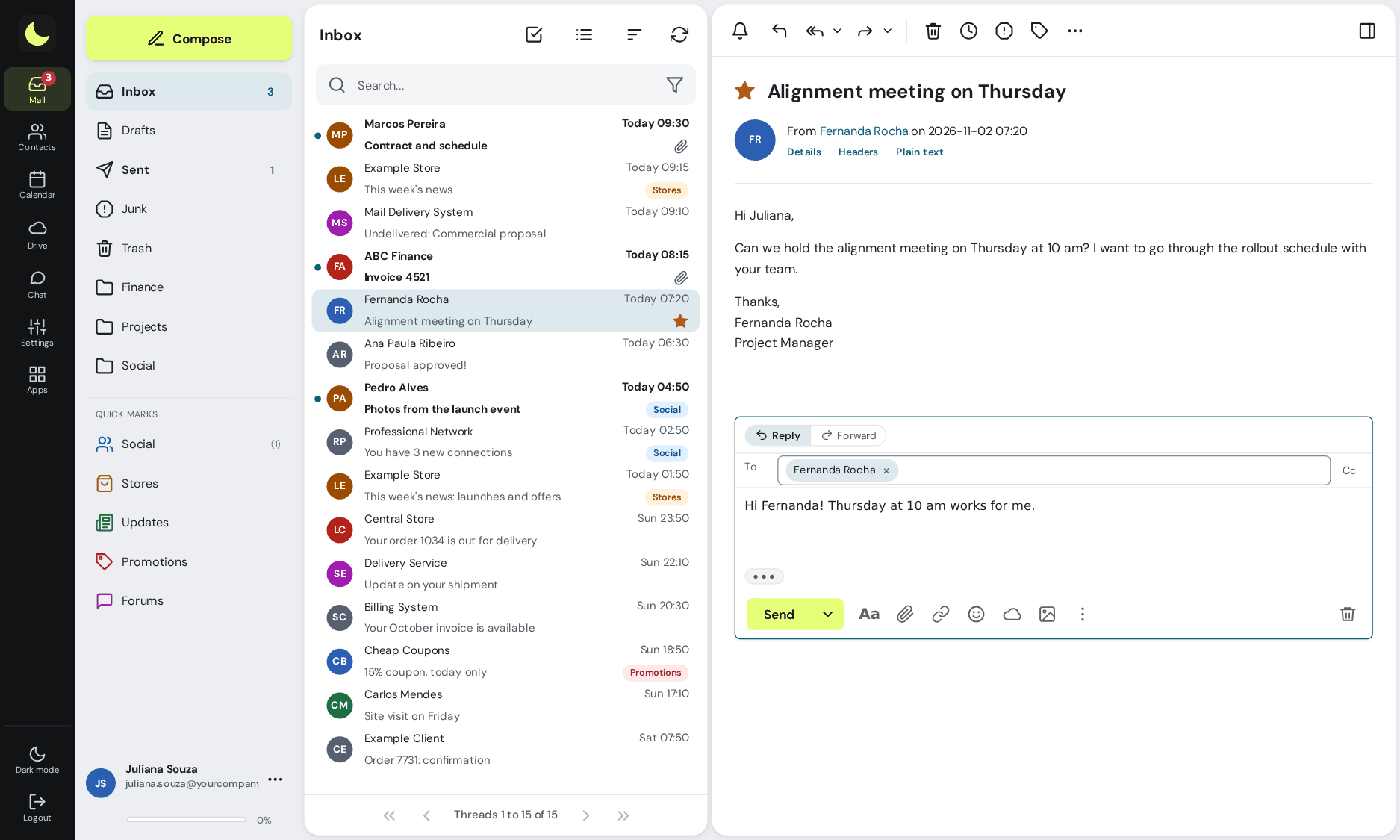
Clicked Reply? The reply box opens right below the message, in the reading pane itself. You keep seeing the conversation while you write.
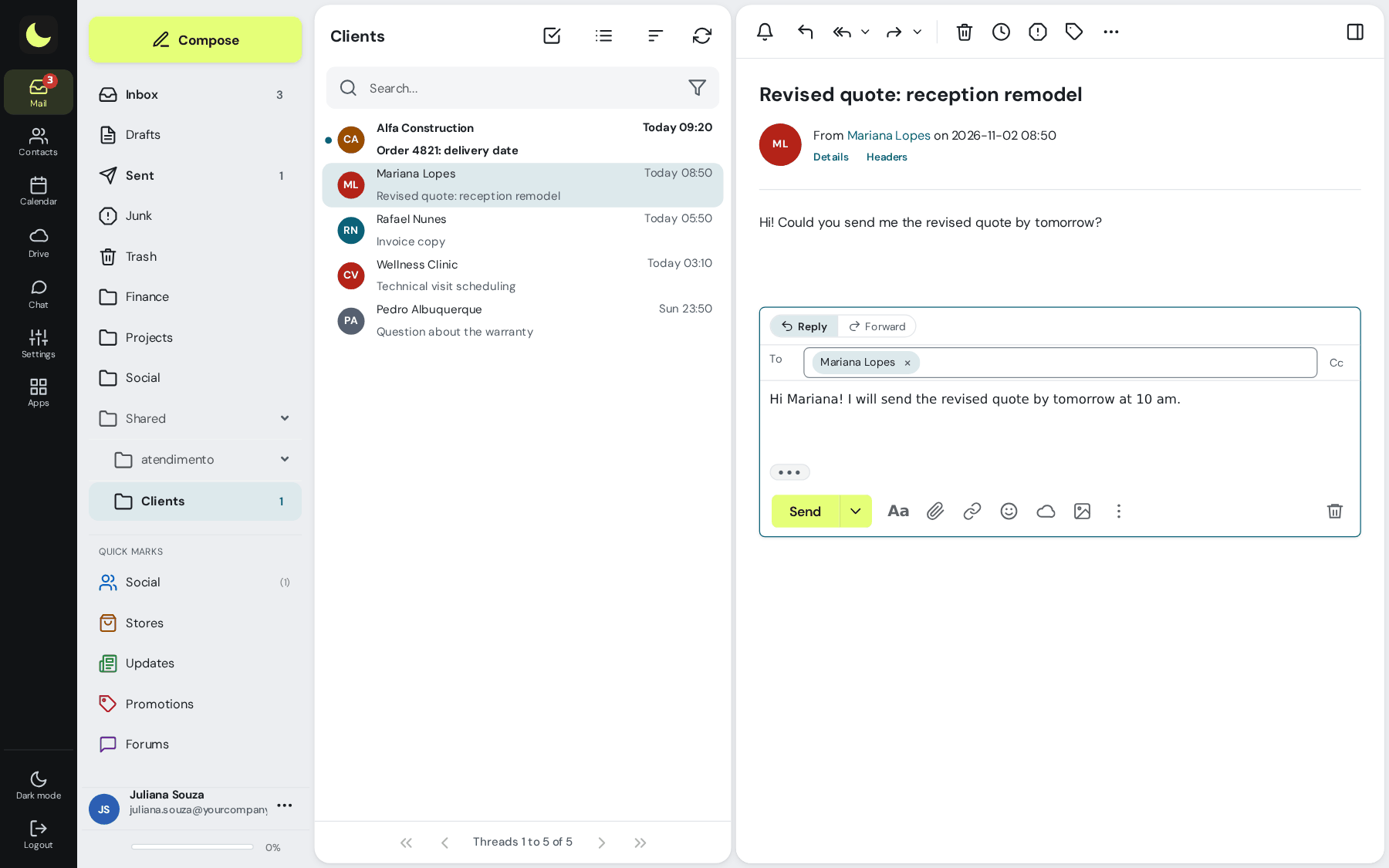
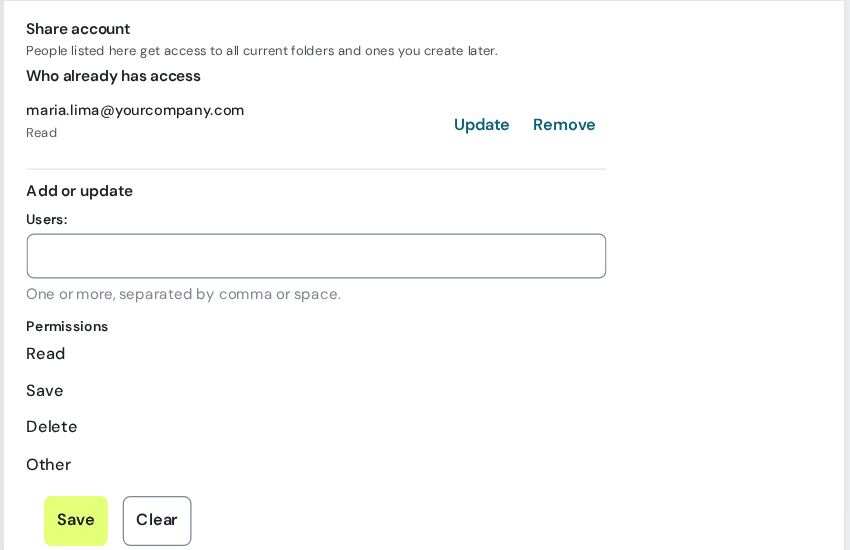
Share the whole account, or just some folders, without handing out the password. Whoever gets access doesn't just look: they read, reply, forward and write new messages on behalf of the shared mailbox, according to the permission you gave. Shared mailbox, step by step
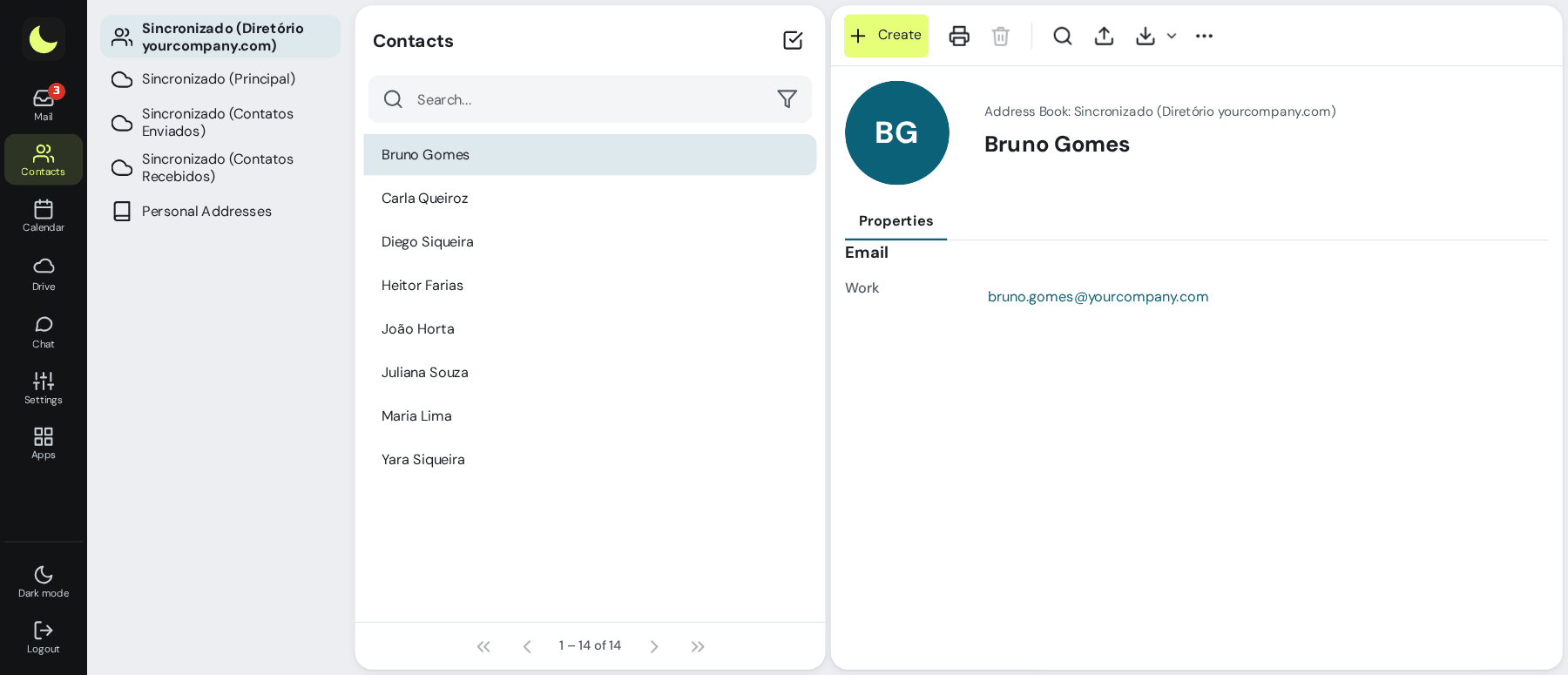
All the domain's mailboxes and groups go into the Directory automatically. And the administrators maintain global catalogs with the outside contacts the team uses every day, like Sales, Partners and Support. Nobody has to add contacts or work with an outdated list. How the global list works
Emptied the Trash, deleted with Shift, or deleted from Outlook or your phone? With the recovery add-on, messages are kept for 7 days in Deleted messages, inside the Trash, sorted by the folder they came from. Select and click Restore, without opening a ticket. How to recover, step by step
Add-on per mailbox. Keeps whatever is deleted after you subscribe.
How to restore, in the manual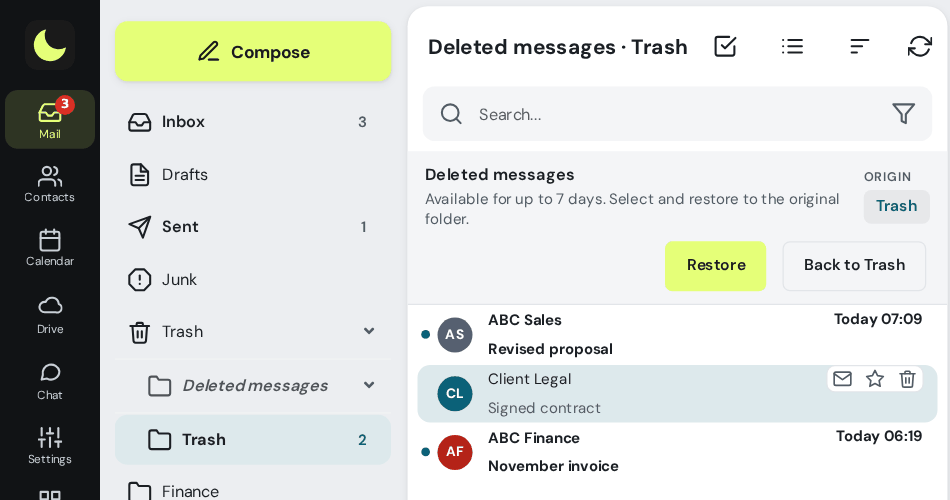
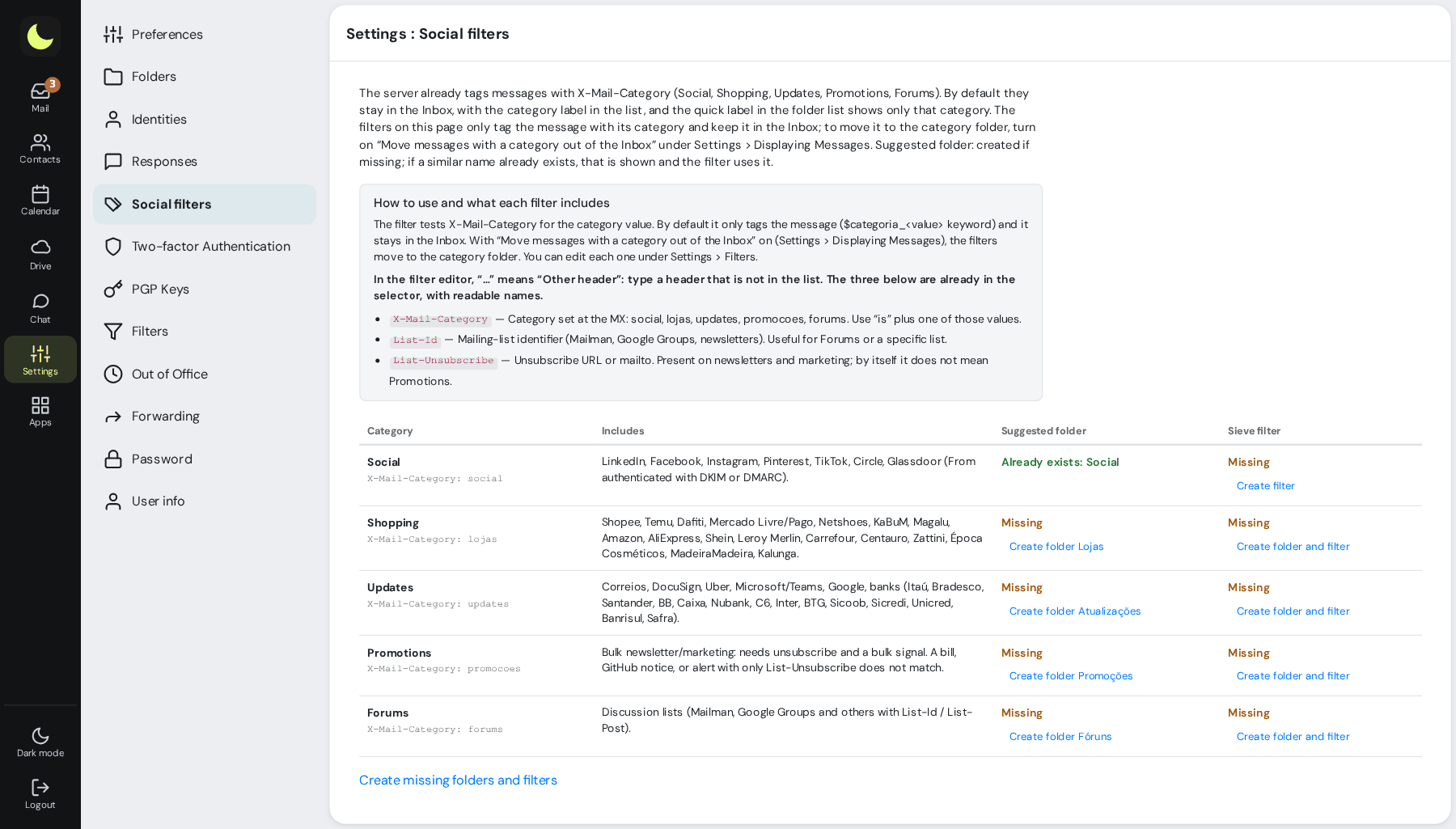
The server classifies each message on arrival: Social (LinkedIn, Instagram, Facebook...), Shops, Updates (banks, postal service, deliveries), Promotions and Forums. In the webmail, Quick tags show each category with one click, without moving anything. How to sort and unsubscribe from newsletters
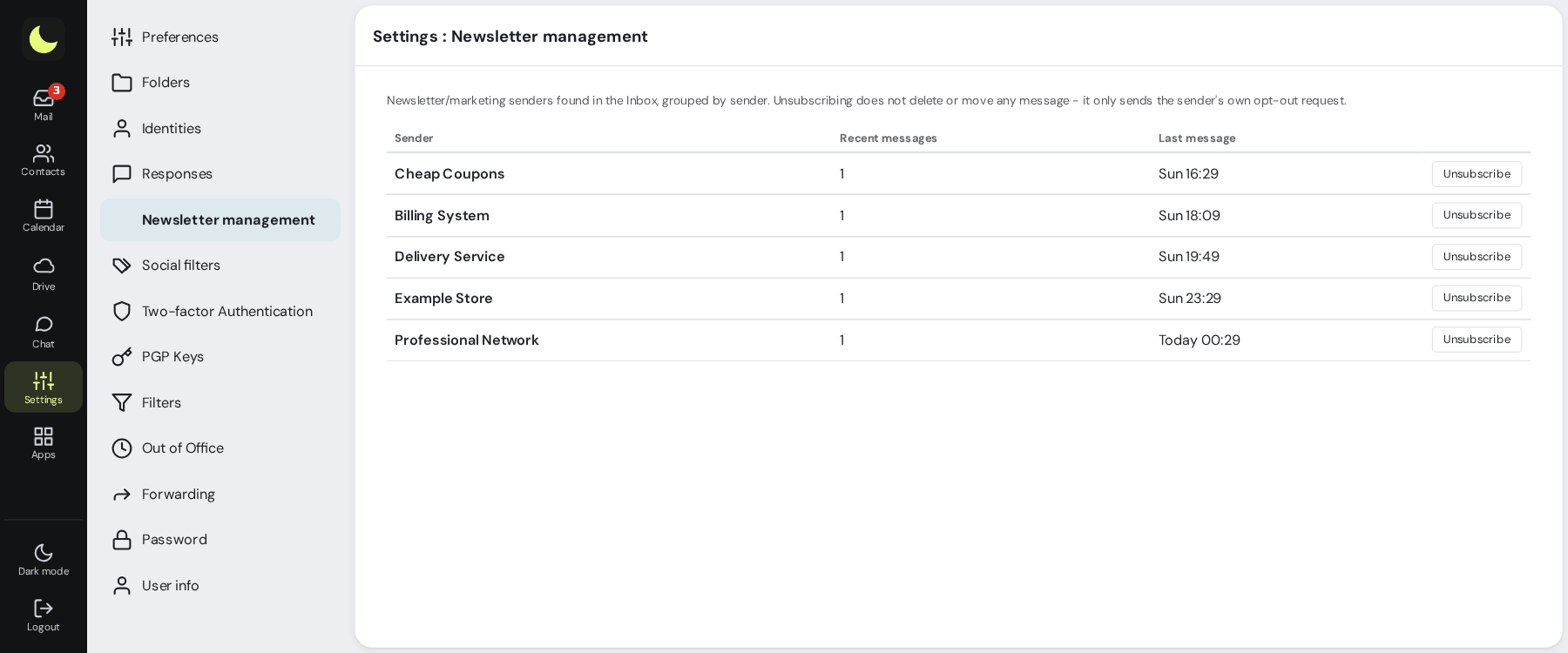
All newsletters and marketing messages in the Inbox, grouped by sender. Unsubscribe in one click, without hunting for the footer link and without deleting what has already arrived. How it works
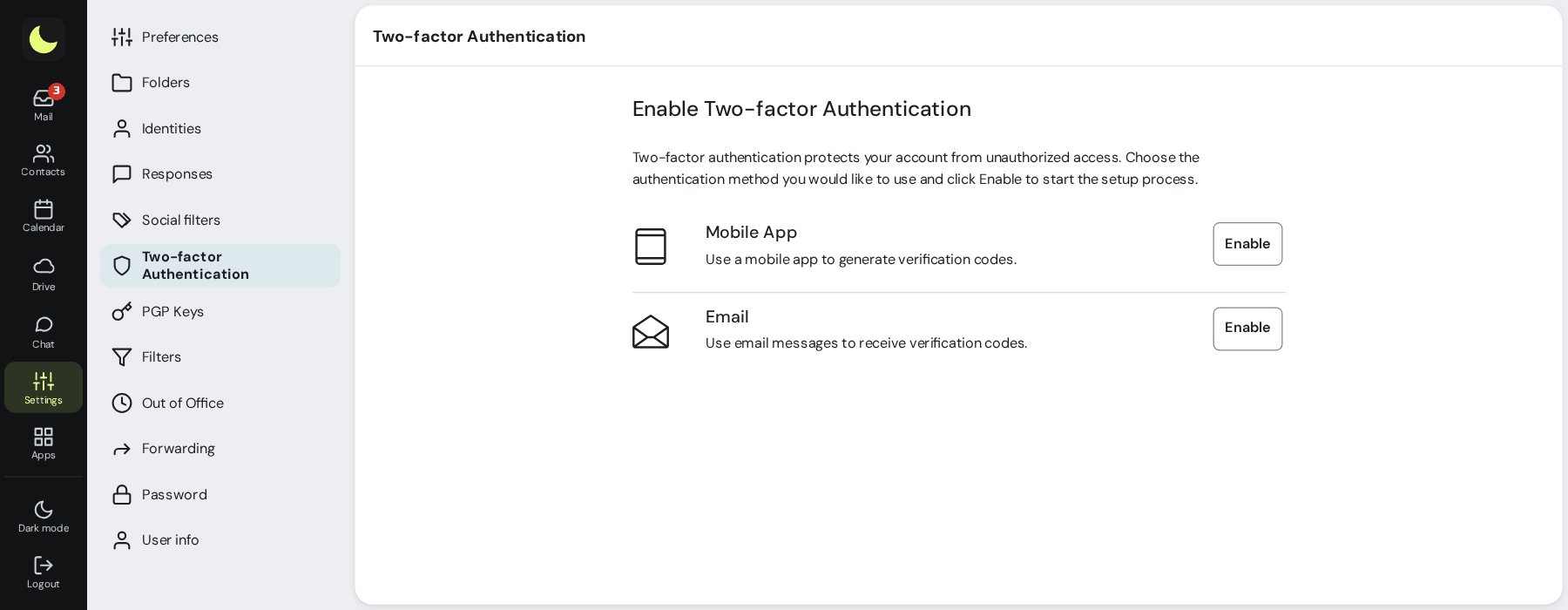
Besides the password, a code in the authenticator app on your phone or by email. Each person turns it on in Settings, with recovery codes so they don't lose access. How it works
Coming from Outlook or Gmail? Pick a theme close to what you already know. Want something cleaner? Stay with the default theme. Switching providers gets much easier when nobody has to relearn email.
Themes close to what each person already knows. In the default theme you can use light or dark mode and adjust the accent color, the corners and the text size.
Reading in three columns or in a list, conversations grouped or not, collapsed history, signature, canned replies and personal filters.
Webmail at webmail.yourcompany.com, with the company's logo at sign-in and on every screen, and the brand colors. The team never even sees the name lua.email. Optional feature: talk to sales. How to prepare the logo.
Mark a mailbox, alias or group as internal and it only receives messages from your domain. all@ and announcements@ stay free of spam and of scams impersonating management; anything from outside is rejected on arrival. See how it looks How it works
Did an email bounce? The "Not delivered" notice says in Portuguese the reason (nonexistent address, full mailbox, destination block) and what to do, instead of a code like "550 5.1.1". In the webmail, in Outlook and on your phone. See how it looks How it works
Nothing to install and no paid plugin. The step-by-step for each feature is in the webmail manual. Each one also has its own page under features.
The webmail saves on its own a few seconds after you stop typing. Refreshed the page or switched messages? Text and attachments are still there.
In replies, only the new text shows. The conversation history stays behind the ••• button, open whenever you want.
Did a message arrive in the open folder? A discreet notice shows how many and takes you straight to them, without disrupting what you were reading.
Domains that imitate others with look-alike letters, or names that hide another email address, get a warning next to the sender.
Write now and pick the time: the message goes out at the right moment, even with your computer off. How it works
Sent it without the attachment? You have a few seconds to click Undo and the message comes back for you to fix. The countdown keeps running even if you switch screens or close the tab. How it works
Cannot deal with it now? Snooze it until later, tomorrow or any date you like. At the right time the message returns to the Inbox as unread. How it works
Two clicks create the rule: everything that arrives from that address goes straight to the folder you chose, including what is already in the mailbox. How it works
Wrote "see attached" and forgot the file? The webmail warns you before sending. And with no subject, it asks first.
Shortcuts like from:, subject:, has:attachment and since:30d, in the current folder or in all of them. How it works
Reply, move, mark as spam, download as .eml or .zip and create a filter straight from the list, without hunting for buttons.
Moved something to Spam or took it out? The antispam learns from every classification, in the webmail, in Outlook or on your phone.
That text you type ten times a day becomes a canned reply, inserted with one click. Copied an image? Ctrl+V and it goes right into the message.
On vacation or traveling? The automatic reply tells whoever writes, and forwarding sends everything to a colleague while you're away. How it works
Appointments, invitations and contacts synced with your phone and Outlook, through CalDAV and CardDAV or through the Exchange account on your phone. How it works
Yes. The webmail comes with every lua.email plan, starting at R$ 8.90 per mailbox. Deleted-email recovery is an add-on per mailbox, and webmail under your company's brand is optional, arranged with sales.
Each person chooses the theme, and some options are close to what the team already uses. Anyone coming from another provider finds the buttons and the layout they already know, which makes the team's migration easier.
Yes. In themes with reading in three columns, the reply box opens right below the message. Ctrl+Enter sends, attachments upload while you write and the draft is saved automatically.
With the recovery add-on, whatever is permanently deleted stays for 7 days in Deleted messages, inside the Trash, sorted by the folder it came from. Select it and click Restore: the message goes back to the folder it came from, or drag it to any folder you like.
No. The webmail saves the draft automatically a few seconds after you stop typing, with text and attachments. If the browser closes, the next time it offers to restore the message.
Yes. The same mailbox works in the webmail, in Outlook, in Thunderbird and on your phone through IMAP, POP3 and SMTP, and calendar and contacts sync through CalDAV and CardDAV. On iPhone and Android, it can also be added as an Exchange account, with email, calendar and contacts in a single account.
A neural network, our own blocklists tuned to our traffic, spamtraps and antivirus stop scams, phishing and viruses before the inbox, with 99.91% accuracy measured by user corrections.
The webmail comes with every lua.email plan, starting at R$ 8.90 per mailbox. Subscribing is online and activation is automatic: pay by PIX and the account is ready in minutes for you to activate your domain.
Subscribe now See pricingPrefer that our team contacts you? Leave your contact details