
- Included on all plans
- Same login as your email
- Opens Word, Excel and PowerPoint files
- Nothing to install
- In Portuguese, with support in Brazil
The team's office, one click from your email
No need to piece together one service for files, another for meetings and another for tasks, each with its own password and its own invoice. In lua Colabora, everything works with the webmail and with the people at your company. The step by step for each function is in features.
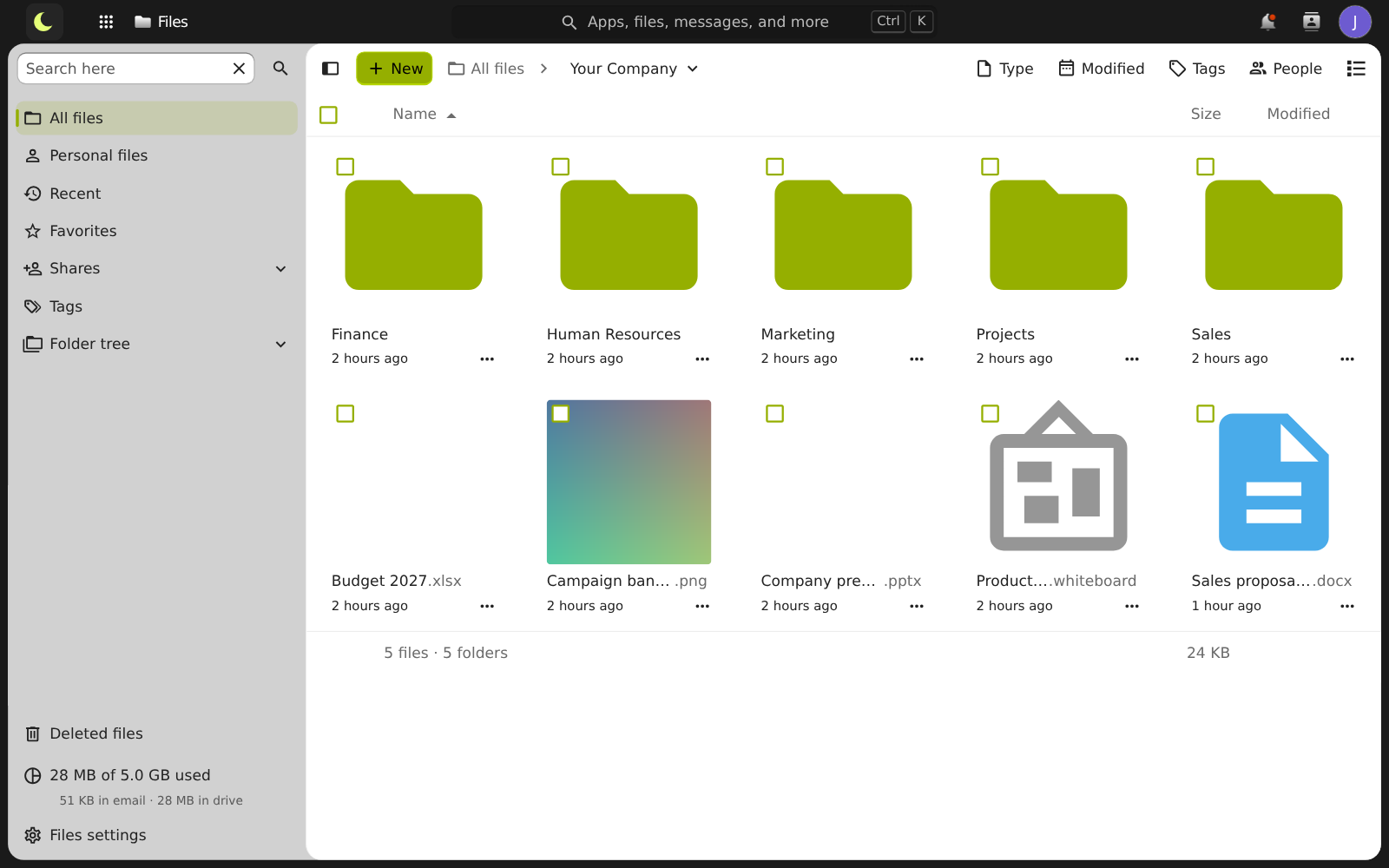
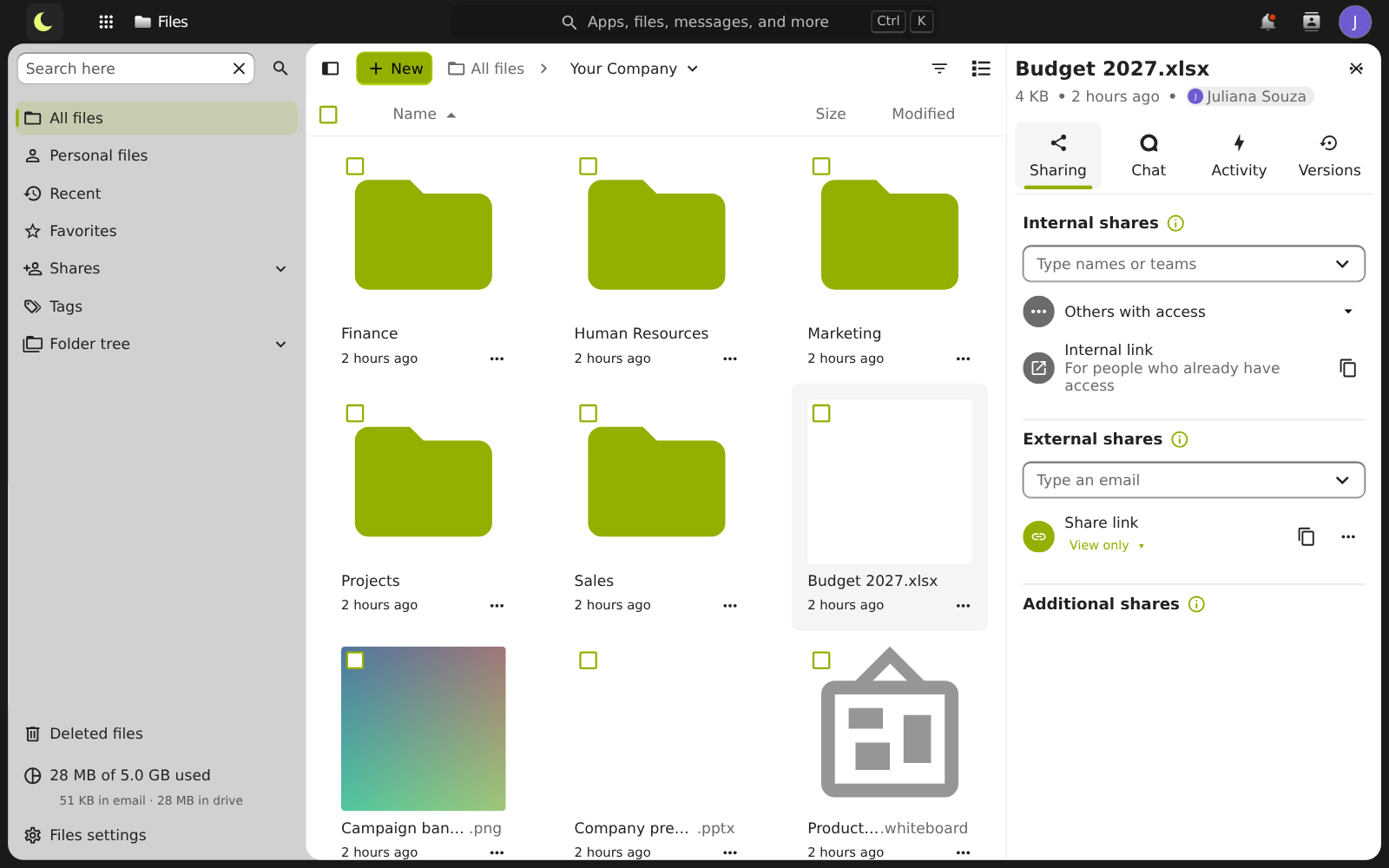
The company's files in one place
Without a team folder, the proposal sits on someone's computer and the spreadsheet circulates by email in ten versions. Here, files are organized in folders, reachable from any browser. How it works
- Folders by department or project, with what each person can see and edit
- Upload files and whole folders by dragging them into the browser
- Preview images, PDFs, videos and documents without downloading
- Favorites, recents, search and a trash bin to recover what was deleted
- Previous versions of the file, to go back when you need to
Share only with the people who need it
- With a colleague or a company group: just start typing the name
- With customers and suppliers by link, with a password and an expiration date
- Permission to view only or also edit
- A folder to receive files from outside, without giving access to the rest
- Remove the sharing and the person loses access
Documents, spreadsheets and presentations, edited together
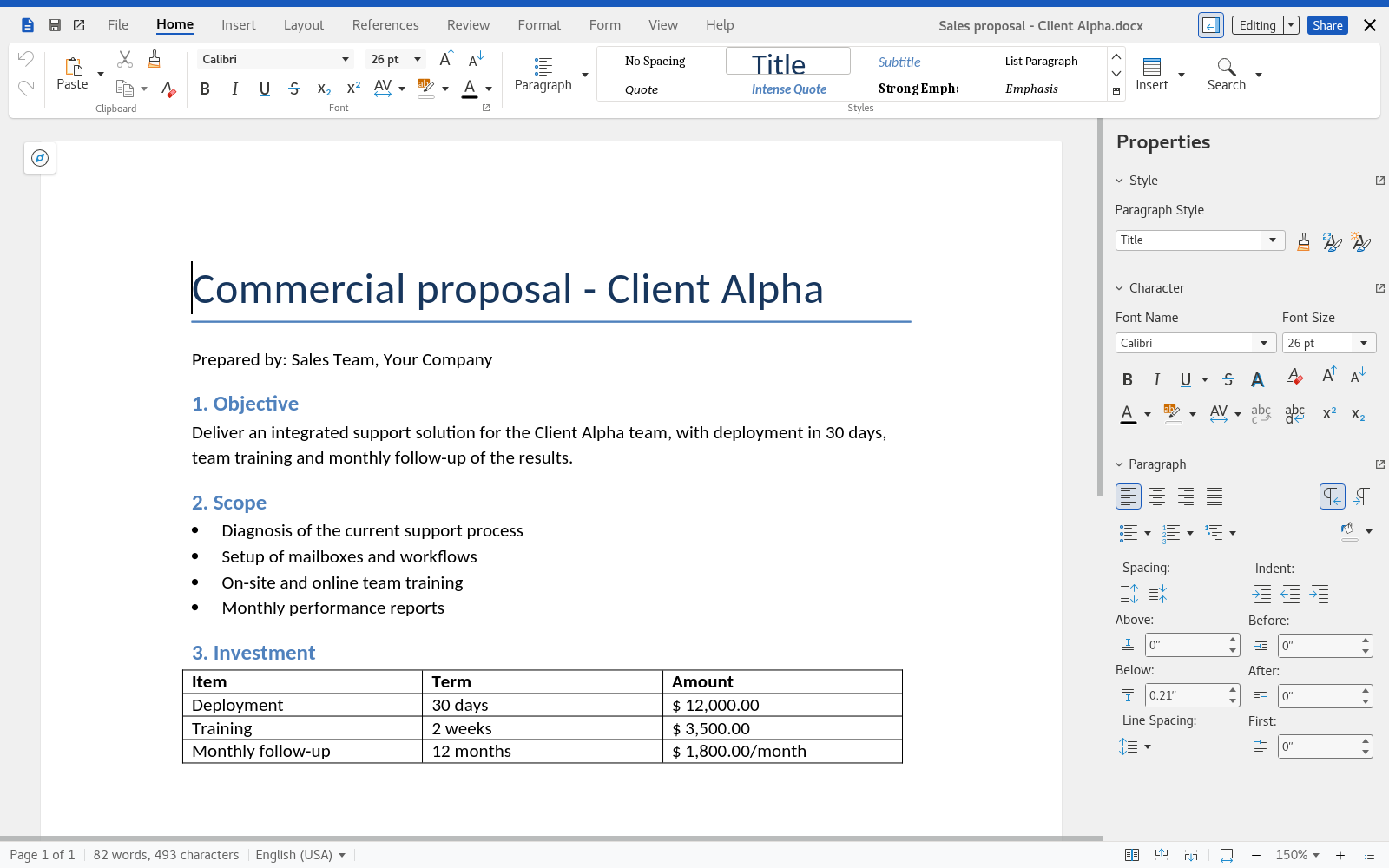
Nothing to install and no sending the file back and forth: two or more people work on the same file at the same time, and each sees what the other is doing. How it works
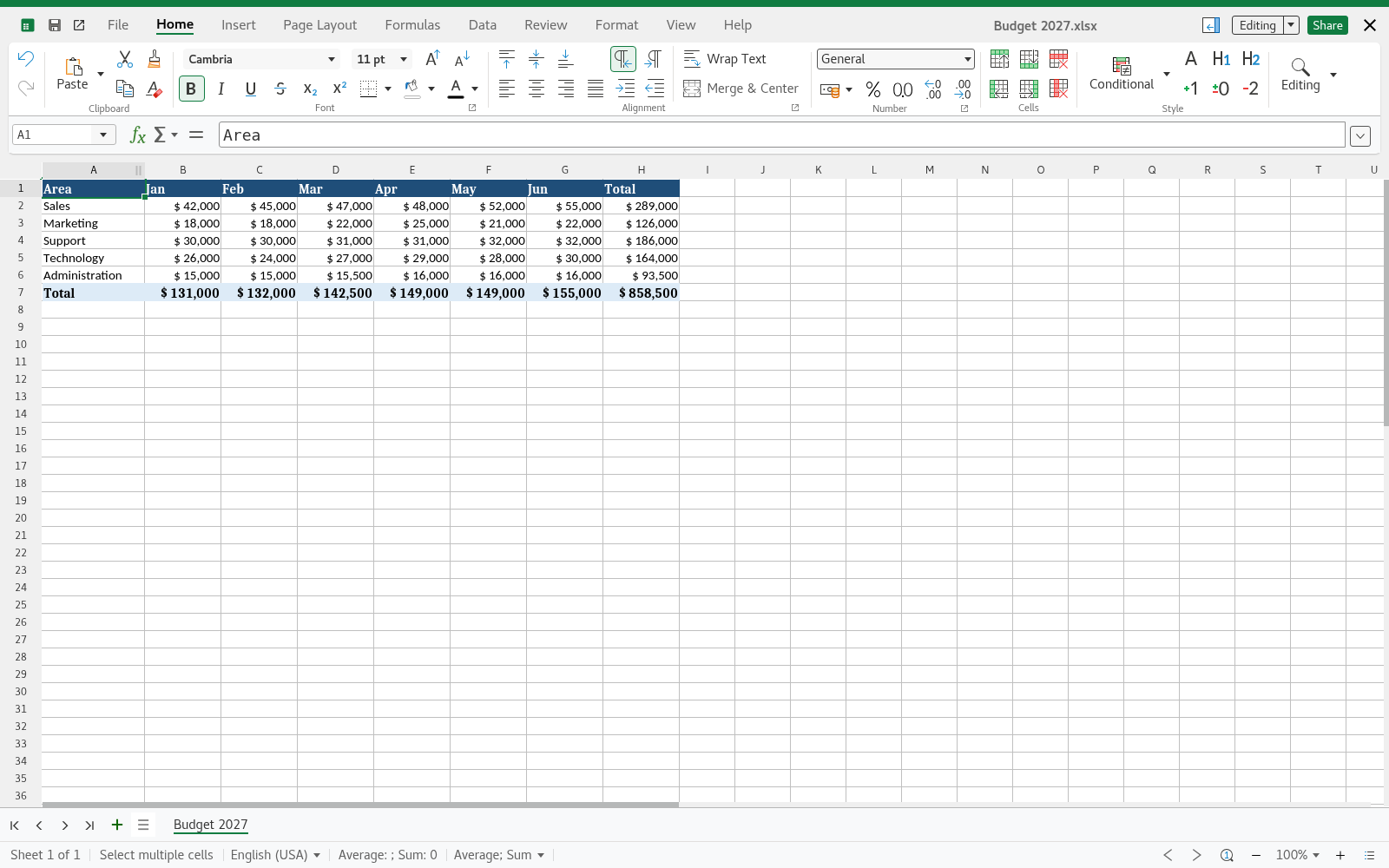
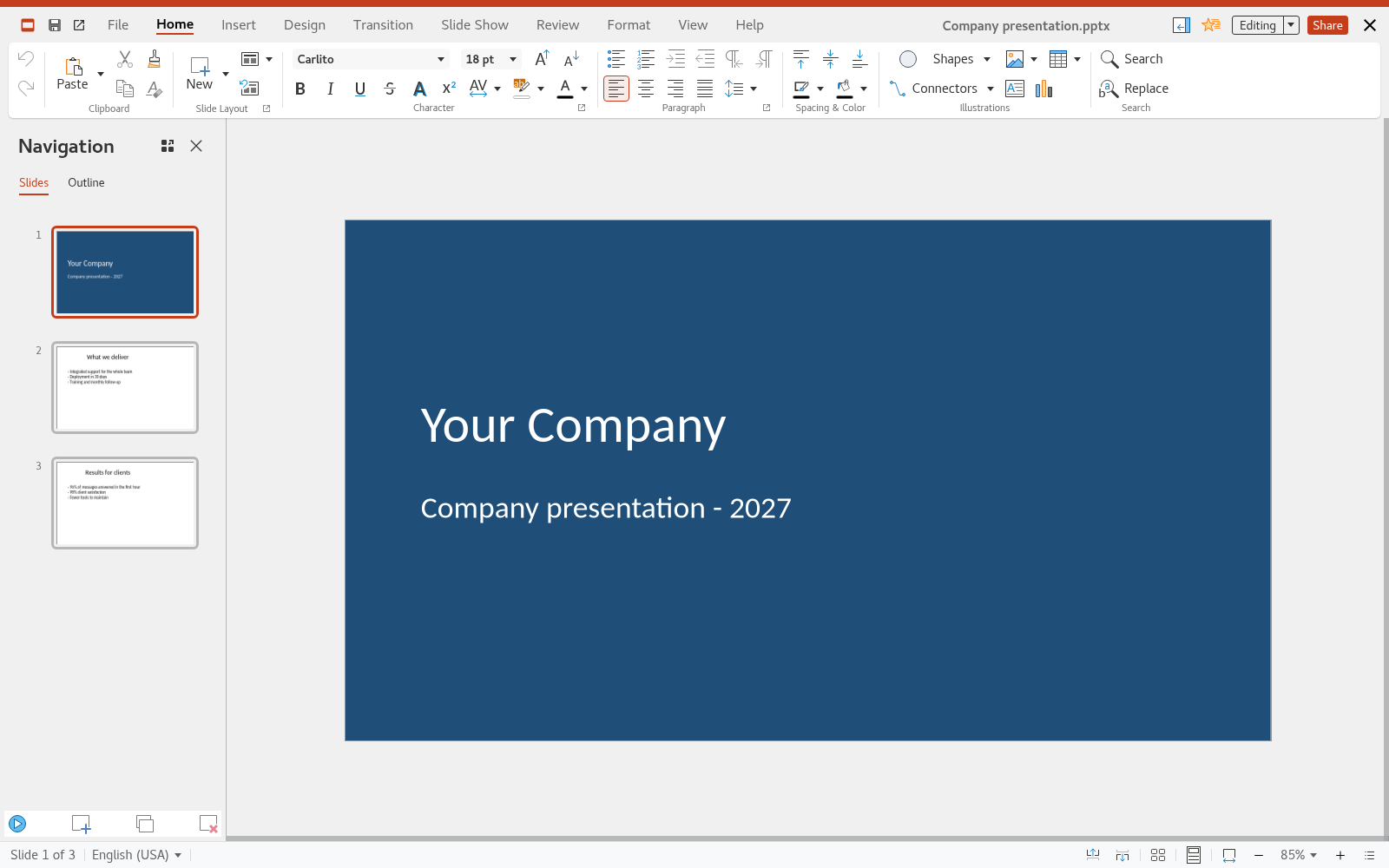
- The formats everyone uses
- Opens and saves Word, Excel and PowerPoint files. Customers get the usual .docx or .xlsx, and the team exports to PDF when needed.
- Editing at the same time
- Each person shows up in their own color in the text. Comments and tracked changes help with reviewing contracts and proposals.
- Always the latest version
- The file is saved while you work. If someone changed what they should not have, the previous versions are kept.
Quick chat without filling up the inbox
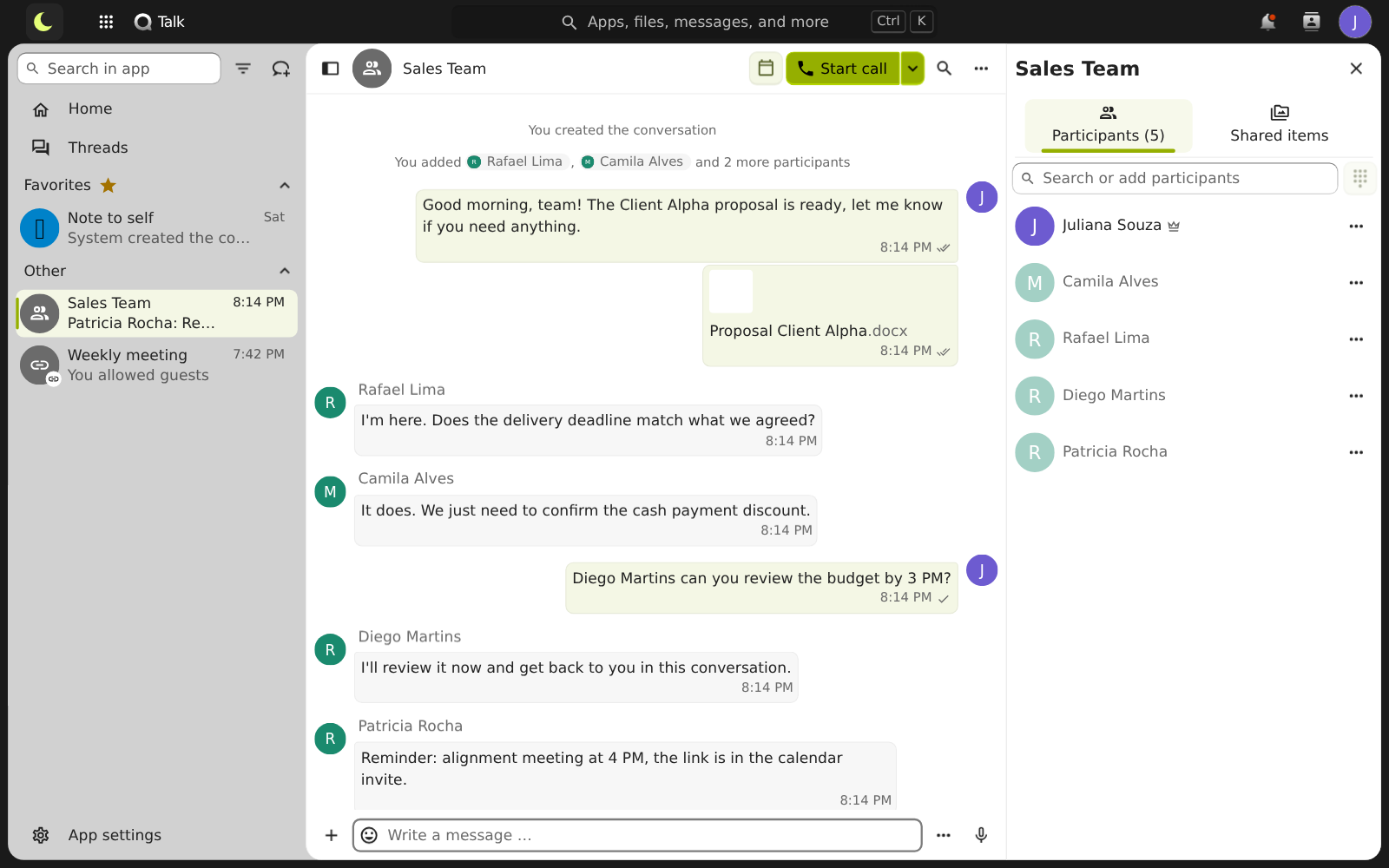
For what does not need to become an email: a quick question, a notice to a department, a file for a colleague. The business chat lives in the same place as the files and meetings. See the business chat or the team groups in the chat.
- One-on-one and group conversations, by department, project or customer
- A conversation with a whole company group: whoever joins the group joins the conversation
- Files, @ mentions, replies and reactions
- Browser notifications when a message arrives
- From the conversation to a video call in one click
Video meetings with the team and with customers
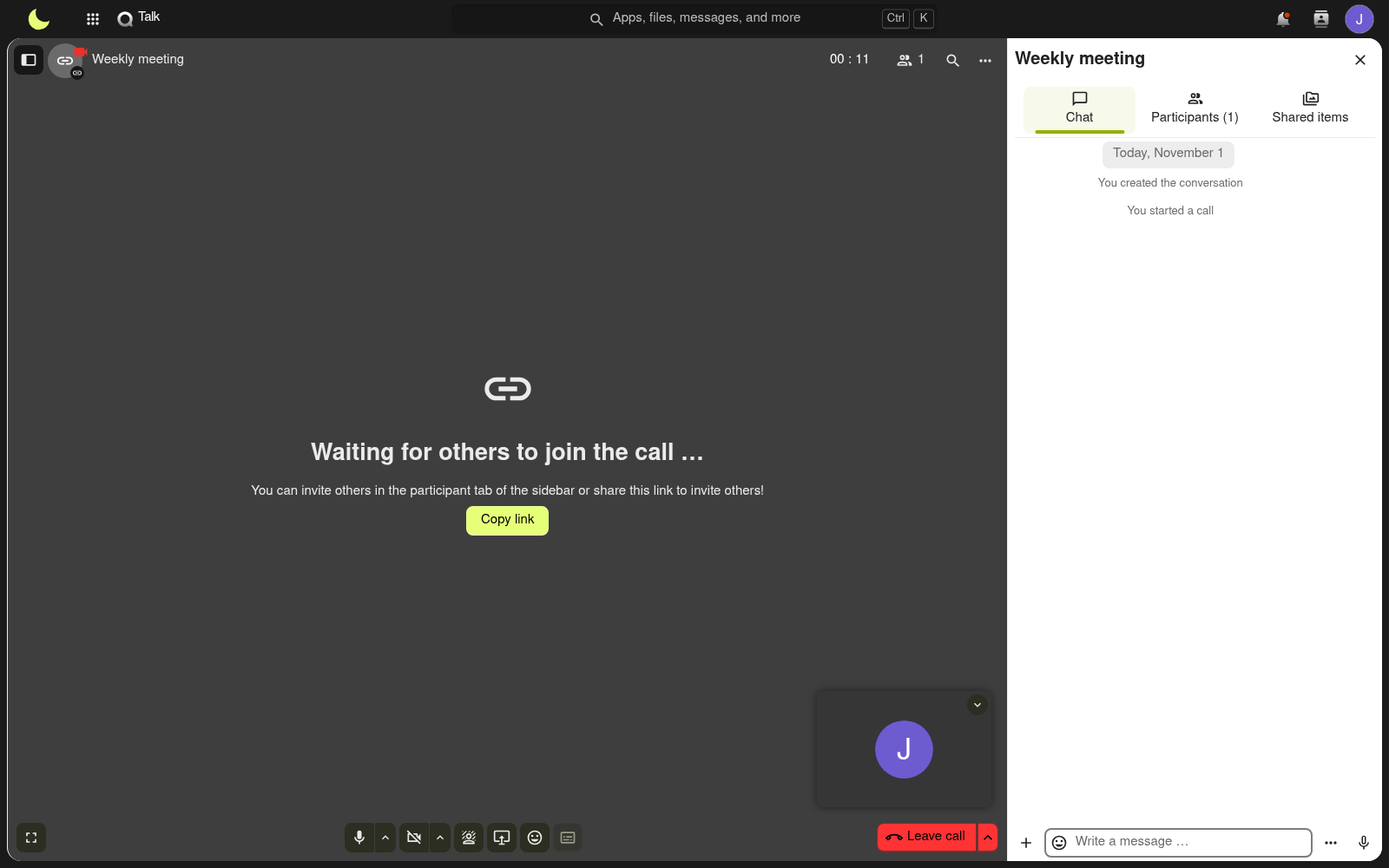
Team meeting, customer presentation, job interview: all in the browser, with no program to install and no time limit per meeting. How it works
- Camera, microphone and screen sharing
- Outside guests join with just the link: they type their name and wait to be admitted
- Chat during the meeting
- Meeting recording when you need it, with a notice to participants
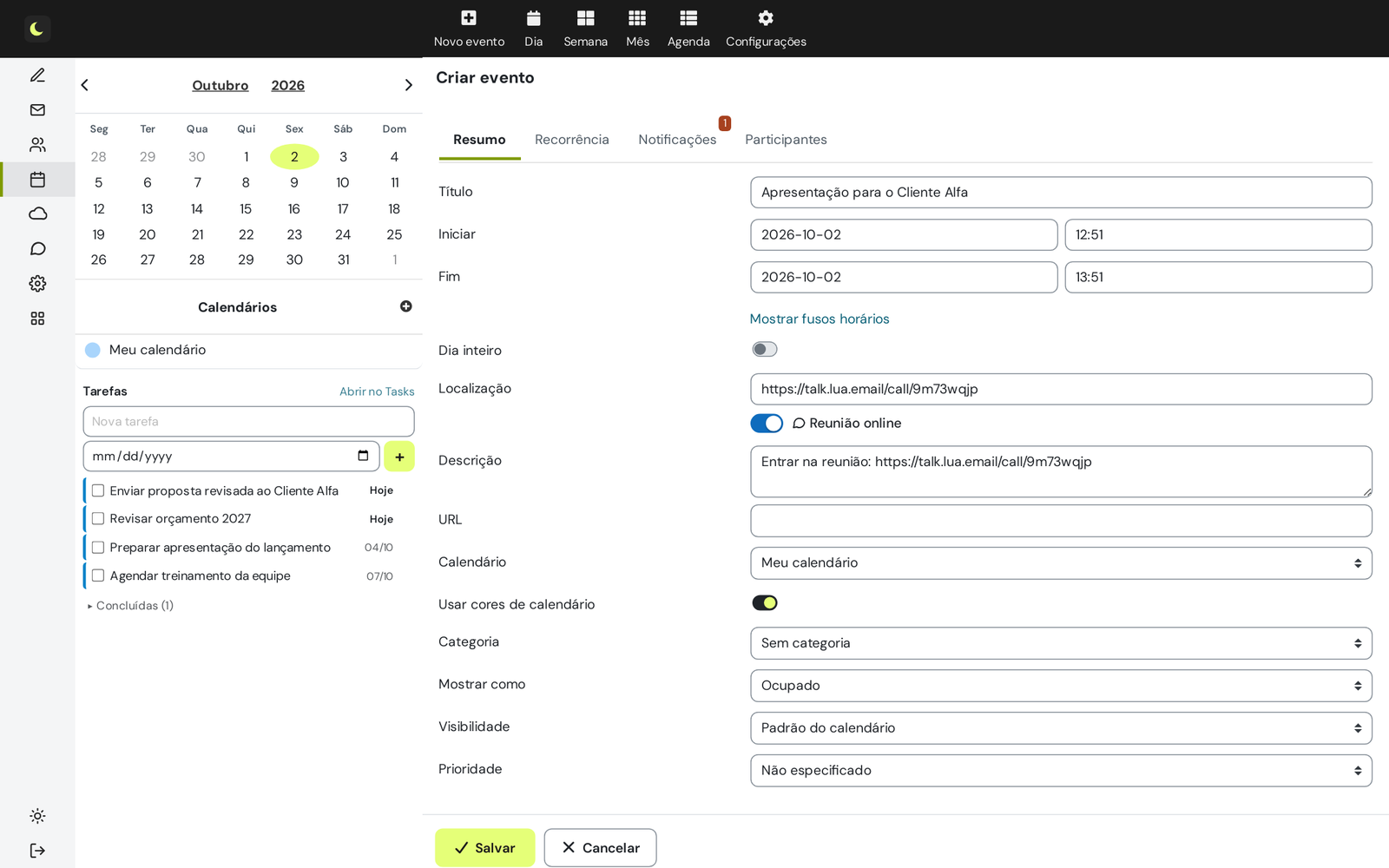
The meeting link is born in the calendar
- When you create the event in the webmail, turn on Online meeting: the link goes in the location and the description
- Guests receive the invitation with the link, as in any calendar
- At reminder time, the Join meeting button is already in the notification, with the option to remind you again in 5 minutes
- Delete the event and the meeting room is deleted with it
Tasks, projects, ideas and team notes
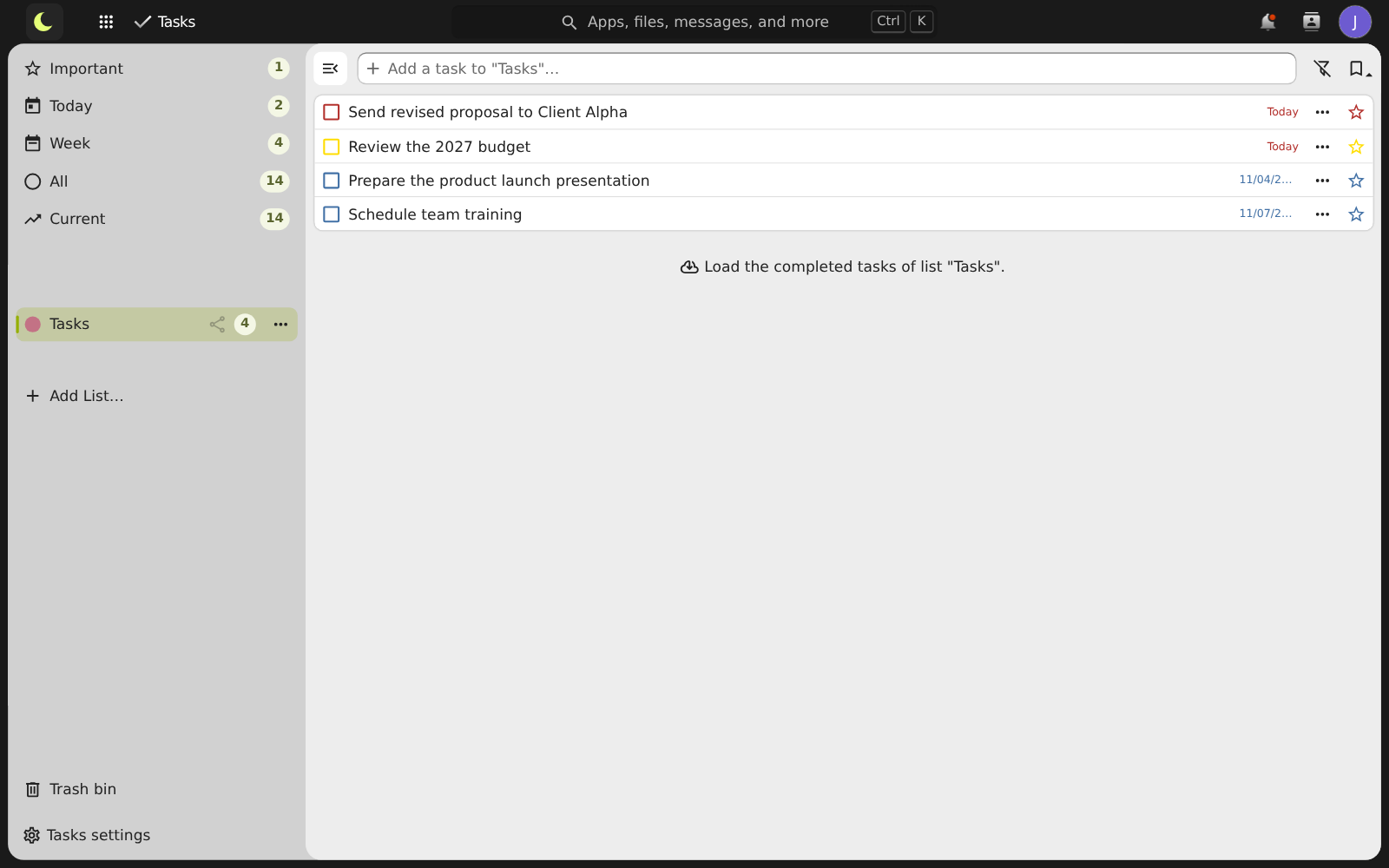
From a personal reminder to a project across departments, each type of work has its own way of being organized. How tasks work
- Task lists with deadline, priority and subtasks
- Ready-made views for today, this week and everything, combining all the lists
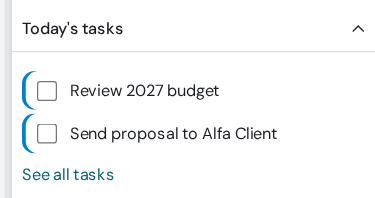
- Today's tasks show up in the webmail, on the email screen and next to the calendar
- Deck cards with a deadline also show up as tasks
- Reminder at the set time, in the Drive bell and in a window in the webmail, with Complete and Snooze
- An email becomes a task in two clicks, with the link to open the message
Kanban boards
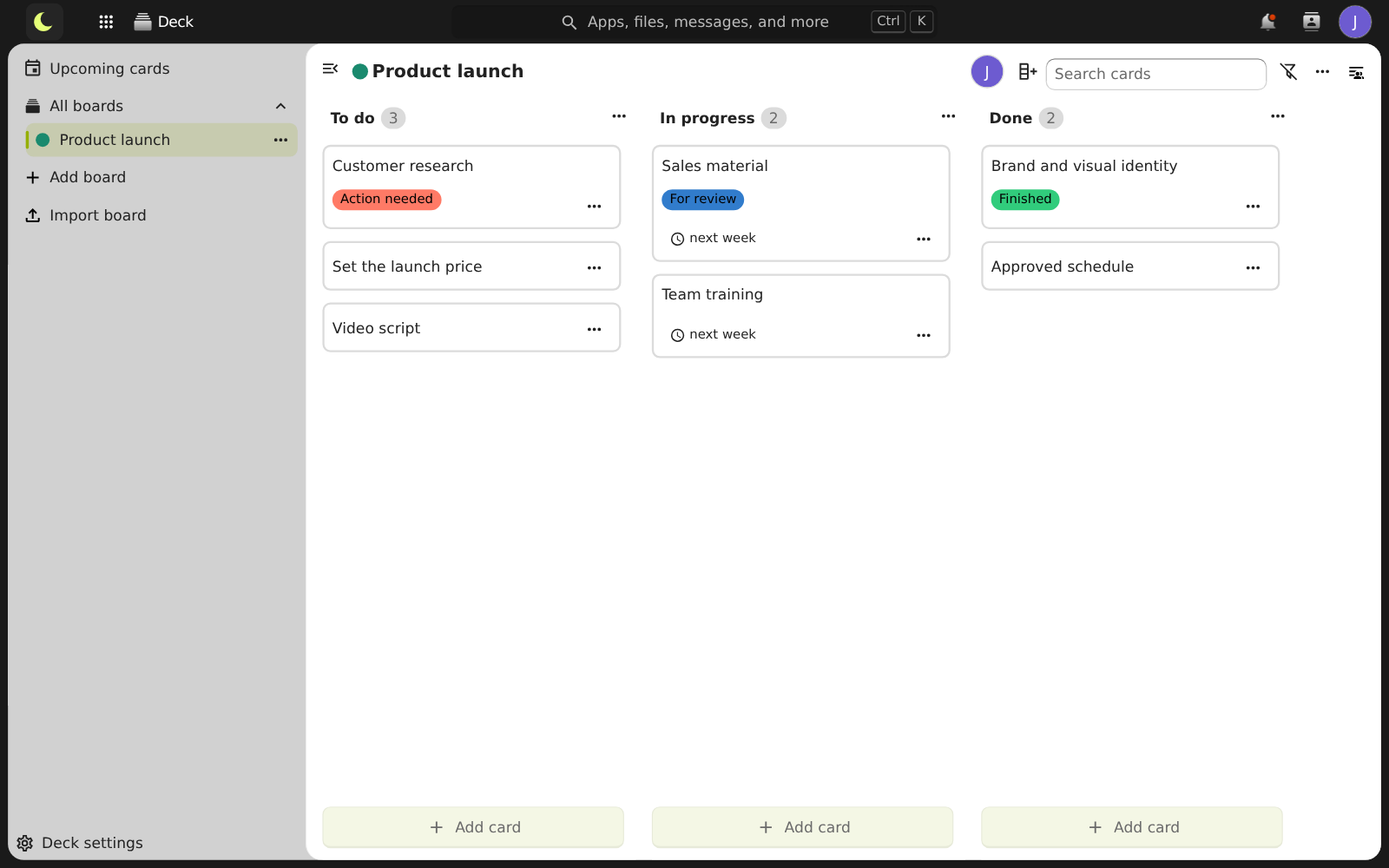
Projects in columns and cards, with owners, deadlines, labels and comments.
- Projects in columns: to do, in progress, done, or however the team works
- Cards with owner, deadline, labels, checklist, comments and attachments
- Drag the card to change stage: everyone sees it right away
- Boards shared with colleagues or a whole group
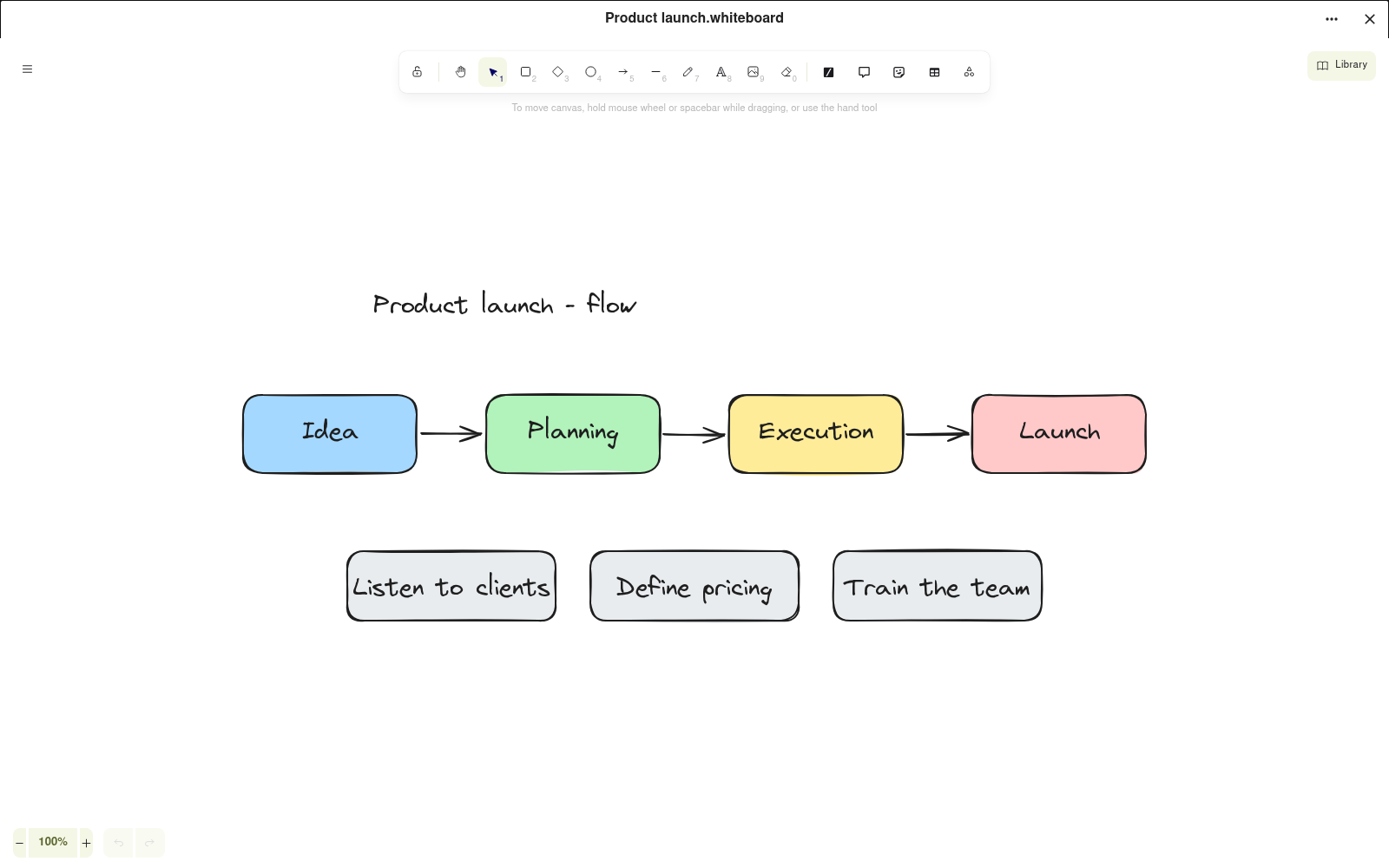
Whiteboard
Sketch ideas and flows with the team, live, on the same board.
- Shapes, arrows, text and freehand drawing for flows, maps and brainstorms
- Several people drawing together, live, on the same board
- The board is stored in the files, like any document
- Share with colleagues or a company group, like any file
Notes
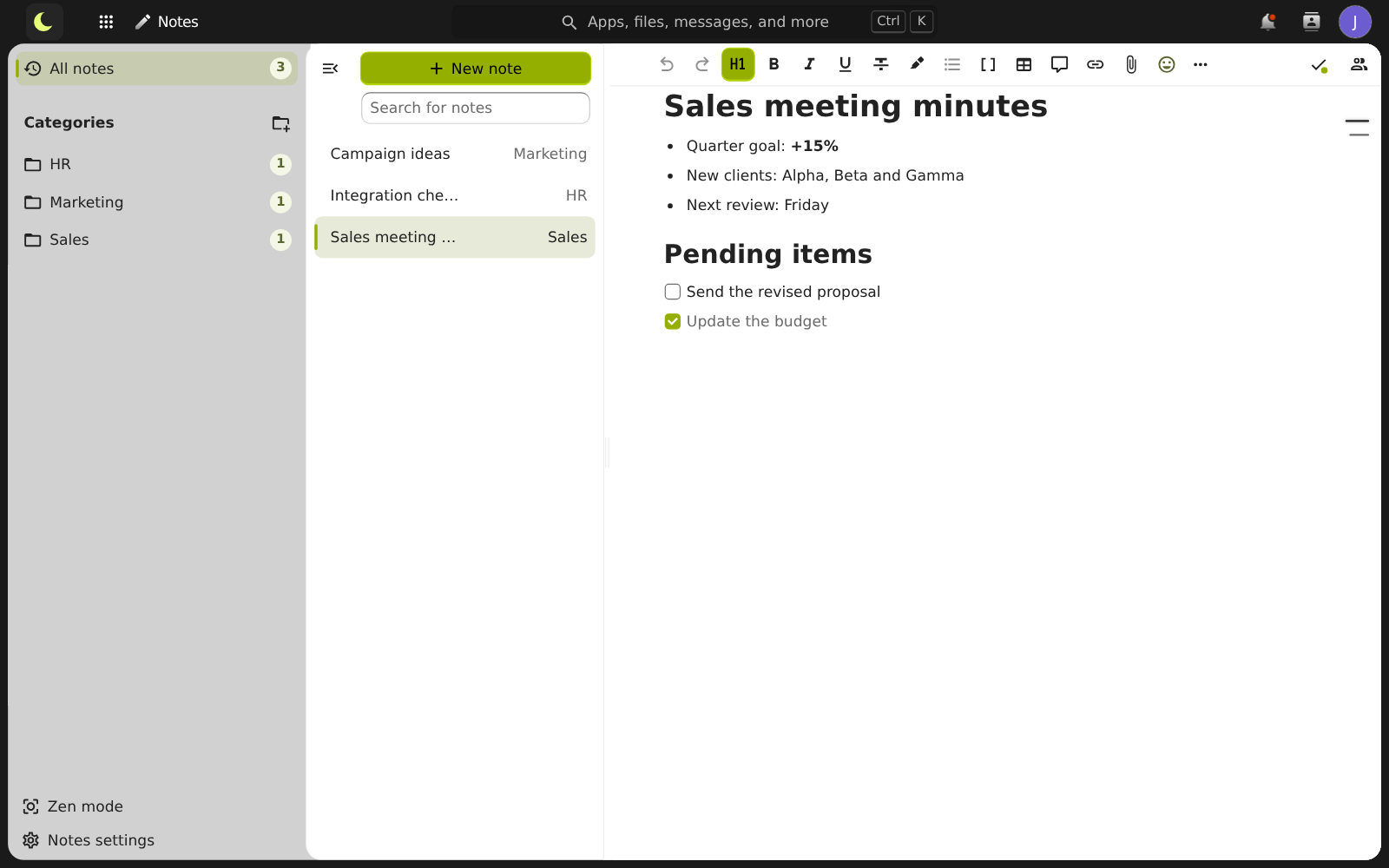
Quick notes, meeting minutes and lists, organized by category and always at hand.
- Meeting minutes, ideas and lists, with headings, lists and checkboxes
- Organized by category, with search and favorites
- Saved automatically as you write
See lua Colabora in motion
An animated video of about 1 minute shows lua Colabora in daily use: a large file sent as a link, several people editing the same file, a meeting link created in the calendar and project progress tracking.
Email and files working together
lua Colabora lives inside the webmail. One button takes you to the Drive already signed in, and files go back and forth between email and the team folders without downloading anything.
Turns into a link on its own
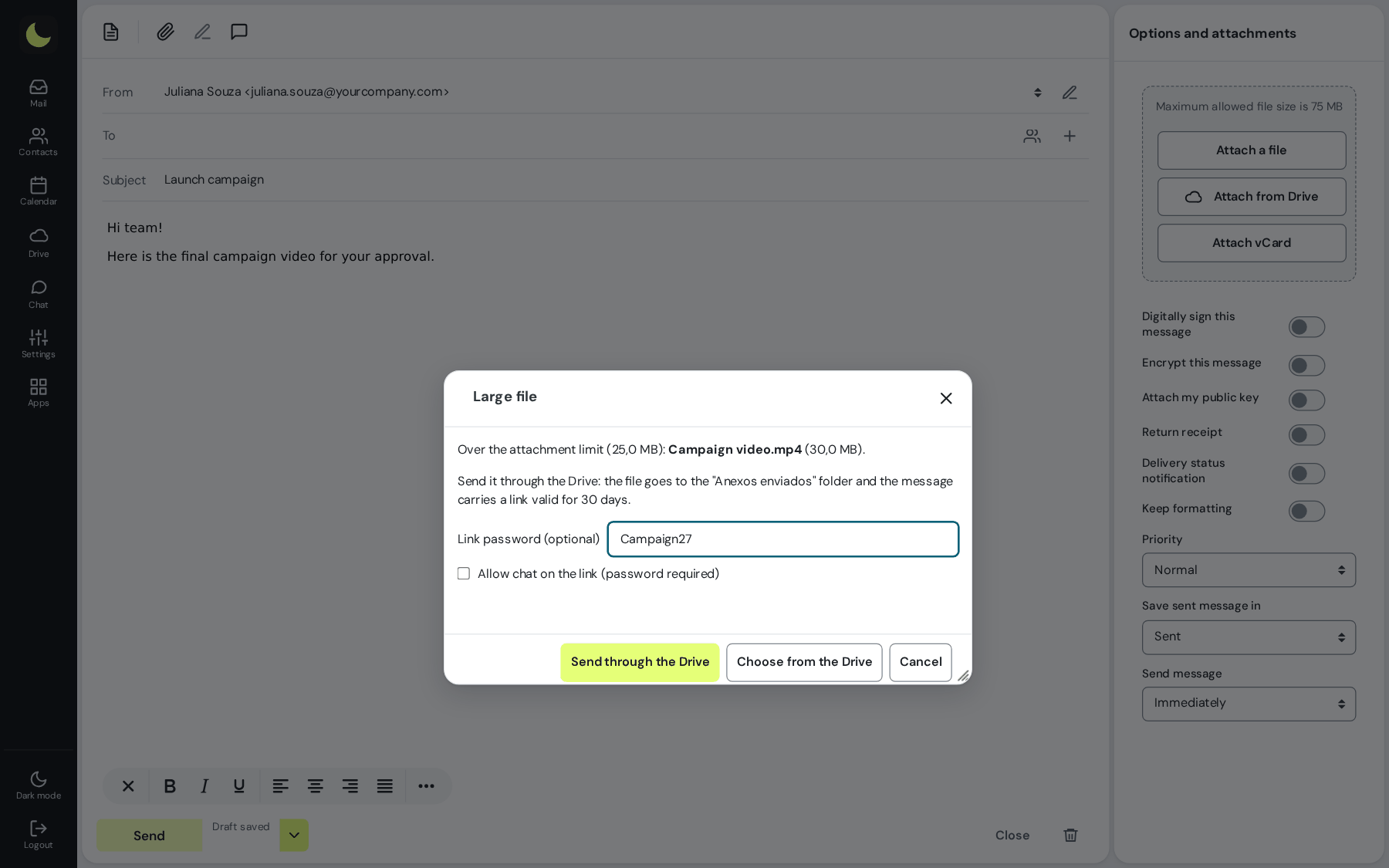
Big file? It turns into a link on its own
- You attached a video or a file too heavy for email: the webmail sends it to the Drive and puts the link in the message
- The recipient downloads it from the link, with no full mailbox and no bounced email
- The link is valid for 30 days and comes with a QR code to open on a phone
- Changed your mind about the message? The uploaded file is deleted on its own
Without downloading anything first How it works
Attach straight from the Drive, or send the link
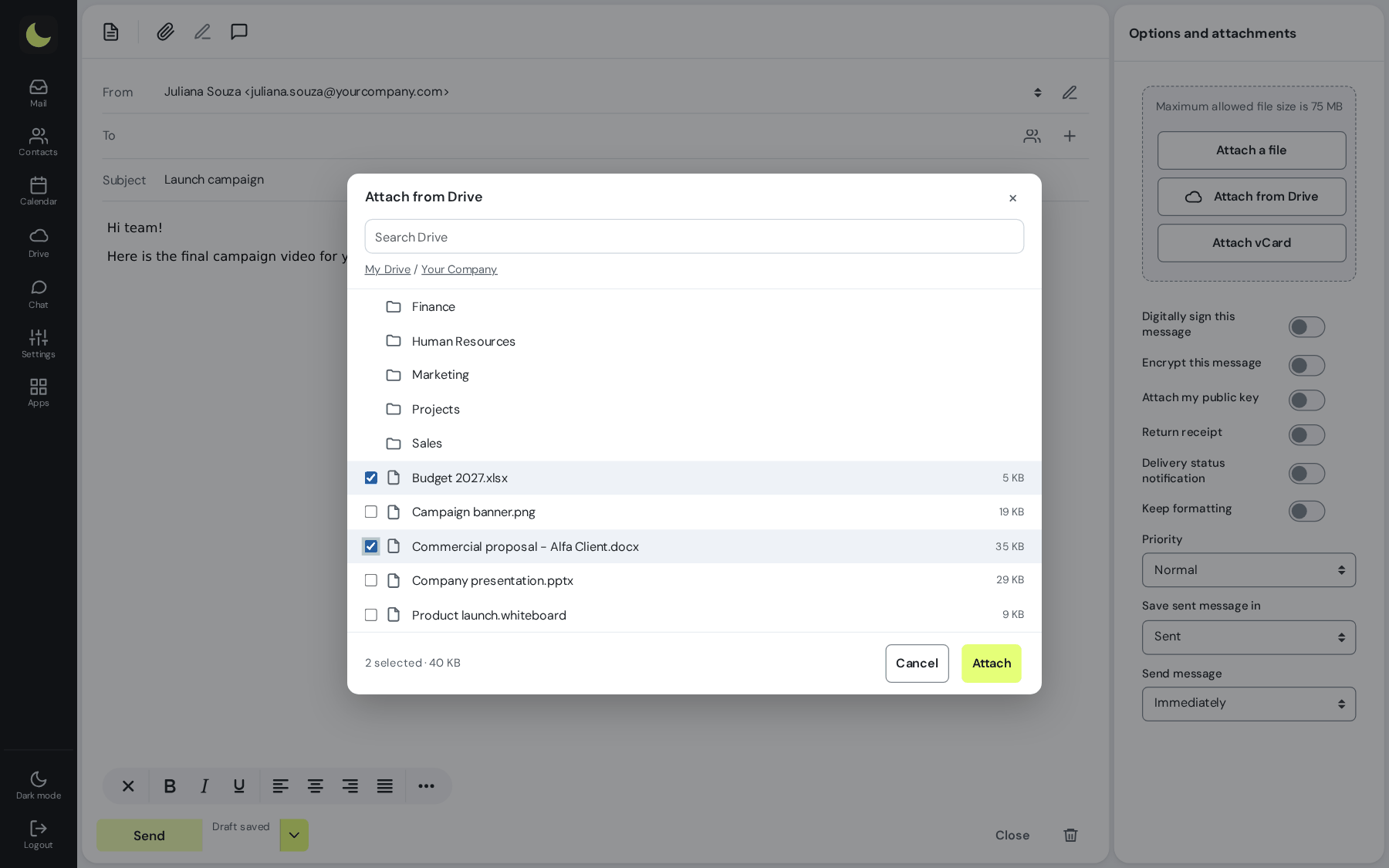
In the message, the team's files are one click away.
- In the message, pick files from the team folders without downloading anything first
- Attach the file or send the shared link, created on the spot
- Received an attachment? Save it to the Drive with one click, or open it straight in the editor
Without leaving the message
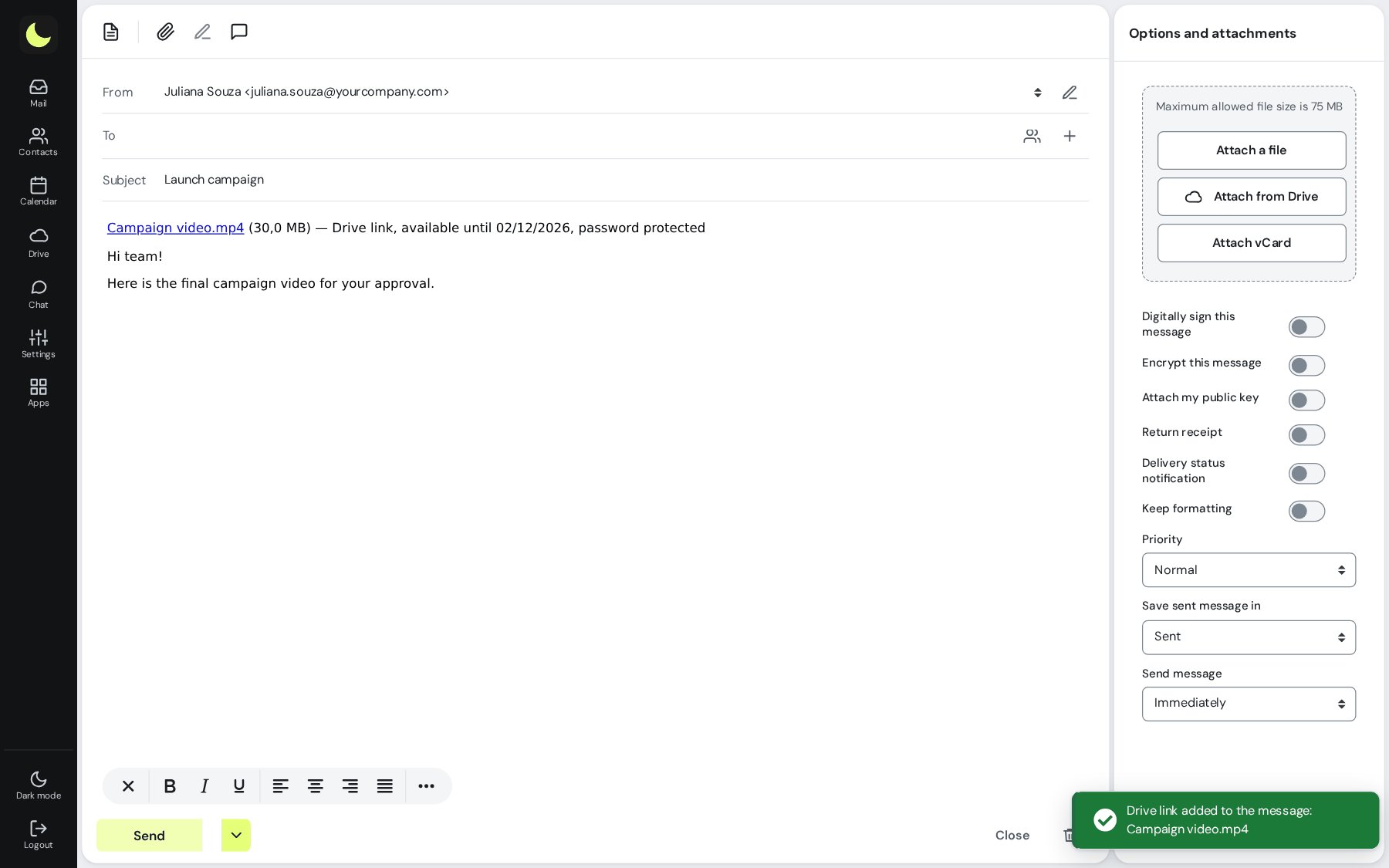
Shared link without leaving the message
- The link goes ready into the body of the email
- Uploaded files go in their own folder, easy to find later
- The recipient does not need an account to download
One plan and one login for the whole team
Emails and files share the mailbox space, and the webmail shows how much each one uses. Email always has a reserve of its own: no file will ever stop the mailbox from receiving.
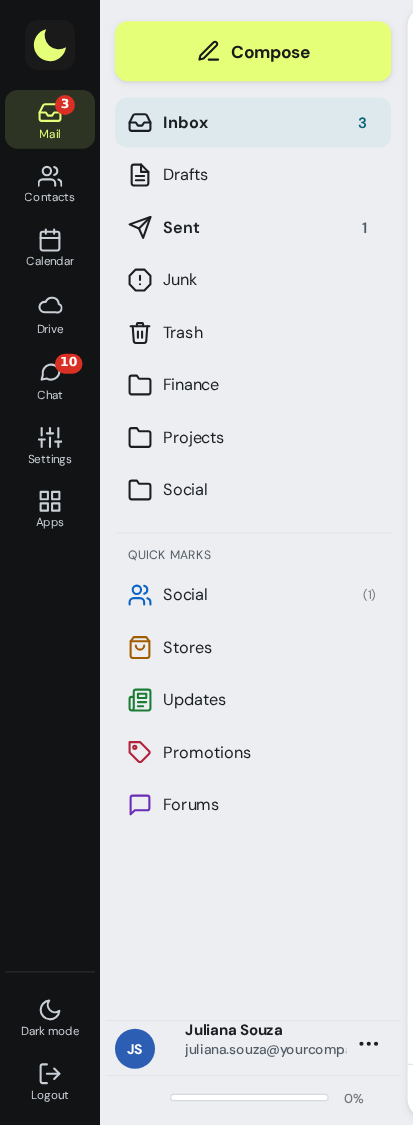
Same login as your email
Nothing new to create and no new password to remember. From the webmail, one click opens the Drive already signed in, and signing out of one closes both.
Accounts and contacts already integrated
Every mailbox on the domain already has its access. To share, start a chat or invite someone to a meeting, colleagues and webmail contacts show up by name. So do the company groups created in the admin panel: share a folder, a whiteboard or a conversation with a whole department at once, and whoever joins the group later gets access automatically. How it works
Each company in its own space
Only people from your company show up. Other customers cannot see your team, your conversations or your files, and you cannot see theirs.
With the security of email
Encrypted connection, two-step verification and off-site backup, from the same team that supports your email.
With your company brand
Along with the webmail on your own address, the Drive can live at drive.yourcompany.com, with your company logo. Optional feature: talk to sales.
Email and collaboration for less than a third of the price
Files, a document editor, chat and meetings usually come in packages of R$ 33 to R$ 41 per person. With lua.email, all of it comes with the mailbox, from R$ 8.90.
Video meetings have a separate license, R$ 3.00 per mailbox, per month. Chat, files, documents, calendar and the rest of lua Colabora are included on all plans.
What changes when email belongs to the team
Shared mailbox, team calendar, directory, files in place of attachments and meetings: the guide shows, scene by scene, what collaborative email solves day to day.
Read the collaborative email guidePrefer that our team contacts you? Leave your contact details
Also on your Windows computer
lua Colabora has Windows apps: lua Colabora for Windows, which keeps a folder on your computer in sync with your files, and lua Talk, with your chats and meetings in a window of its own. For now, they are available only for Windows. The apps are included for lua.email customers at no additional cost. See Downloads and the apps manual.

The same login, the same access rules
lua Colabora signs in with your email login, so the admin panel rules apply to both: two-step verification, password expiration, access hours and location, and session timeout, set once per group.
Two-step verification required
The whole group registers the code, in the app or by email, with recovery codes. With the requirement on, people cannot remove their last method in the webmail. See how it works
Password expiration and change
From 30 to 360 days per group, change at next sign-in, a warning 7 days before expiry and a spreadsheet report. See how it works
Access hours and session timeout
No sign-ins outside business hours or on holidays, and the webmail asks for the password again after the time limit your company chooses. See how it works
Access location by IP
Webmail, Colabora, chat and phones with an Exchange account only from your company's IPs. The admin panel is never blocked. See how it works
Webmail-only group
The group's mailboxes have no IMAP, POP or SMTP in desktop and mobile apps, with webmail and Colabora working normally. See how it works
Phones and apps
Screen lock required on the Exchange account, a list of connected phones, and an app password separate from the webmail one. See how it works
Internal-only addresses
Mailboxes, aliases and groups that receive only from people on your domain. Anything from outside is rejected on arrival. See how it works
A record to check
180-day message tracing, failed sign-ins with the source IP, admin panel logs, and support access with a stated reason. See how it works
Questions about lua Colabora
Does lua Colabora cost extra?
No. It comes on all lua.email plans, from R$ 8.90 per mailbox. The plan's space is shared between emails and the mailbox's files.
Does it open Word, Excel and PowerPoint files?
Yes. The editor opens and saves .docx, .xlsx and .pptx, as well as open formats, and exports to PDF. Several people can edit the same file at the same time.
Can people without an account join a meeting?
Yes. Customers and partners join through the meeting link, type their name and wait for you to admit them, with nothing to install.
How do I send a big file by email?
Just attach it. When the file goes over the attachment size limit, the webmail sends it to the Drive and puts a link in the message that is valid for 30 days, with a QR code. The recipient downloads it from the link, with no account needed.
Do I need to install any program?
No. Everything works in the browser, with the same login as your email. From the webmail, a button opens the Drive already signed in. The step by step for each function is in the lua Colabora manual.
Can I access my lua Colabora files in a folder on my Windows computer?
Yes. Besides access through the browser, you can install lua Colabora for Windows, which keeps a folder on your computer in sync with your files. The files appear in the folder and each one is downloaded only when you open it. The app is offered to lua.email customers at no additional cost and, for now, is available only for Windows. To install it, go to the Downloads page and see the app manual.
Can other companies see my files or my team?
No. Each company stays in its own space: only colleagues from your domain show up for sharing, chatting and inviting. People from outside get access only through the link you create.
Do files take up email space?
They share the plan's space, and the webmail shows how much each one uses. Email always has a reserve of its own, so it never stops receiving messages because of files.
Files and email protected
Files that reach the Drive go through the antivirus, and email goes through the AI antispam, own lists and spamtraps.
Want to see lua Colabora with your team?
Files, documents, chat, tasks, boards and notes come on all lua.email plans, from R$ 8.90 per mailbox. Signing up is online and activation is automatic: pay by PIX and the account is ready in minutes for you to activate your domain. For questions, we answer on WhatsApp.
Subscribe now See pricingPrefer that our team contacts you? Leave your contact details