Message in the inbox
SPF, DKIM and DMARC set up on the domain and monitored sending, so your message lands in the customer's inbox and not in spam.

Email for businesses
Your team gets complete webmail, with calendar, contacts, shared mailboxes, undo send and scheduled send. The company gets control: you set who signs in, from where and when, and check the delivery of every message. Antispam is 99.91% accurate, and the switch happens without losing email, using our tool or with our team.
Signing up is online and activation is automatic: pay by PIX and the account is ready in minutes for you to activate your domain. For questions, we answer on WhatsApp.
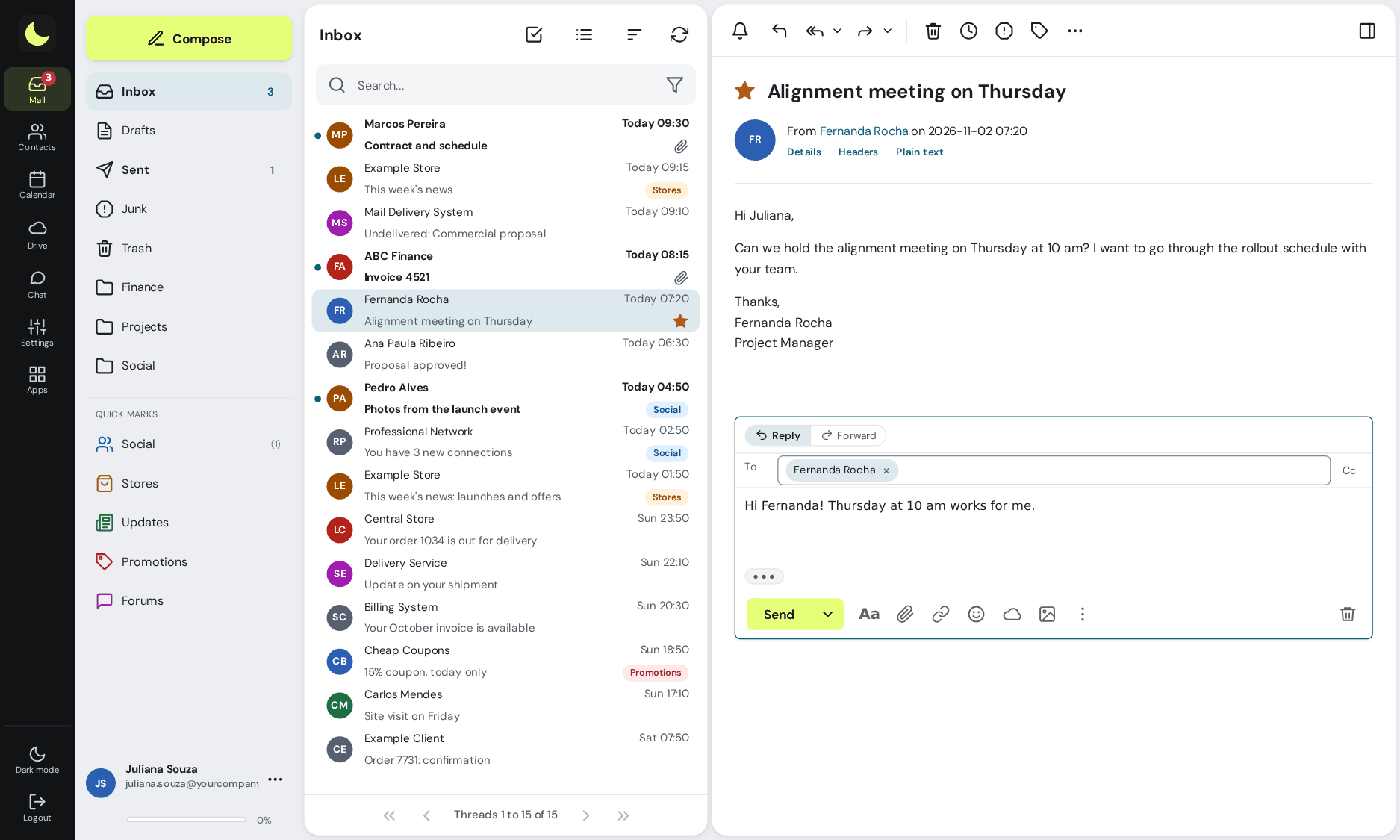
SPF, DKIM and DMARC set up on the domain and monitored sending, so your message lands in the customer's inbox and not in spam.
Undo send, schedule for the right time, snooze what can wait, filters and a search that finds the whole conversation. All in the browser, with a look your team already knows. See the webmail
Neural network, our own blocklists and spamtraps: 99.91% accuracy, measured by users' own corrections, with allowed and blocked sender lists by domain and by mailbox. It comes with every plan. How it works
Team calendar synced by CalDAV, with meetings and appointments on the phone and the computer.
All colleagues in the address book, without registering anyone, plus the global address books (sales, support, partners). In webmail, Outlook and on the phone. See what it looks like
Create addresses like vendas@ or suporte@ and forward them to the right mailbox, without paying for an extra mailbox.
One address for the whole team: financeiro@ or rh@ reaches several people at once.
DKIM, DMARC, sending and receiving logs, advanced statistics and per-user reports.
Bring your accounts and all the history from your current provider: with our tool, at R$ 2.00 per GB migrated, paid once, or with our team, by the hour. See how it works
Give a colleague access to a folder or the whole mailbox, without handing over the password, and choose whether they can read, save or delete. Replies already go out from the shared mailbox. See what it looks like
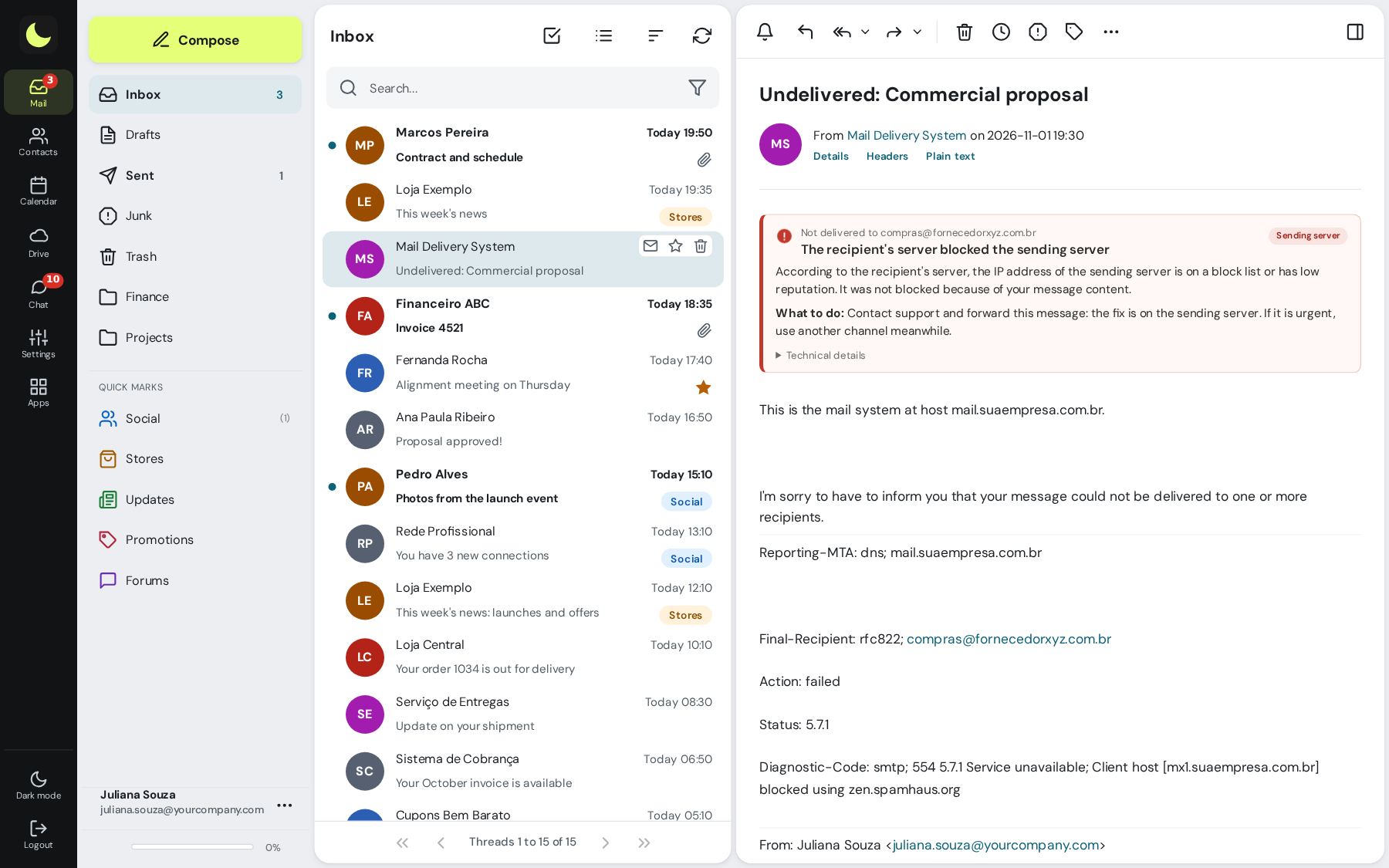
Email bounced? The notice tells you in Portuguese what happened and what to do, in webmail, Outlook and on the phone. See what it looks like
Addresses like todos@ or comunicados@ that only receive messages from your own domain. Anything from outside is rejected on arrival. See what it looks like
Themes to choose from, quick reply and each person's preferences. Optional: with your company's logo and colors. Get to know the webmail
With the recovery add-on, what was permanently deleted is kept for 7 days and users restore it themselves in webmail.
A person on our team answers, in Portuguese. You open a ticket in the admin panel, with a screenshot and history, and the reply comes by the next business day. See support
Configurable webmail, shared mailboxes, POP, IMAP and SMTP, 2FA, filters and more. The full list is on the features page.
See all features Compare with other providersPrefer that our team contacts you? Leave your contact details
New, included in every plan
No other bundle to pay for: your team stores and shares files, edits documents, spreadsheets and presentations together, chats and holds video meetings, with the same login as email.

An outdated contact spreadsheet, email sent to someone who already left the company, a customer waiting because only one person had the atendimento@ password. At lua.email the team starts out organized.
Every mailbox and every group address on your domain enters the Directory on its own, the company's global address list. A mailbox that is created gets in and a mailbox that is disabled drops out, with nobody needing to maintain the list.


Share the atendimento@ account, or just some folders, with whoever needs it, without handing over the password. It shows up on its own in each colleague's folder list, in webmail, Outlook and on the phone.

Details almost nobody looks at when subscribing and that make a difference every week: understanding why an email bounced, protecting internal addresses and solving things yourself, in the panel, with our team nearby when you need it.
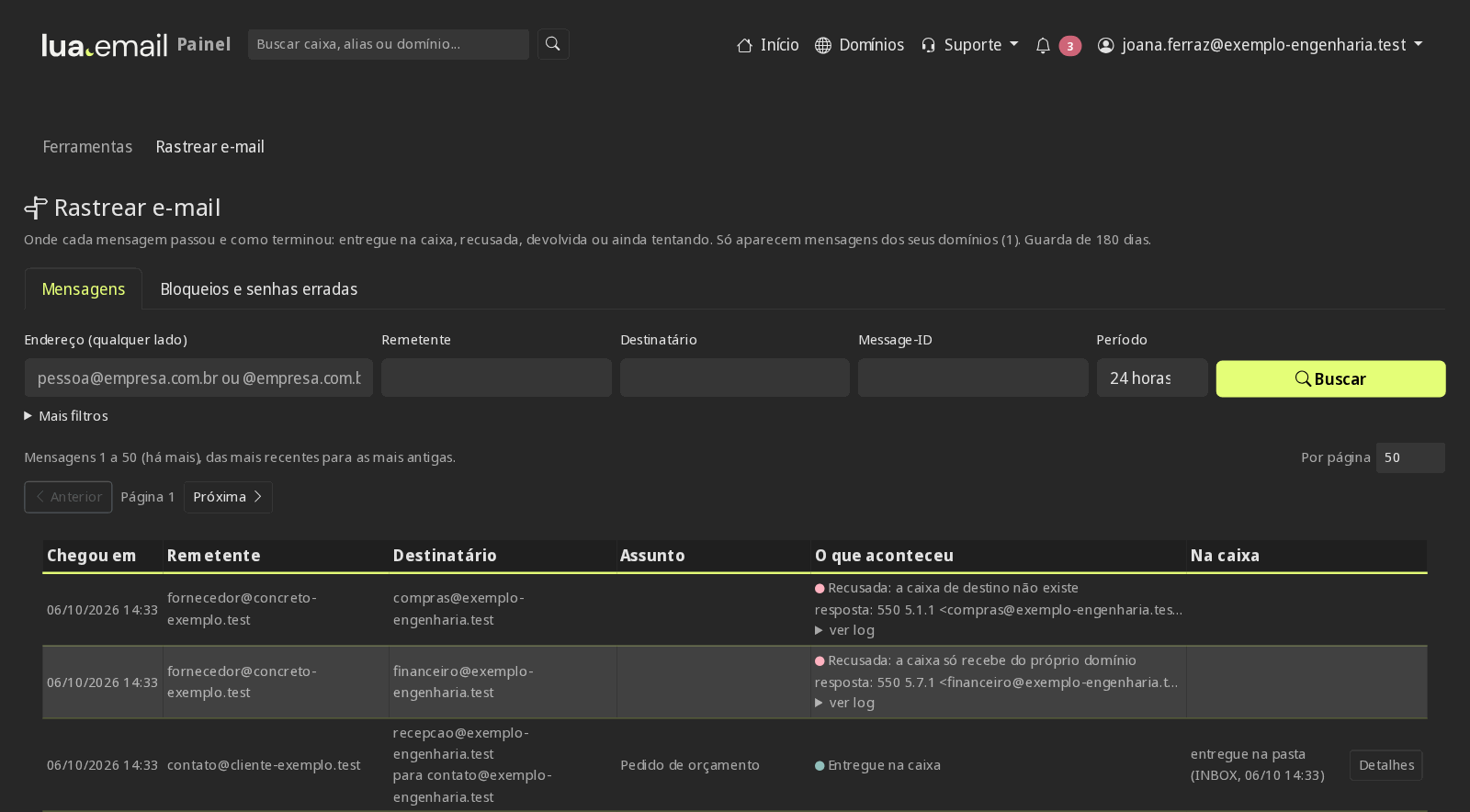
When a message isn't delivered, the destination server answers with codes like "550 5.1.1 User unknown". At lua.email the notice arrives with the subject "Not delivered: ..." and a simple explanation of the reason and the next step. People solve it without opening a ticket.
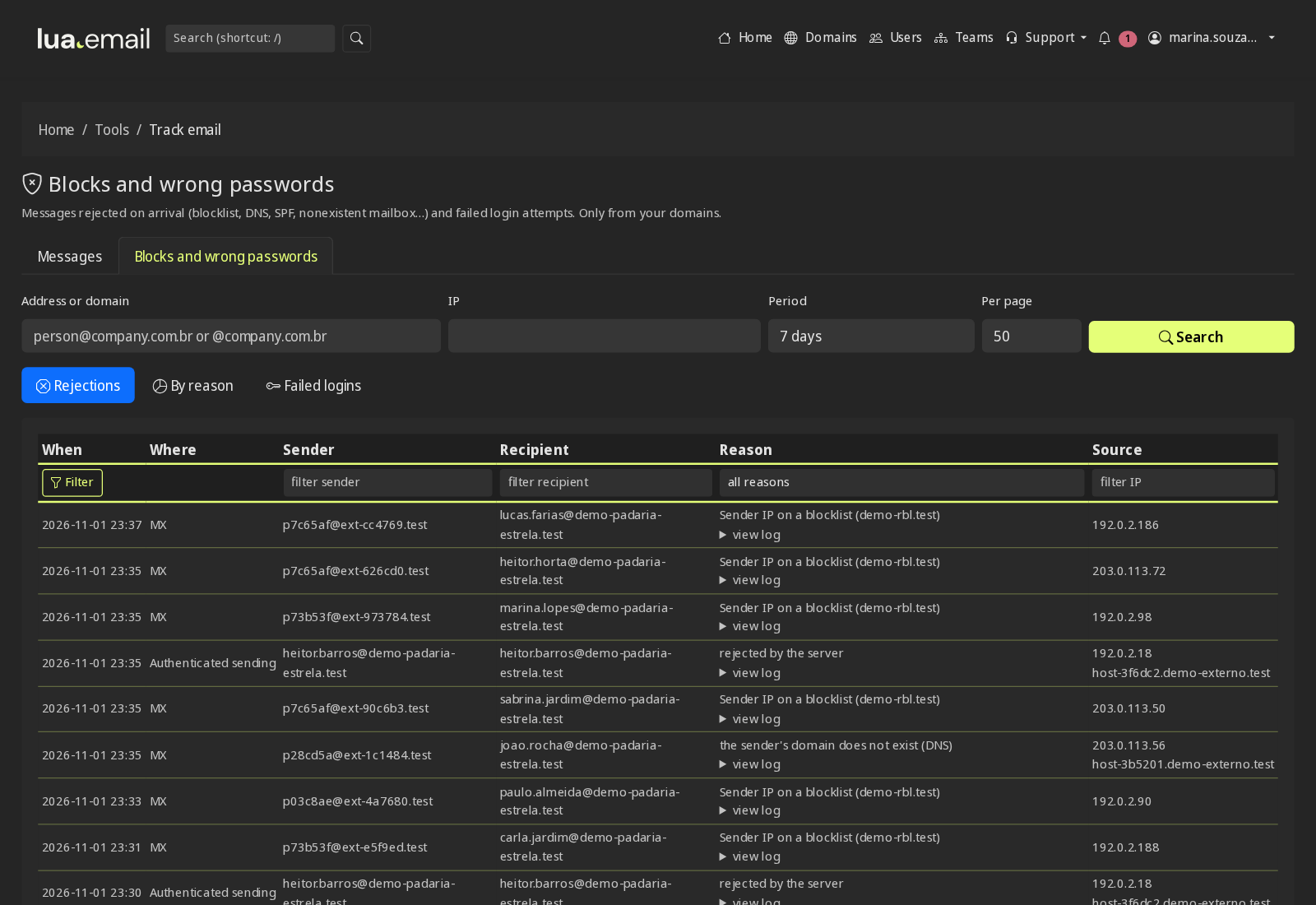
Mark a mailbox, an alias or a group as internal and it starts receiving messages only from your own domain. Anything from outside, or from other domains, is rejected on arrival, and the sender gets a notice that the address is for internal use.
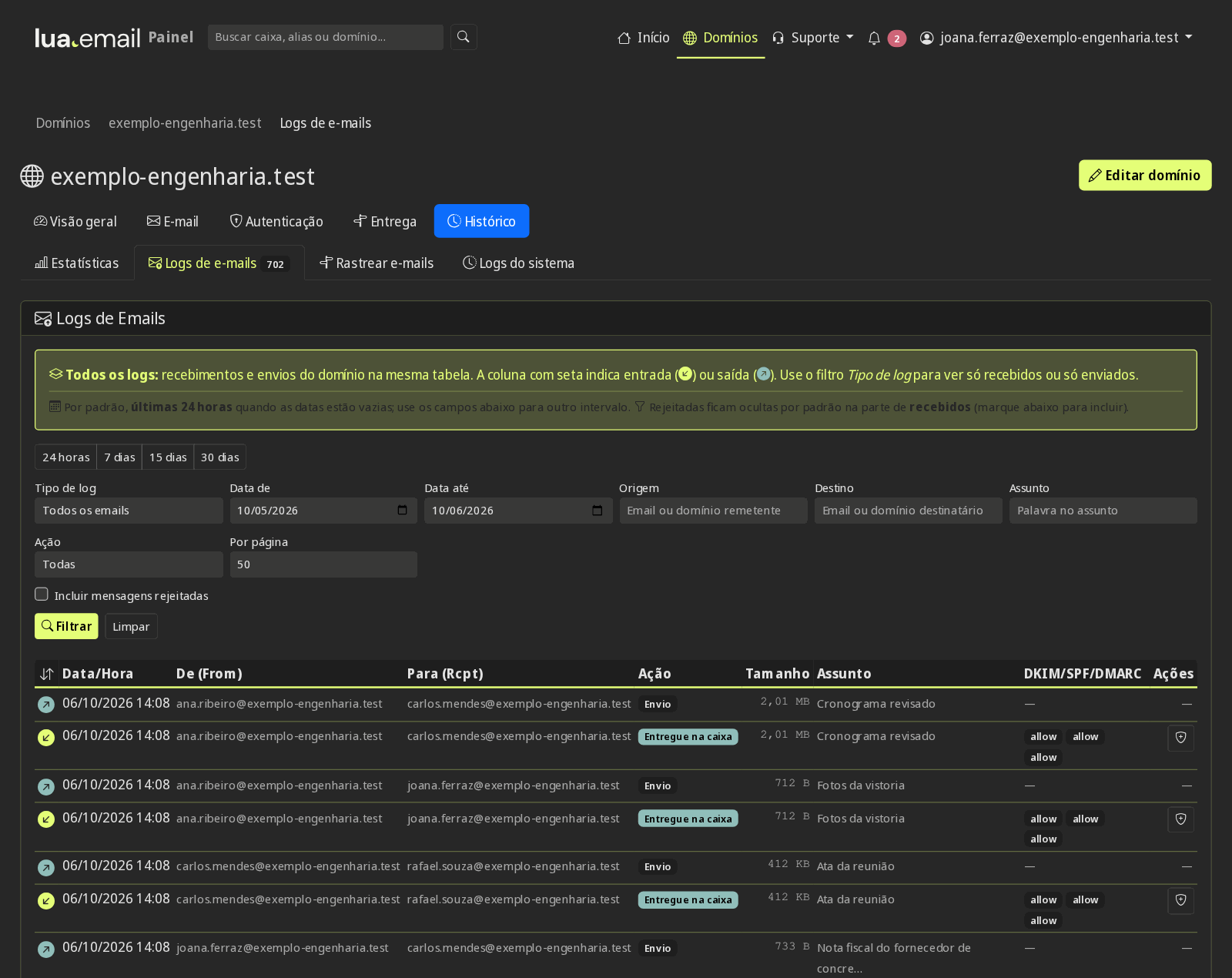
In the panel, you put mailboxes into a group (the field crew, the front desk, the interns) and say at which hours they can't sign in: for example, Monday to Friday from 6 PM to 7 AM and the whole weekend. Outside those hours, the person sees "Access outside the hours allowed by your company" in webmail and in the email app, and anyone who was connected is signed out.


The whole mailbox or just some folders, for whoever needs it, without handing over the password. Permission per person to read, save or delete, and replies go out from the shared mailbox. See what it looks like
The Directory brings in all the domain's accounts and groups, with no registration. The global address books bring the outside contacts the company wants at hand, like Sales, Support and Partners. See what it looks like
Emptied the Trash or deleted from Outlook or the phone? With the recovery add-on, the message is kept for 7 days and users restore it themselves in webmail, without opening a ticket.
Each person picks the theme, light or dark mode and how they want to read and organize messages. Optional: webmail on your address, with the company's logo and colors, talk to sales. See the webmail inside
Antispam, antivirus and sender control already come with lua.email, at no extra cost. The access rules for admins are right below. How the antispam works
Neural network, RBL and our own domain lists, and spamtraps that catch new campaigns early. 99.91% accuracy, measured by users' corrections.
Attachments and suspicious content are analyzed before reaching the inbox.
Trusted or blocked senders and domains, for the whole domain or for a single mailbox.
Sending limits protect your domain's reputation, so your messages keep getting delivered.
Beyond antispam, the panel sets who signs in, from where, when and for how long, once per mailbox group or for the whole domain. A mailbox in more than one group follows the most restrictive rule.
The whole group registers the code, in the app or by email, with recovery codes. With the requirement on, people cannot remove their last method in the webmail. See how it works
From 30 to 360 days per group, change at next sign-in, a warning 7 days before expiry and a spreadsheet report. See how it works
No sign-ins outside business hours or on holidays, and the webmail asks for the password again after the time limit your company chooses. See how it works
Webmail, Colabora, chat and phones with an Exchange account only from your company's IPs. The admin panel is never blocked. See how it works
The group's mailboxes have no IMAP, POP or SMTP in desktop and mobile apps, with webmail and Colabora working normally. See how it works
Screen lock required on the Exchange account, a list of connected phones, and an app password separate from the webmail one. See how it works
Mailboxes, aliases and groups that receive only from people on your domain. Anything from outside is rejected on arrival. See how it works
180-day message tracing, failed sign-ins with the source IP, admin panel logs, and support access with a stated reason. See how it works
The quote comes from contato@yourcompany.com, not from a free address. The company's brand appears on every message.
With DKIM and DMARC set up in the panel, it gets harder for someone to send a scam using the company's name. The log of each message shows the SPF, DKIM and DMARC result.
The mailboxes belong to the company: admins create, disable and change the plan of each mailbox in the panel, with no personal email in the middle.
DKIM and DMARC in the panel Trace an email Why have your own domain
Leaving free email or another provider is often the biggest worry when subscribing. That is why copying the accounts is automatic and your team keeps using the current email until the switch. The migration is done with our tool in the admin panel, at R$ 2.00 per GB migrated from the source, paid once, or by our team with you, charged by the hour. See both ways to migrate.
Fixed price per mailbox, billed monthly, with no separate fee. The invoice doesn't change from one month to the next: you pay for the storage of each mailbox.
Price per mailbox, billed monthly
Video meetings have a separate license, R$ 3.00 per mailbox, per month. Chat, files, documents, calendar and the rest of lua Colabora are included on all plans.
Need larger volumes or want to combine different plans on the same domain? Talk to us and we'll put together the combination for your team.
Want to see price and features side by side with other services? See the comparison. Still choosing who will run your email? See what to compare in email hosting.
For large companies, we put together volume pricing, based in Brazil, in Portuguese, and, when the operation requires it, custom features.
See how we serve large companiesThree steps, each in the panel or in webmail, on real screens. Subscribing is online and activation is automatic: if you pay by PIX, the account is ready in minutes for you to activate your domain. For questions, we answer on WhatsApp.
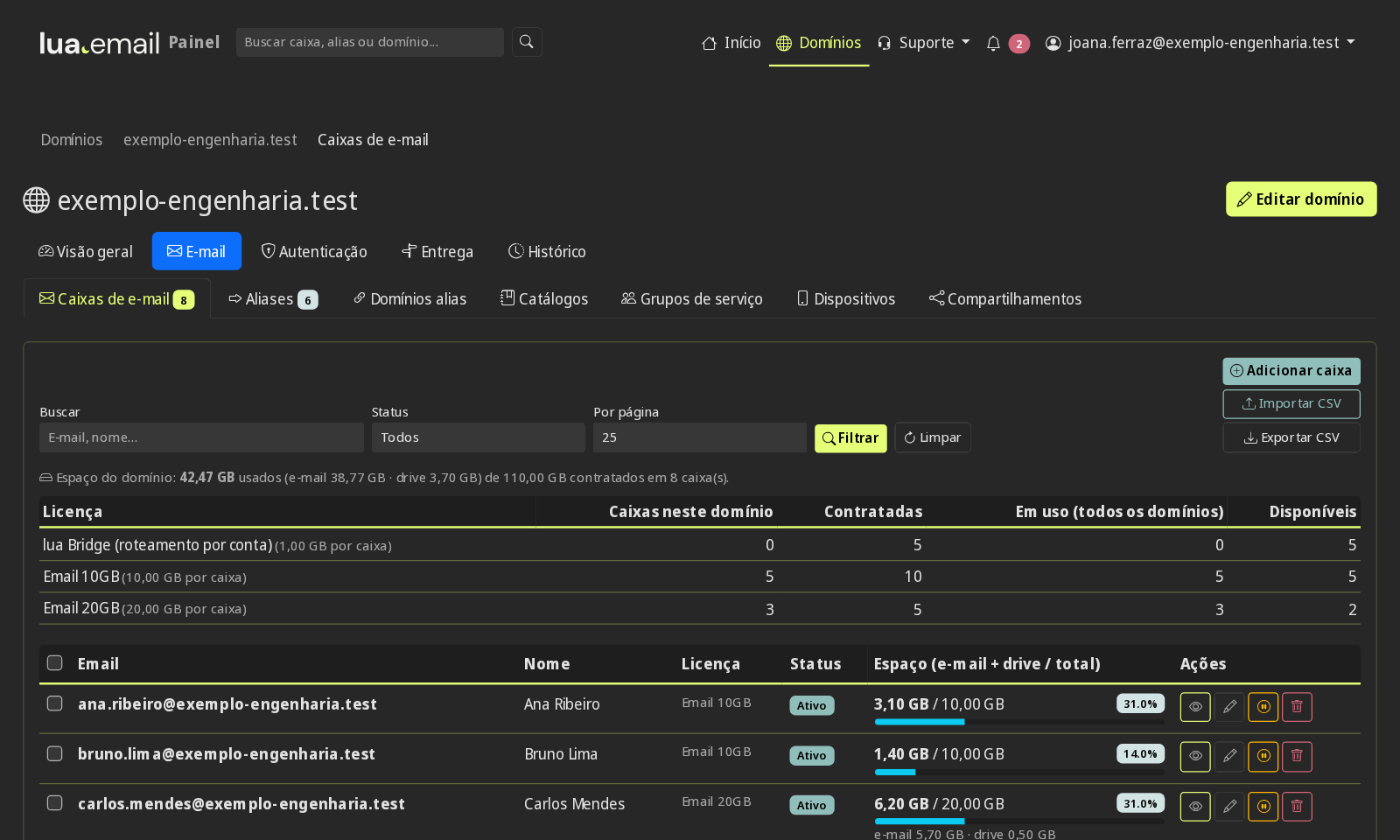
You pay per mailbox, every month, from R$ 8.90 (5 GB) to R$ 61.90 (200 GB), and can mix sizes on the same domain: executives with 50 GB and the rest of the team with 5 GB, for example. Each mailbox uses one license of the plan, and the panel shows each one's license and storage used.
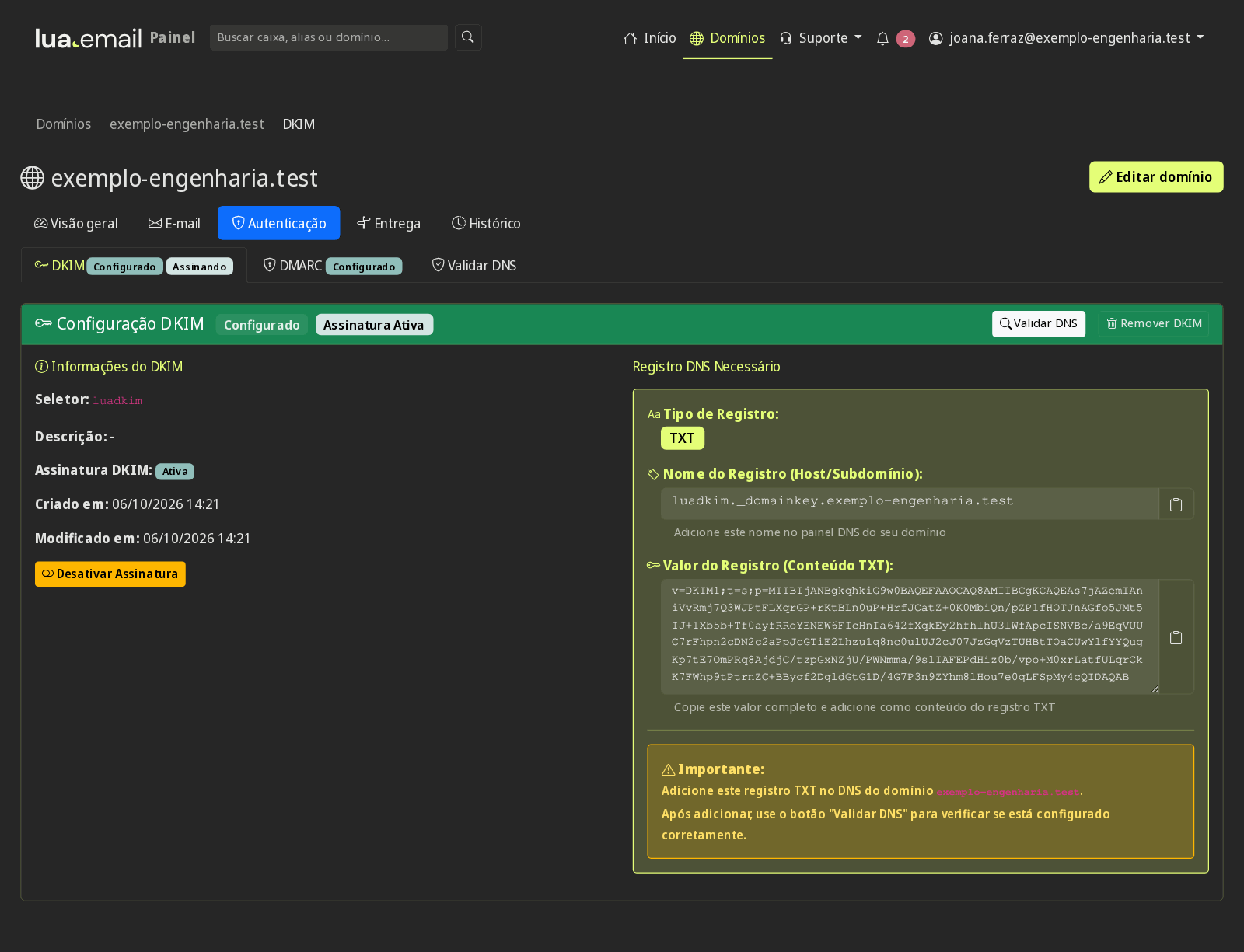
In the panel, you add the domain and publish in the DNS the TXT record it shows. Then the panel generates the DKIM, builds the DMARC and shows the Autodiscover and the two addresses of the phone's automatic setup (autodiscover and autoconfig, with the value shown in the panel), each record ready to copy, and checks that it came out right.
The migration tool and the simulator How we migrate, step by step
Each person signs in at webmail.lua.email with the email address and password. On iPhone and Android, the mailbox is added as an Exchange account with just the email address and the webmail password, and Outlook sets itself up automatically with the domain's Autodiscover. The phone finds the server on its own when the domain's autodiscover and autoconfig addresses are ready; if they are not yet, email works just the same. If you need help, our support answers in Brazil, in Portuguese.
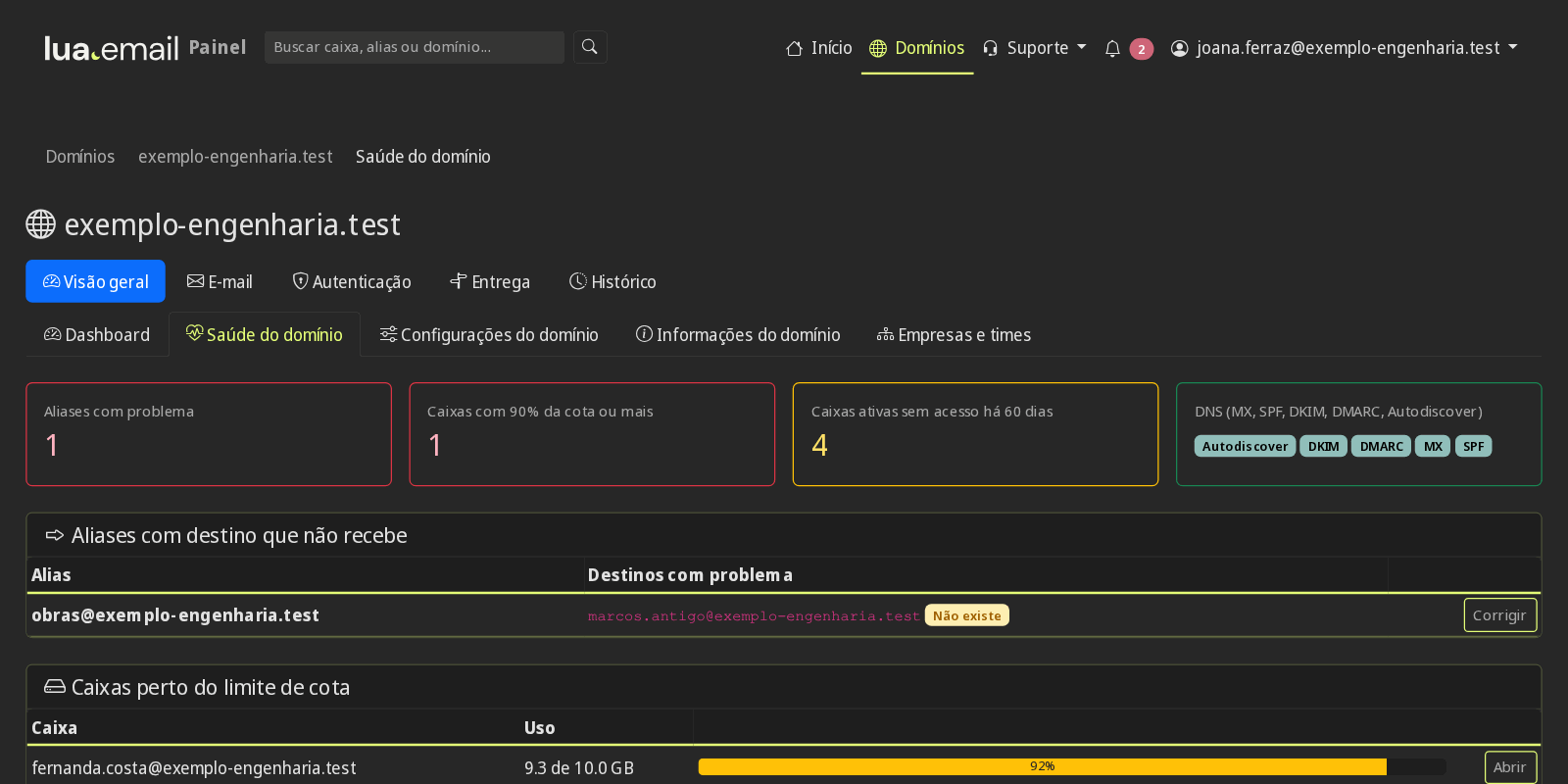
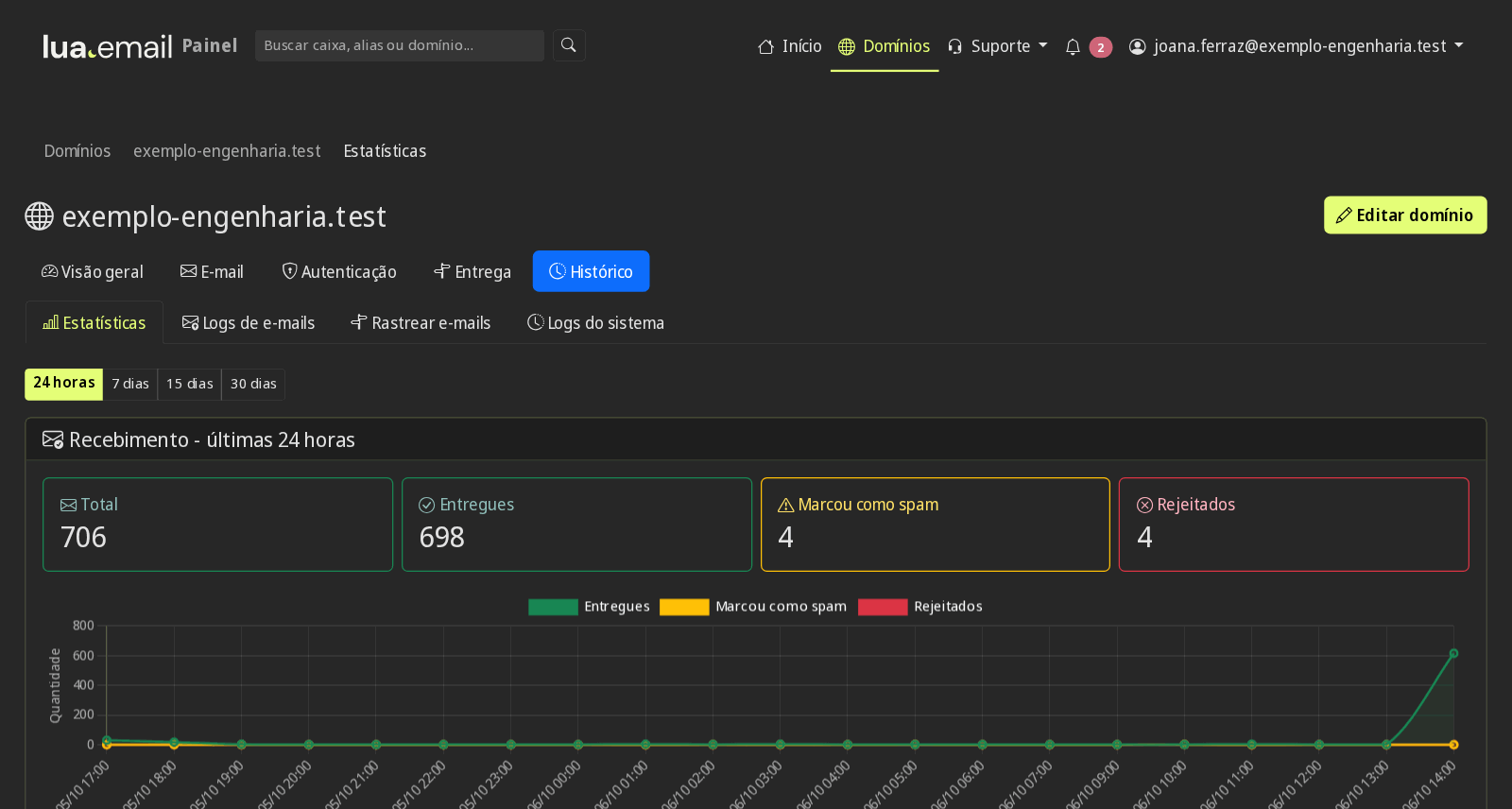
Create mailboxes, set up DKIM and DMARC, follow sending and receiving logs and see usage statistics, in a panel in Portuguese.

From a single mailbox, with plans from 5 GB to 200 GB and lua Colabora included, with no per-person office bundle to pay for. See pricing
Shared mailboxes like atendimento@, tracing of each message in the panel and recovery of what was permanently deleted (add-on). Shared mailbox
A person from our support team answers, based in Brazil, in Portuguese. Talk to the team
On Windows, lua Sync brings your lua.email calendar and contacts into classic Outlook, and lua Conector turns large attachments into lua Colabora links and creates lua Talk meetings from Outlook. For now, they are available only for Windows. The apps are included for lua.email customers at no additional cost. See Downloads and the apps manual.
We apply sending limits to protect the reputation of your domain and of all customers, so messages keep getting delivered. For larger legitimate volumes, talk to us. See all features
Yes. Shared calendars and contacts sync with iPhone, Android, Outlook and other apps through CalDAV and CardDAV, and the team sees the same information on any device. This includes the company's global address books, managed by the admins.
Yes. The company Directory gathers the active mailboxes and group addresses of your domain on its own, with name, email and phone when filled in. A mailbox that is created gets in and a mailbox that is disabled drops out on its own. It appears in webmail, on the phone, in Outlook and in Thunderbird, read-only, and suggests addresses as you type in the To field.
They are the company's contact lists (for example Sales, Support or Partners), maintained by the admins and synced to the whole team via CardDAV. They appear in webmail and on the phone as read-only; to change a contact, talk to whoever manages the address book.
An alias is an alternative address (e.g., vendas@) that delivers to someone's mailbox. A redirect automatically forwards to another email. A group distributes messages to several people with a single address, like financeiro@ or rh@.
You get a notice with the subject "Not delivered: ..." and an explanation in Portuguese of the reason, such as a nonexistent address, full mailbox or block by the destination, and of what to do. The explanation appears in webmail, Outlook and on the phone; the technical details stay in the message.
Yes. A mailbox, an alias or a group can be marked as internal: it only receives messages from your own domain. Outside messages are rejected on arrival and the sender is told the address is for internal use.
Yes, with the recovery add-on. What was permanently deleted, including when emptying Trash or deleting from Outlook or the phone, is kept for 7 days, and users restore it themselves in webmail.
Yes. For example, executives with 50 GB and the rest of the team with 5 GB or 20 GB: each mailbox with the plan that makes sense.
Yes, on every plan, by mailbox group or for the whole domain. Two-step verification can be mandatory, and the IP list applies to webmail, Colabora, chat and phones with an Exchange account. IMAP, POP and SMTP with the app password are outside the list: for those, use the webmail-only group.
Yes. Every plan includes the antispam filter, with 99.91% accuracy measured by users' own corrections, plus DKIM, DMARC and the admin panel.
Yes, from website hosting, Google, Microsoft or any provider with IMAP. Our tool copies the accounts with all their history, at R$ 2.00 per GB migrated from the source, paid once. If you prefer, our team does the migration with you, charged by the hour.
No. Messages from your current provider are copied before the DNS switch, and a final copy afterward brings whatever arrived in the meantime.
No. The team uses the old email until the DNS switch and moves to lua.email without a pause. For a few hours, a stray message may still land at the old provider, and that is what the final copy brings over.
In the admin panel, you upload a spreadsheet with the accounts from the old provider and the destination mailbox for each one. A preview shows the size and what will be copied with the migration GB you bought at checkout, before copying. If you run short, you buy more and the copy continues from where it stopped.
No. The price is monthly per mailbox, and what we agree on is what you pay. Migration, if you need it, is separate: with our tool (R$ 2.00 per GB migrated from the source, paid once) or with our team (by the hour).
If you want to mix providers on the same domain, check out lua Bridge: it sends each account to the right provider.
A neural network, our own blocklists tuned to our traffic, spamtraps and antivirus stop scams, phishing and viruses before the inbox, with 99.91% accuracy measured by user corrections.
Talk to us about plans, migration or larger volumes for your company.
Contact us