
Migration service
Email migration done by our team
With our support team, the move happens without losing a message and without anyone going without email. Nobody at your company has to copy anything or touch DNS: we plan, migrate and check with you, in stages, while everyone keeps using the old email until the switch. It is charged by the hour, and the price depends on the case.
Prefer to migrate yourself? The migration tool in the admin panel costs R$ 2.00 per GB migrated from the source, paid once, with the size and what will be copied, on screen, before you start; you buy the migration GB yourself at the checkout. To do it on your own, follow the complete step-by-step tutorial.
Page updated on October 26, 2026.
The migration steps with our team
Done by our support team, the migration is billed by the hour. The price depends on the case: ask how much it would be for yours.
Conversation and assessment
You tell us where your email is today, how many mailboxes you have and who uses what (aliases, groups, shared mailboxes). We build the plan and agree on the cutover day.
Mailboxes created on lua.email
Our team creates the mailboxes with the same addresses you have today, plus the aliases and groups. Nothing changes for people who email you.
First copy of the messages
Our team copies the messages and folders from your current provider with the migration tool. Meanwhile, your team keeps using the old email as usual.
The DNS cutover
On the agreed day, we point the domain to lua.email (MX, SPF, DKIM and DMARC). From then on, new messages arrive in the new mailboxes.
Final copy
In the hours after the cutover, a stray message may still reach the old provider. A final copy brings those messages over.
Phones, Outlook and questions
We help set up phones and Outlook, and we stay close during the first few days to answer your team's questions.
What we need from you
The list of mailboxes and who uses each one, access to the mailboxes at your current provider (or each person entering their password on the day), and access to the domain's DNS or the contact of whoever manages it.
What you do not need to do, with our team
Copy message by message, edit DNS records, decide the order of things on your own or stop the company on switch day.
When it is worth calling our team
The panel tool handles most switches. These are the cases where our team usually saves time and rework.
- Coming from Microsoft 365 or Outlook.comThese accounts use a different type of authentication that the admin panel tool does not support yet. That is why the migration is done by our team, which schedules the date and the steps with you. Microsoft 365 migration
- Many mailboxes, aliases and groupsWho uses what, addresses that deliver to several people, shared mailboxes: we map it all out and recreate everything with the same addresses.
- Nobody to handle the DNSWe prepare the records (MX, SPF, DKIM and DMARC) and make the switch with you, or with whoever manages the domain, on the agreed day.
- Contacts and calendarOn request: we migrate them when the old provider allows some kind of access to them. If not, we help bring them over by file.
- Phones and OutlookAfter the switch, we help set up the devices and stay close during the first few days for your team's questions.
Prefer to migrate yourself? Use the panel tool
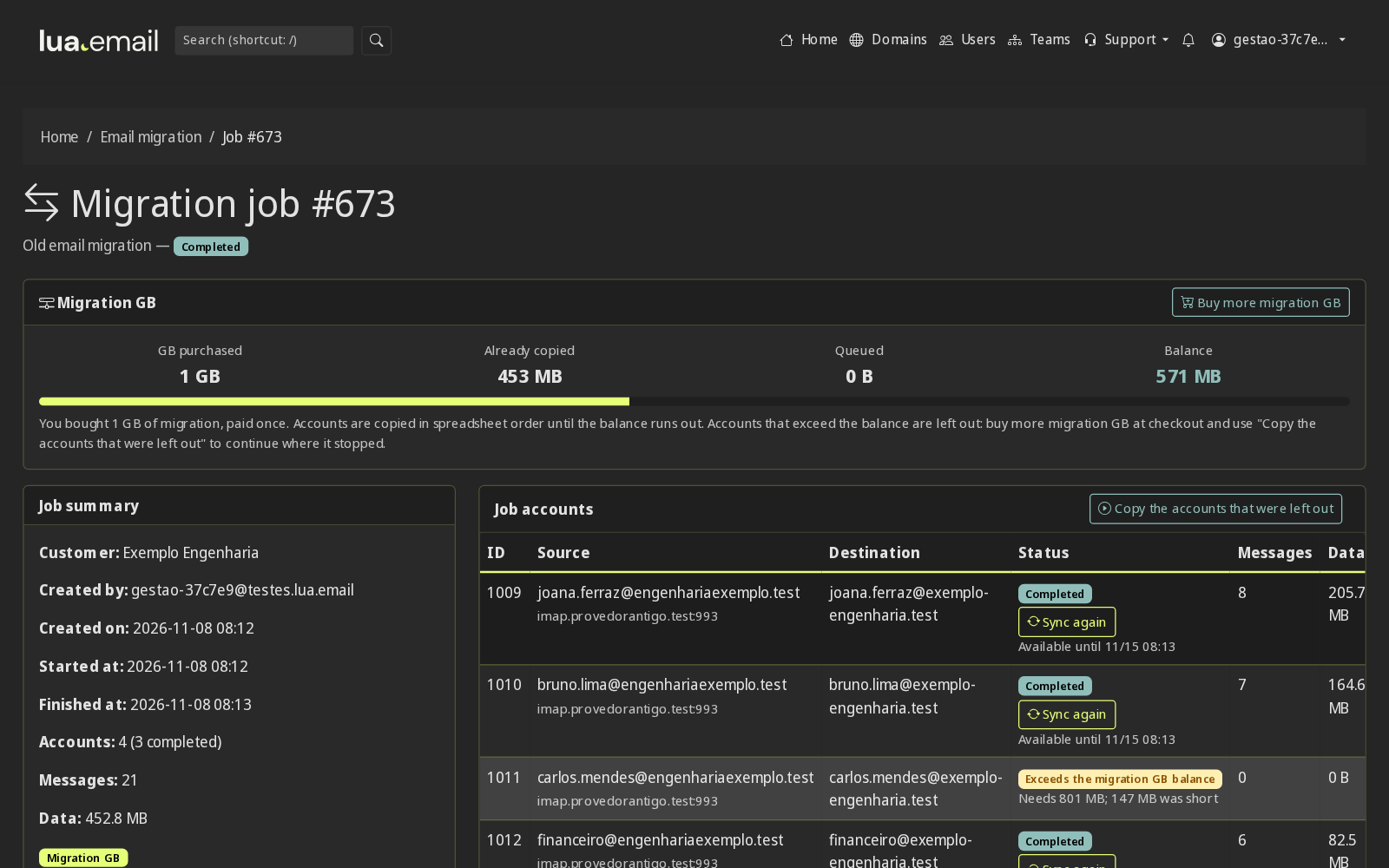
The same copy our team does is in the admin panel. You upload a spreadsheet with the accounts from your old provider and the destination mailbox for each one, see in the preview the size and what will be copied with the migration GB (R$ 2.00 per GB migrated from the source, paid once), and follow the copy account by account. Nothing is deleted at the old provider.
Other manuals that help with the switch: domain onboarding, bringing your DNS to Lua and the webmail manual for setting up Outlook and your phone. The full list is in Documentation.
Questions from people about to switch
Will I lose any email?
No. Messages from your current provider are copied before the cutover, by our tool or by our team, and a final copy afterward brings over whatever arrived in between.
Will I be without email during the switch?
No. Your team uses the old email until the DNS cutover and moves to lua.email without a pause. In the following hours, a stray message may still land at the old provider, and that is what the final copy brings over.
Who does the migration?
You choose. With our migration tool, in the admin panel, your company's administrator uploads a spreadsheet with the accounts and sees the size and what will be copied with the migration GB before starting; the migration GB are bought and paid once. Or our support team does the migration with you, billed by the hour (price on request).
How much does the migration cost?
It depends on the option. With our tool, in the admin panel, it costs R$ 2.00 per GB migrated from the source, paid once: you buy the expected migration GB at the checkout and the preview shows what will be copied before you start. Done by our support team, it is billed by the hour, with the price on request. Estimate the cost on the migration tool page.
How long does it take?
It depends on how many mailboxes there are and how much email each one has. We agree on the cutover day with you after looking at your case.
Do I need to reconfigure phones and Outlook?
Yes, once, with the new server. With the domain set up, most apps configure themselves with just the email address and password, and we help anyone who needs it.
Does it work coming from Google, Microsoft or Locaweb?
From Google (Gmail and Google Workspace), Locaweb and almost all hosting providers, yes: the copy uses the standard email access (IMAP). From Microsoft 365 (formerly Office 365) and Outlook.com, too: we do the migration with our team and schedule the date and the steps with you. If you want to keep part of your team on Google or Microsoft, see lua Bridge.
Signing up is online and activation is automatic: pay by PIX and the account is ready in minutes for you to activate your domain. For questions, we answer on WhatsApp.