
Management panel
DKIM and DMARC set up in the admin panel, with the record ready to copy
Without SPF, DKIM and DMARC, your company's emails are more likely to land in your customer's spam folder, and it is easier for someone to run a scam in your company's name. Setting this up usually takes someone who can decipher DNS records. In the lua.email admin panel, every record comes ready to copy.
Signing up is online and activation is automatic: pay by PIX and the account is ready in minutes for you to activate your domain. For questions, we answer on WhatsApp.
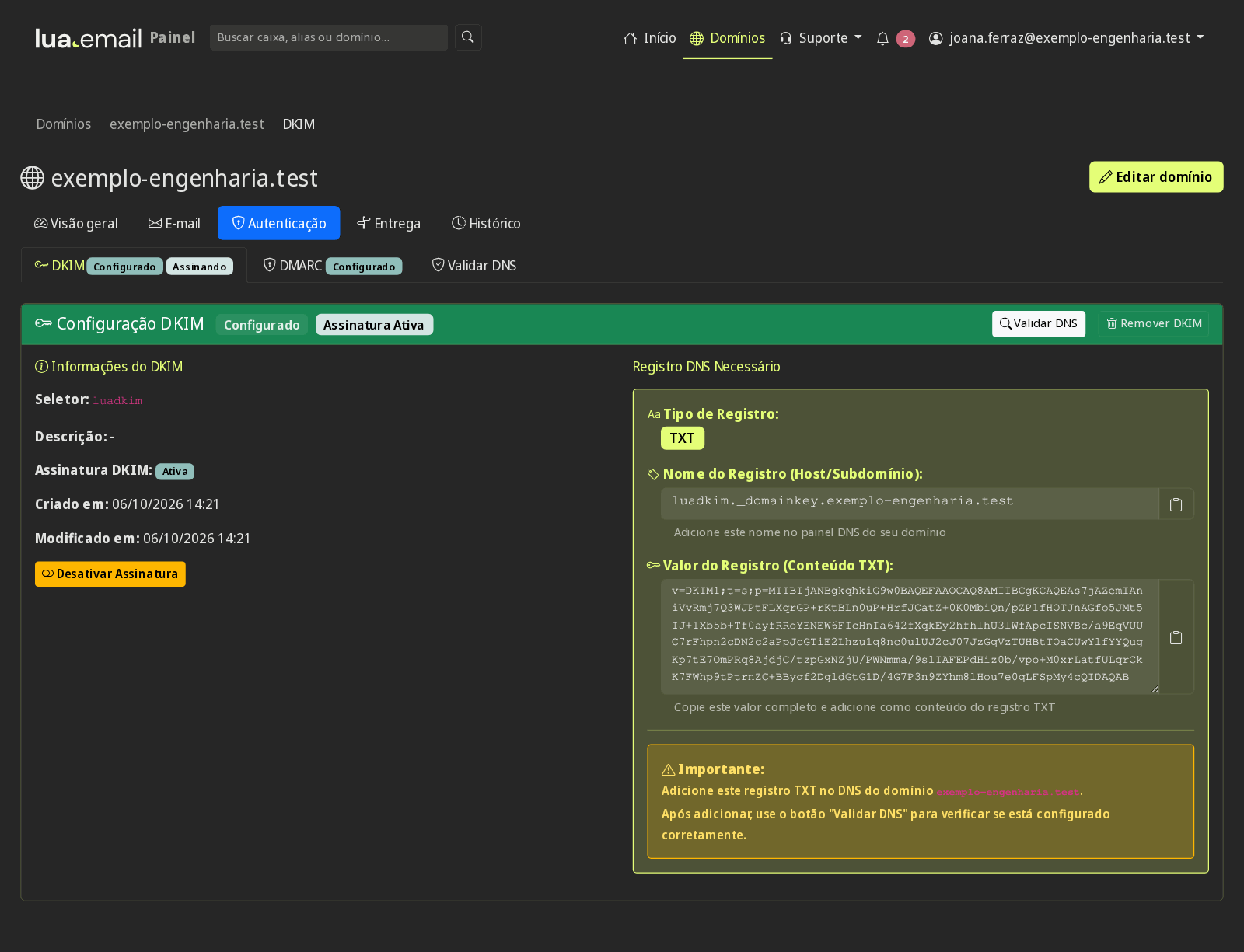
- In the panel, in Portuguese
- Support based in Brazil, in Portuguese
How it works at lua.email
DKIM: Authentication → DKIM → Set up DKIM
The panel creates the key and shows the luadkim._domainkey TXT record, ready to copy into your DNS.
DMARC: start in monitoring mode
Your domain starts out with p=none. In Edit Configuration you change the policy, the percentage and the reports.
Validate
Validate DNS checks public DNS and shows, record by record, whether it is correct. Anything missing appears ready to copy.
Raise the policy step by step
Check that every system that sends through your domain passes SPF and DKIM. Only then move to quarantine and later to reject.
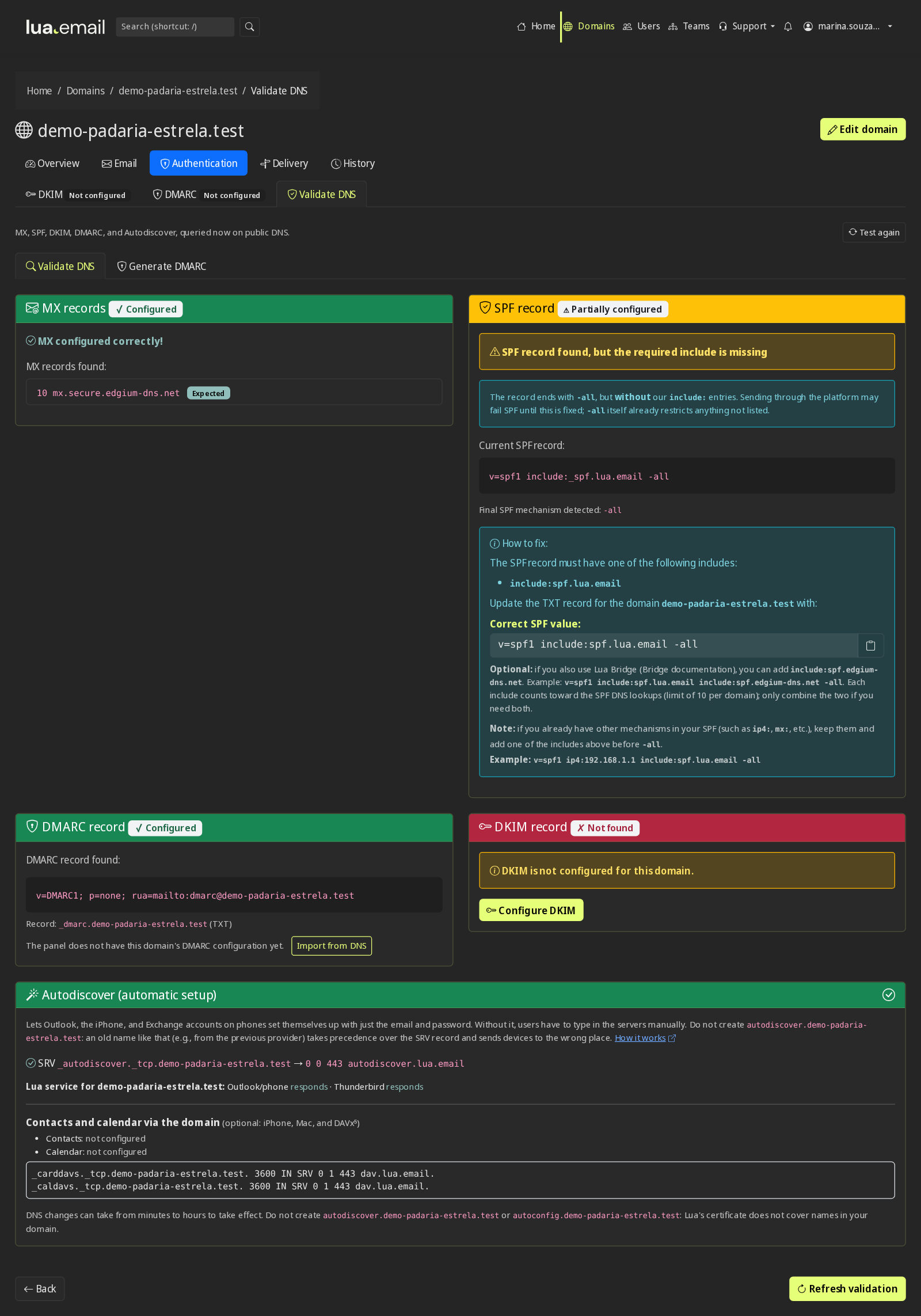
Good to know
- Domain health warns you when something in your DNS changes.
- In the panel's email logs, each message shows the DKIM, SPF and DMARC result.
- In webmail, a message's full headers show whether the sender passed SPF, DKIM and DMARC.
- Autodiscover in the DNS lets Outlook set itself up automatically, and the domain's autodiscover and autoconfig addresses (two A records, with the value shown in the panel) let phones and email programs find the server on their own.
Questions about DKIM and DMARC
What does DKIM do?
It signs the messages that leave your domain. The recipient checks the signature in DNS and knows the message really came from you.
Why start DMARC at p=none?
So you can first see, through the reports, whether every system that sends through your domain passes SPF and DKIM. Then the policy moves up to quarantine and reject.
Do I need an IT person?
The panel shows each record ready to copy into DNS and checks that it is correct. If you hire migration with our team (billed by the hour), we adjust the DNS with you.
Do DKIM and DMARC cost extra?
No. They come with every plan, along with the admin panel.
See also
Want this working at your company today?
lua.email costs from R$ 8.90 per mailbox, with webmail and lua Colabora on all plans. Signup is online and activation is automatic: pay by PIX and the account is ready in minutes for you to activate your domain. For questions, we answer on WhatsApp.
Subscribe now See pricing How we migratePrefer that our team contacts you? Leave your contact details