
Getting started
Email with your own domain for your company
Customers trust contact@yourcompany.com more than a free address, and your brand shows up in every message. With your own domain, the mailboxes also belong to the company: you create and deactivate them in the admin panel, with no personal email in the middle. And the panel handles the technical part with you: it verifies the domain, generates DKIM and DMARC and shows each record ready to copy.
Signing up is online and activation is automatic: pay by PIX and the account is ready in minutes for you to activate your domain. For questions, we answer on WhatsApp.
- Starting at R$ 8.90 per mailbox
- Support based in Brazil, in Portuguese
How it works at lua.email
Have a registered domain
Like yourcompany.com. lua.email is billed per mailbox, every month.
Add the domain in the panel
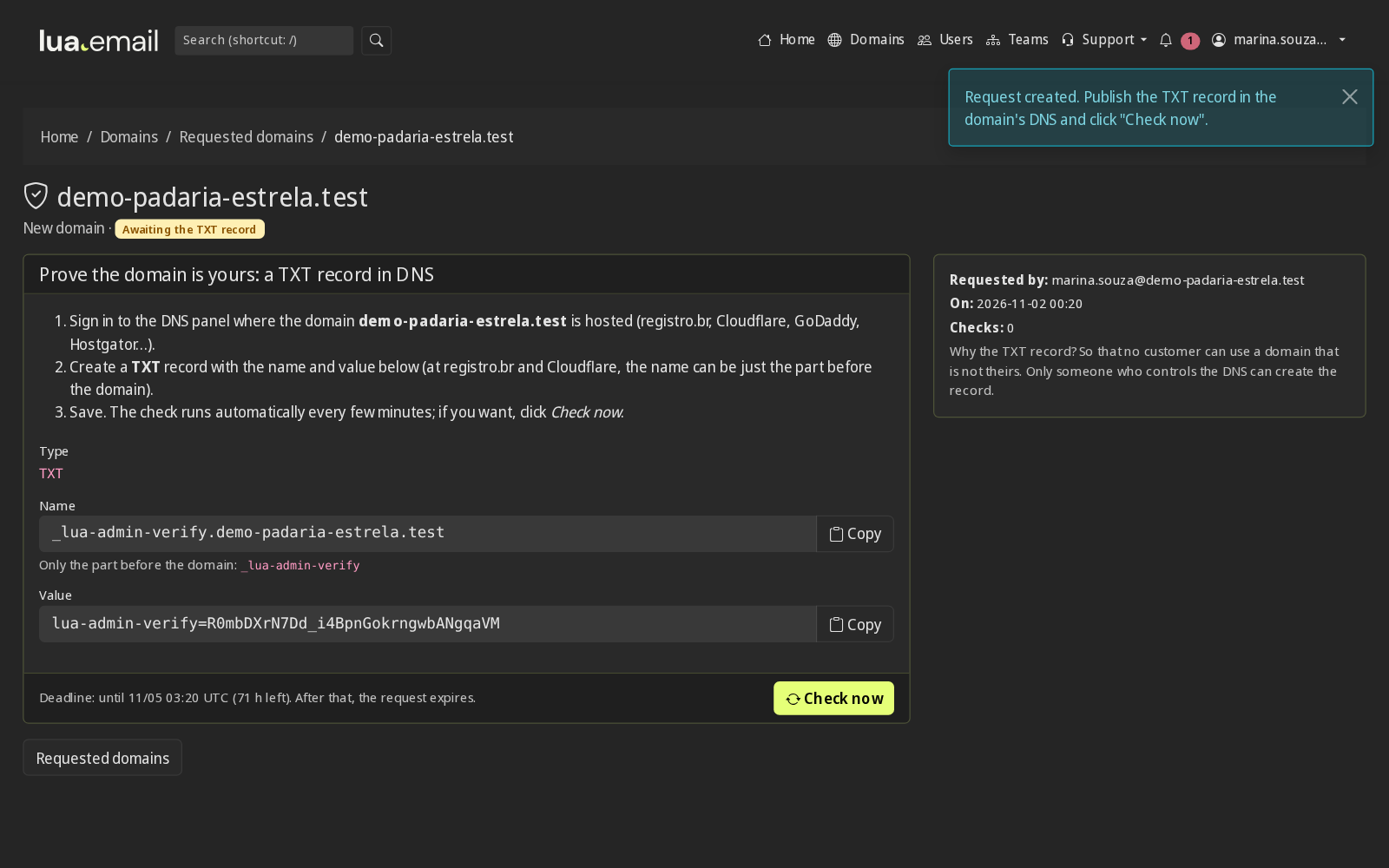
Under Domains → New Domain. You prove the domain is yours in one of two ways: publish a TXT record in the DNS where it is, or bring the DNS to Edgium by changing the name servers at the registrar. With DNS on Edgium, the panel also sets up the email records by itself. See the comparison of the two paths.
Set up DKIM, DMARC and Autodiscover
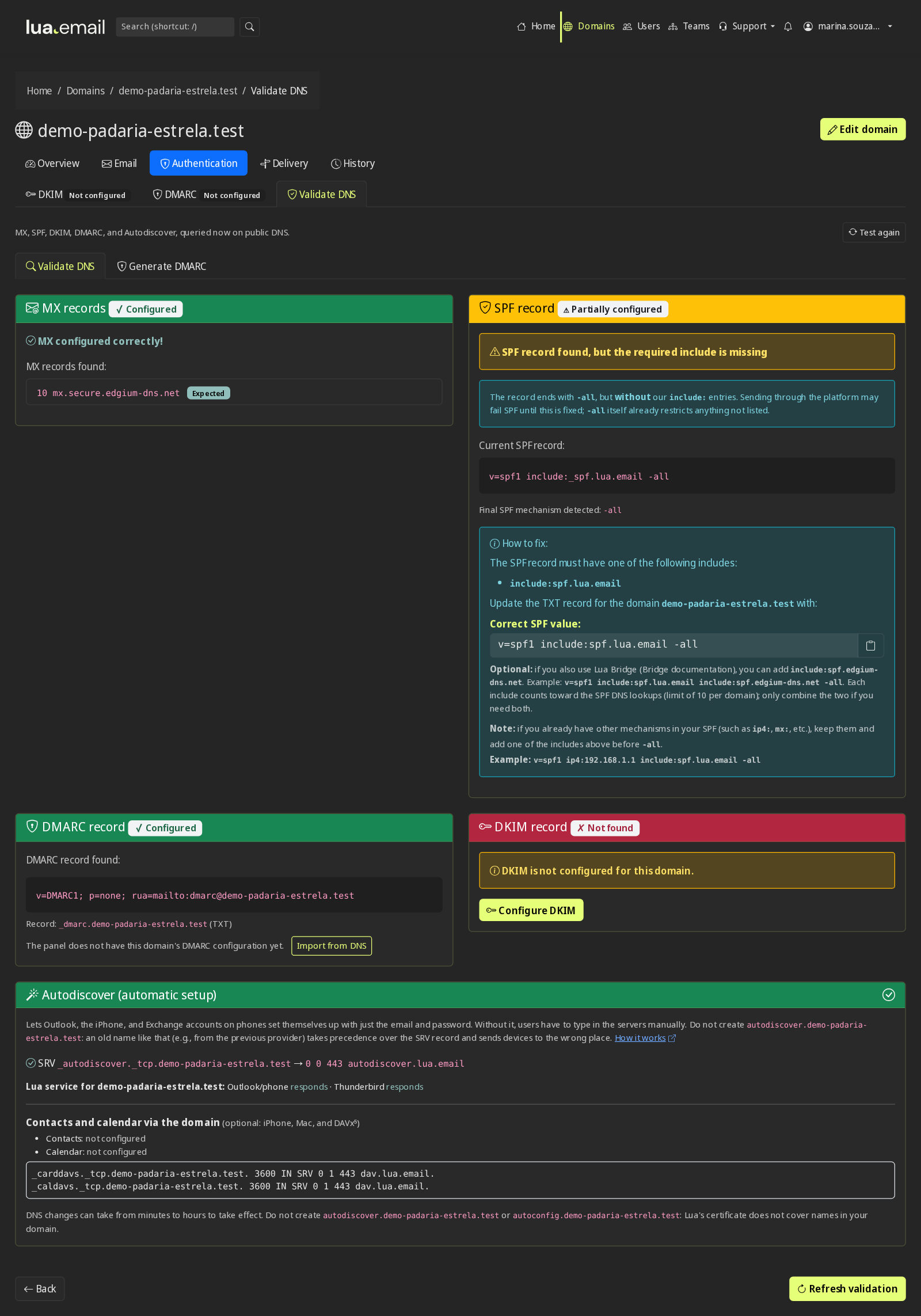
Each record comes ready to copy, including the two A records autodiscover and autoconfig, with the value shown in the panel. Validate DNS checks MX, SPF, DKIM, DMARC and the Automatic email setup.
Create the mailboxes
One by one, or several at once from a CSV spreadsheet. Each mailbox uses one plan license, which sets the storage.
Good to know
- Plans from 5 GB to 200 GB per mailbox, from R$ 8.90 to R$ 61.90 per month, and you can mix sizes on the same domain.
- Aliases and groups like sales@ and finance@, without paying for an extra mailbox.
- Alias domain: with both the .com and the .com.br versions of your name, fulano@ reaches the same mailbox on both.
- Webmail at your company's address, with the logo and brand colors: the domain administrator sets it up alone in the panel, at no cost for now.
- To bring over the emails from your old provider, use our migration tool (with migration GB you buy) or hire our team (billed by the hour).
Questions about email with your own domain
Do I already need to have a domain?
Yes. You need a registered domain, like yourcompany.com. lua.email is billed per mailbox, every month.
How much does each mailbox cost?
From R$ 8.90 (5 GB) to R$ 61.90 (200 GB) per mailbox, per month. You subscribe online and activation is automatic: if you pay by PIX, the account is ready in minutes for you to activate your domain. If you have questions, we answer on WhatsApp.
Who sets up the DNS?
You can do it in the admin panel, which shows each record ready to copy and checks that it is correct. If you hire migration with our team (billed by the hour), we adjust the DNS with you.
I have both the .com and the .com.br version of my name. Do I need two mailboxes?
No. With the alias domain, fulano@otherdomain reaches fulano@yourdomain, for all mailboxes.
See also
Want this working at your company today?
lua.email costs from R$ 8.90 per mailbox, with webmail and lua Colabora on all plans. Signup is online and activation is automatic: pay by PIX and the account is ready in minutes for you to activate your domain. For questions, we answer on WhatsApp.
Subscribe now See pricing How we migratePrefer that our team contacts you? Leave your contact details