
Management panel
Track an email: know whether the message arrived and why it bounced
“The customer says they did not receive it.” “They sent the boleto and it never arrived.” Without a record, the conversation turns into finger-pointing. In the admin panel, whoever manages the company's email searches for the message and sees what happened to it.
Signing up is online and activation is automatic: pay by PIX and the account is ready in minutes for you to activate your domain. For questions, we answer on WhatsApp.
- In the panel, in Portuguese
- Support based in Brazil, in Portuguese
How it works at lua.email
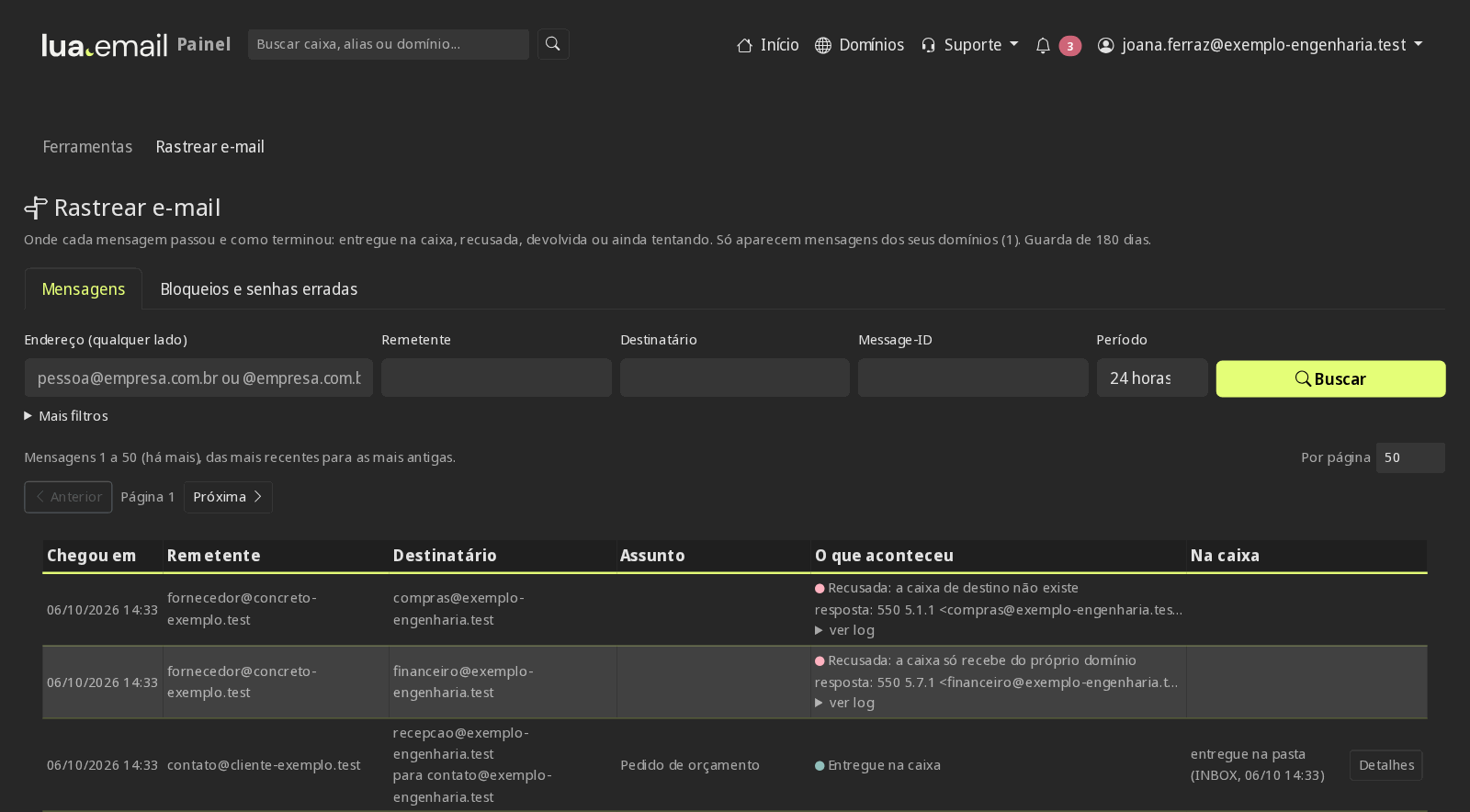
Open Support → Track email
Or use the Track button on the mailbox page.
Search
By address, on either side, by sender, by recipient or by Message-ID. Choose the last hour, 24 hours, 7 or 30 days, or dates.
Read the What happened column
Delivered to the mailbox, delivered to the destination server, rejected with the reason, bounced or still trying to deliver. View log shows the server's response for you to copy.
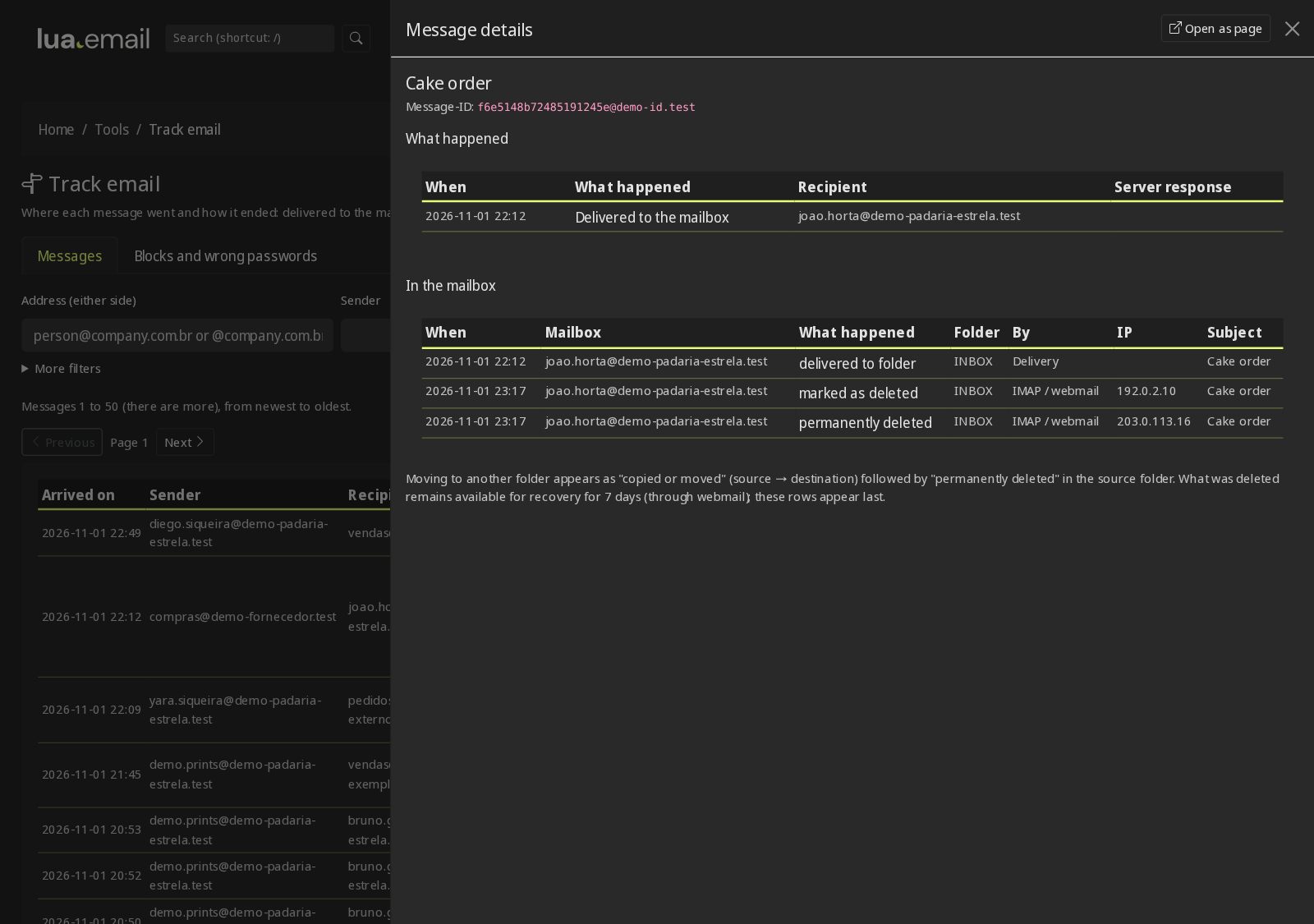
Open the Details
Each step: when it arrived, where it was delivered and what the person did with it in the mailbox, such as moving it to a folder or deleting it.
Good to know
- Rejections on arrival with the reason in plain language: a mailbox that does not exist, an internal address, an SPF or DMARC failure, a full mailbox, a message that is too large.
- Failed sign-ins, with the account, the reason, the source IP and how many times. Many attempts from an unknown IP are a sign that someone is trying to guess the password.
- System logs: who did what in the admin panel, and when.
- You only see messages from your own domains. The history keeps 180 days.
Questions about tracking an email
How long is the history kept?
180 days.
Who can track?
Your company's admin panel users, on the company's own domains. The read-only role can look things up too.
Can I tell whether the person deleted the email?
Yes. In Details, tracking shows what happened to the message in the mailbox: moved to a folder, marked as deleted, permanently deleted or answered by a rule.
What if the message was rejected by the destination?
The row shows the rejection with the reason, and View log brings the destination server's response for you to copy.
See also
Want this working at your company today?
lua.email costs from R$ 8.90 per mailbox, with webmail and lua Colabora on all plans. Signup is online and activation is automatic: pay by PIX and the account is ready in minutes for you to activate your domain. For questions, we answer on WhatsApp.
Subscribe now See pricing How we migratePrefer that our team contacts you? Leave your contact details