
Webmail
Promotions and newsletters kept away from what matters
The Inbox fills up with store promotions, social network notices, and newsletters you don't even remember subscribing to. Your customer's email gets buried in the middle. Sorting this by hand isn't realistic, and neither is hunting for the unsubscribe link in the footer of each one.
Signing up is online and activation is automatic: pay by PIX and the account is ready in minutes for you to activate your domain. For questions, we answer on WhatsApp.
- On all lua.email plans
- In the browser, nothing to install
- Support based in Brazil, in Portuguese
How it works at lua.email
Turn on the categories
Under Settings → Preferences → Message display, check Group messages into categories. Quick tags appear below the folders.
View each category with one click
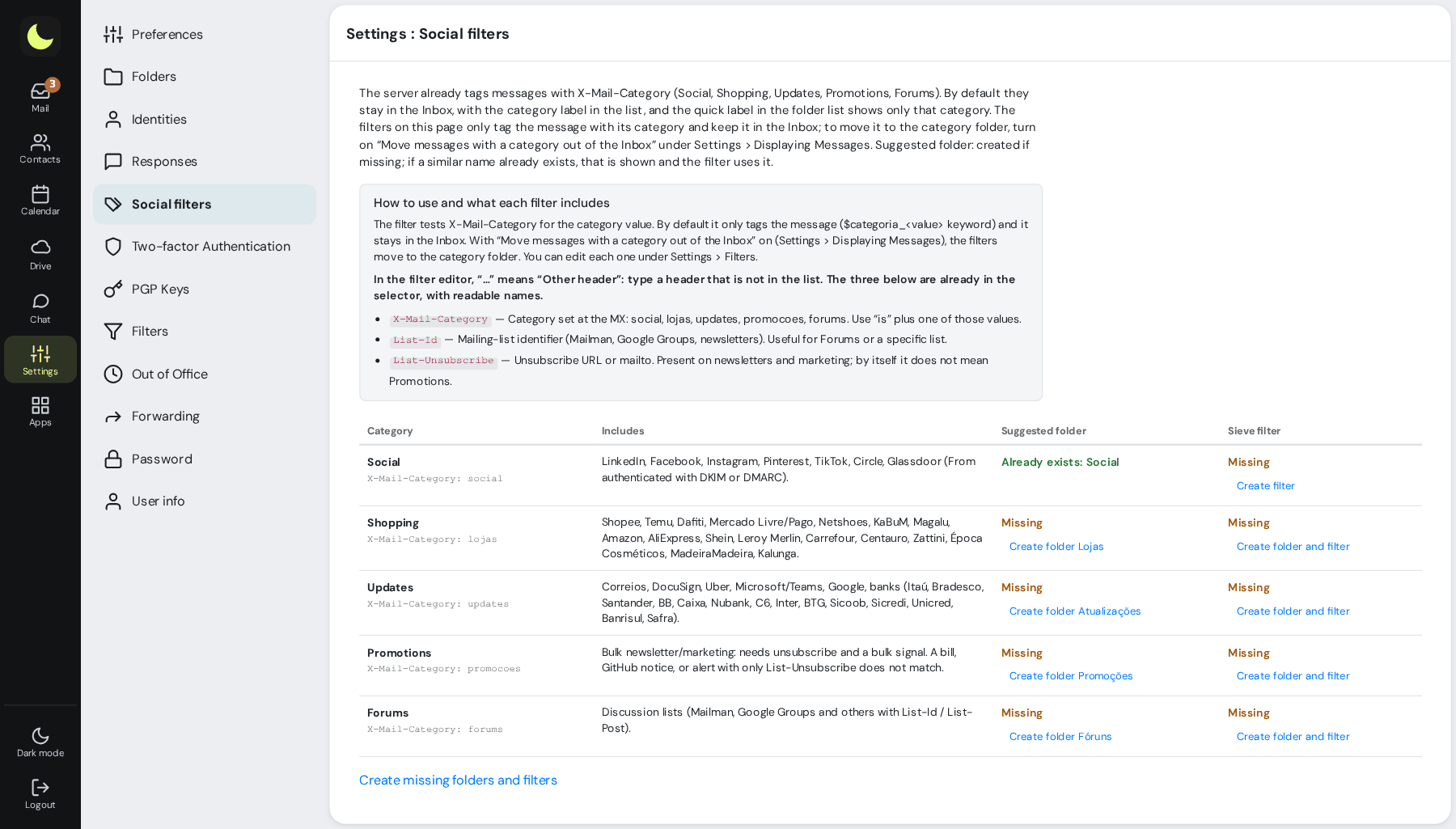
Social, Stores, Updates, Promotions, and Forums, without moving anything. In the list, a colored badge shows each message's category.
Want to separate them for good? Use Social filters
Under Settings → Social filters, each category has Create folder and filter. The filter runs on the server: the folders stay organized in Outlook and on the phone too.
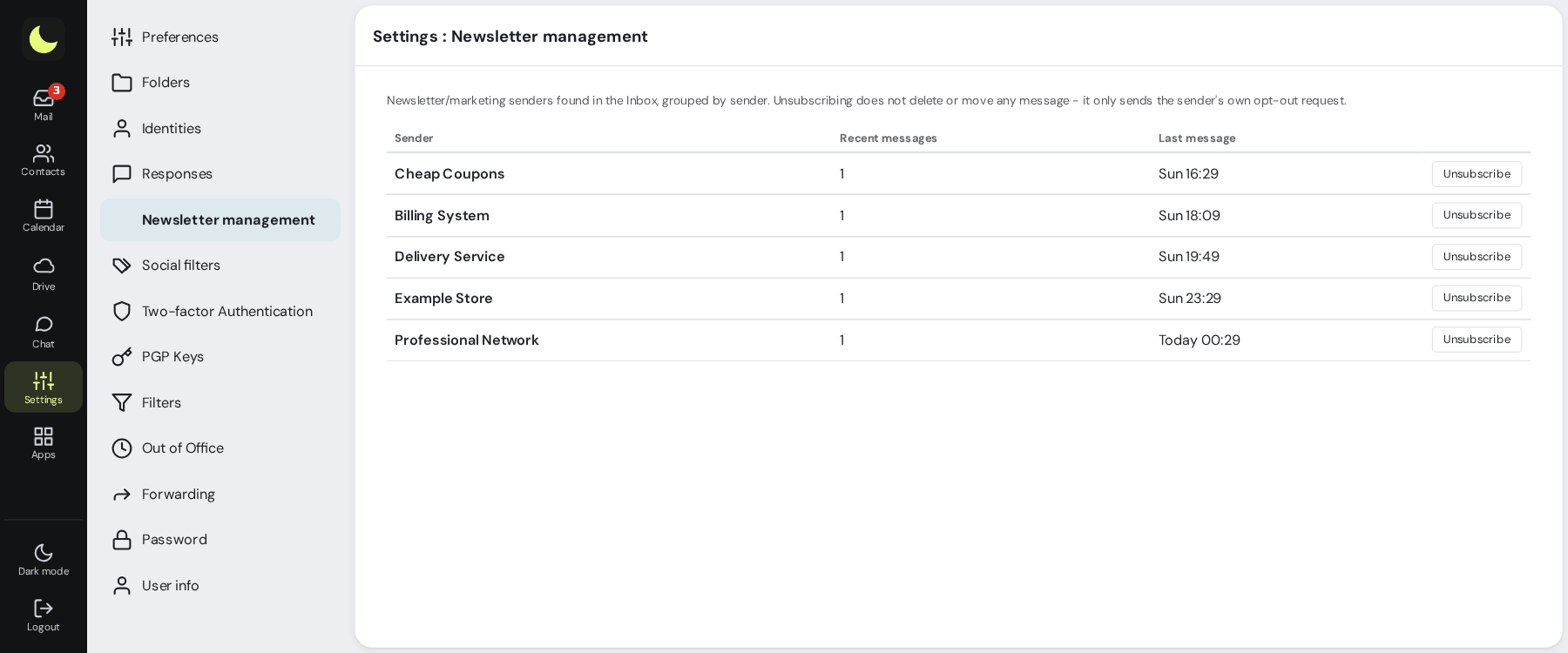
Unsubscribe from newsletters
Turn on Newsletter management on the same preferences screen. It lists the newsletters in your Inbox by sender, with an Unsubscribe button.
Good to know
- Everything is optional and per person: each person turns on what they want in their own mailbox.
- Unsubscribing doesn't delete what has already arrived, and the sender may take a few days to stop sending.
- Don't click unsubscribe on clearly fraudulent messages: that only confirms your address exists. Move them to the Spam folder.
Questions about promotions and newsletters
Do categories move messages?
No. Quick tags only show the messages in each category, which stay in the Inbox. To move them, create the folders and filters under Social filters and turn on Take categorized messages out of the Inbox, under Message display.
What goes in each category?
Social: LinkedIn, Facebook, Instagram, and similar. Stores: online stores. Updates: postal service, banks, deliveries. Promotions: newsletters and mass marketing. Forums: discussion lists.
Does unsubscribing delete old messages?
No. To clear what has already arrived, search by sender and delete the results.
Does this change the whole team's mailbox?
No. Each person turns on what they want in their own mailbox.
See also
Want this working at your company today?
lua.email costs from R$ 8.90 per mailbox, with webmail and lua Colabora on all plans. Signup is online and activation is automatic: pay by PIX and the account is ready in minutes for you to activate your domain. For questions, we answer on WhatsApp.
Subscribe now See pricing How we migratePrefer that our team contacts you? Leave your contact details