
Webmail
How to find an old email in seconds
The customer says they sent the receipt in March. You half remember the subject and do not know which folder it ended up in. Scrolling the mailbox looking for the message is wasted time. Webmail search looks in the sender, the subject and the text, in the current folder or in all of them.
Signing up is online and activation is automatic: pay by PIX and the account is ready in minutes for you to activate your domain. For questions, we answer on WhatsApp.
- On all lua.email plans
- In the browser, nothing to install
- Support based in Brazil, in Portuguese
How it works at lua.email
Type a word and press Enter
A single word, like boleto, searches the subject, the sender and the recipient.
Use shortcuts to narrow it down
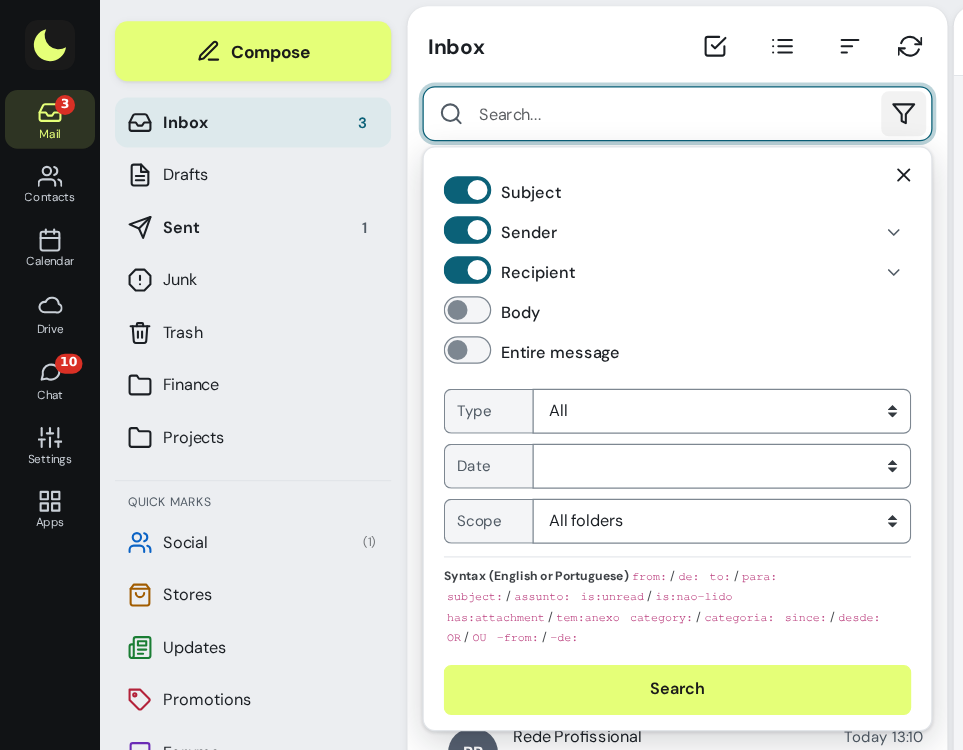
de:,para:,assunto:,corpo:,tem:anexo,desde:30dandmaior:1M, in Portuguese or in English, combined however you like.Choose where to search
The arrow next to the field opens the options: subject, sender, recipient, content or the whole message, the period, and whether the search covers the current folder or all of them.
See the whole conversation
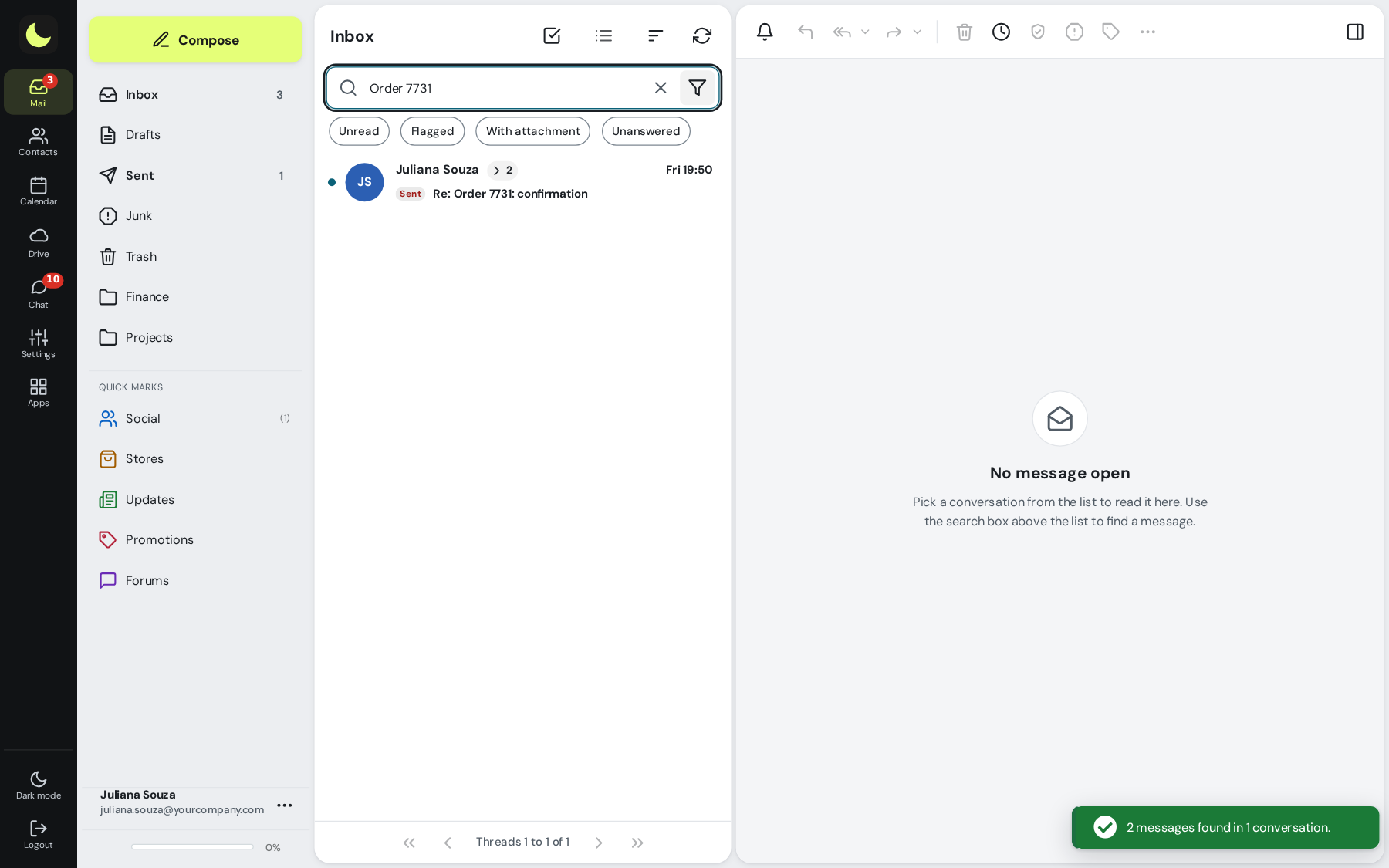
With stacked conversations on, searching all folders brings together what you received and what you replied to, with the folder of each message.
Examples you can copy
assunto:boleto OU assunto:faturafinds billing messages of any kind.categoria:lojas tem:anexofinds purchases with attachments.desde:30d maior:1Mshows the last 30 days, over 1 MB.-de:newsletter is:lidoshows read messages, excluding newsletters.- The envelope and the flag inside the search box show only unread or only flagged messages.
Questions about email search
Can I search all folders at once?
Yes. In the search options, choose the scope of all folders. Hover over a result to see which folder the message is in.
Does search look in the message text?
Yes, with the shortcut corpo: or by turning on Content in the search options. A single word searches the subject, the sender and the recipient.
How do I find emails with a large attachment?
Combine the shortcuts: tem:anexo maior:1M shows messages with an attachment over 1 MB.
Can I download the whole conversation I found?
Yes. With stacked conversations on and the conversation collapsed in the list, download (.zip), move and archive apply to the whole conversation.
See also
Want this working at your company today?
lua.email costs from R$ 8.90 per mailbox, with webmail and lua Colabora on all plans. Signup is online and activation is automatic: pay by PIX and the account is ready in minutes for you to activate your domain. For questions, we answer on WhatsApp.
Subscribe now See pricing How we migratePrefer that our team contacts you? Leave your contact details