
lua Colabora
Team tasks and Kanban boards, right alongside your email
The task agreed on by email stays flagged in the inbox until someone forgets it. Project progress lives in a spreadsheet that nobody updates. In lua Colabora, tasks and boards sit next to your email and calendar.
Signing up is online and activation is automatic: pay by PIX and the account is ready in minutes for you to activate your domain. For questions, we answer on WhatsApp.
- lua Colabora included on all plans
- Same login as your email
- Nothing to install
How it works at lua.email
An email becomes a task
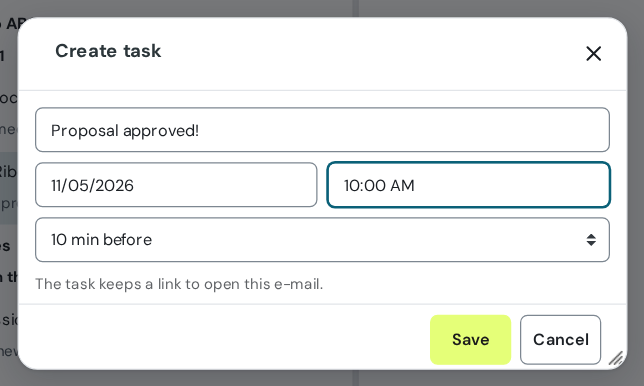
Select the message and choose More → Create task. The title comes from the subject, and the task carries a link to open the email.
See the day on the email screen
The Today's tasks box shows what is due today and what is overdue. Check the box to complete one.
Get the reminder on time
A window in webmail with Complete and Snooze, and a notice on the Drive bell.
Organize projects in Kanban
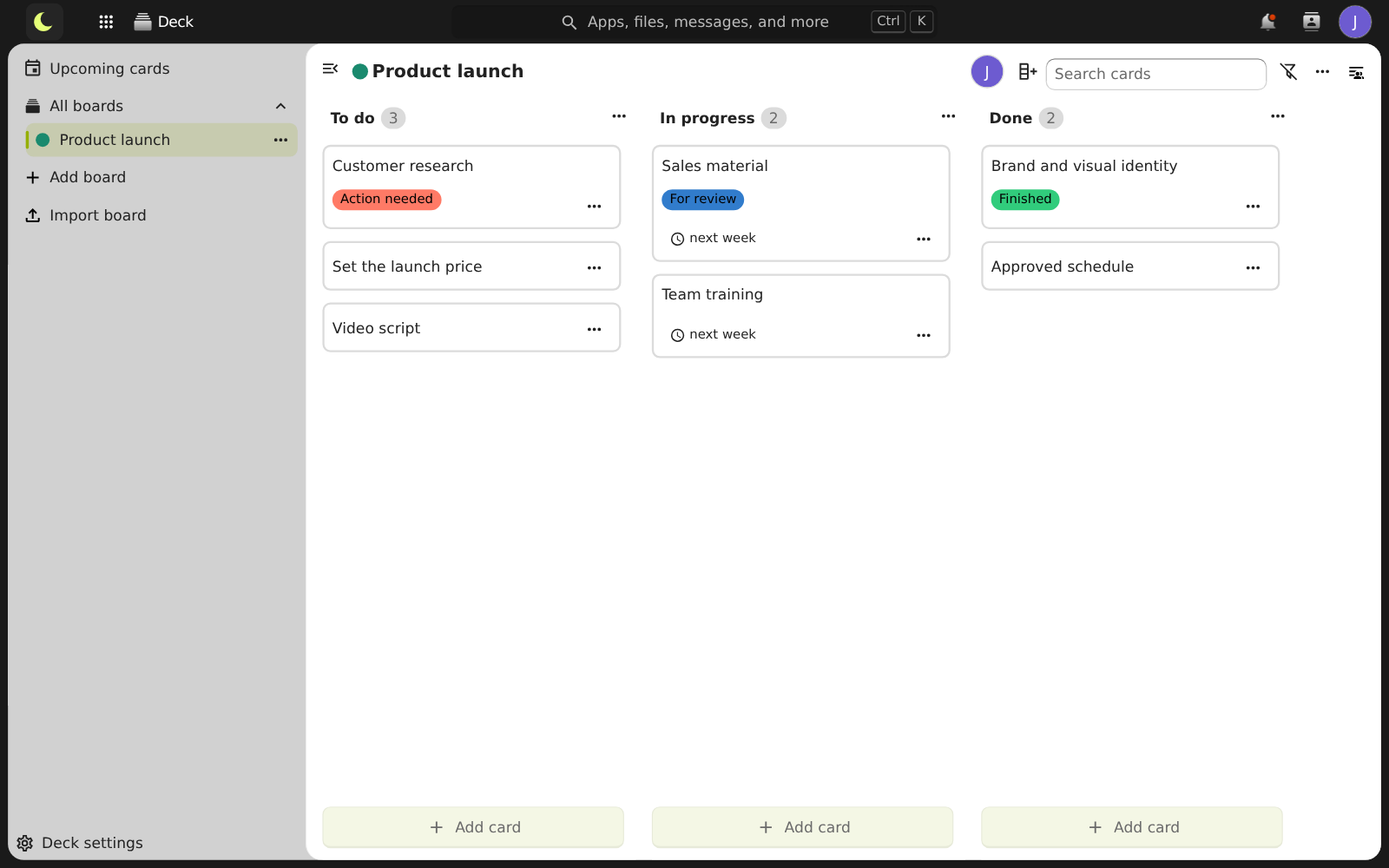
In Deck, create the board with columns like To do, In progress and Done. Cards with an owner, due date, labels, checklist and comments.
Good to know
- A task can also start in the calendar: click an empty time slot and choose Task.
- Subtasks: the main task shows the percentage completed.
- Ready-made views for Today, Week and All, bringing together all the lists.
- Deck cards with a due date also appear as tasks.
- Share the board with coworkers or with a company group.
- Whiteboard and notes also come with lua Colabora, for flows, ideas and meeting minutes.
Questions about tasks and Kanban
Do tasks show up in webmail?
Yes. On the email screen, in the Today's tasks box, and in the calendar, in a panel with overdue ones in red.
How do I turn an email into a task?
Select the message and choose More → Create task. The title comes from the subject, and the task carries a link to open the email.
Can I share a Kanban board with a whole department?
Yes. In the board's sidebar, add coworkers or a company group and choose whether they can edit, share or manage.
Does it cost extra?
No. Tasks, boards, whiteboard and notes come with lua Colabora, included in every plan.
See also
Want this working at your company today?
lua.email costs from R$ 8.90 per mailbox, with webmail and lua Colabora on all plans. Signup is online and activation is automatic: pay by PIX and the account is ready in minutes for you to activate your domain. For questions, we answer on WhatsApp.
Subscribe now See pricing How we migratePrefer that our team contacts you? Leave your contact details