
lua Colabora
Video meetings with your team and customers, in the browser
Customer meeting, interview, team sync: each on a different service, with an account for each person and a link nobody can find in time. In lua Colabora, the meeting starts from the webmail calendar and outside guests join through the browser, with nothing to install.
Signing up is online and activation is automatic: pay by PIX and the account is ready in minutes for you to activate your domain. For questions, we answer on WhatsApp.
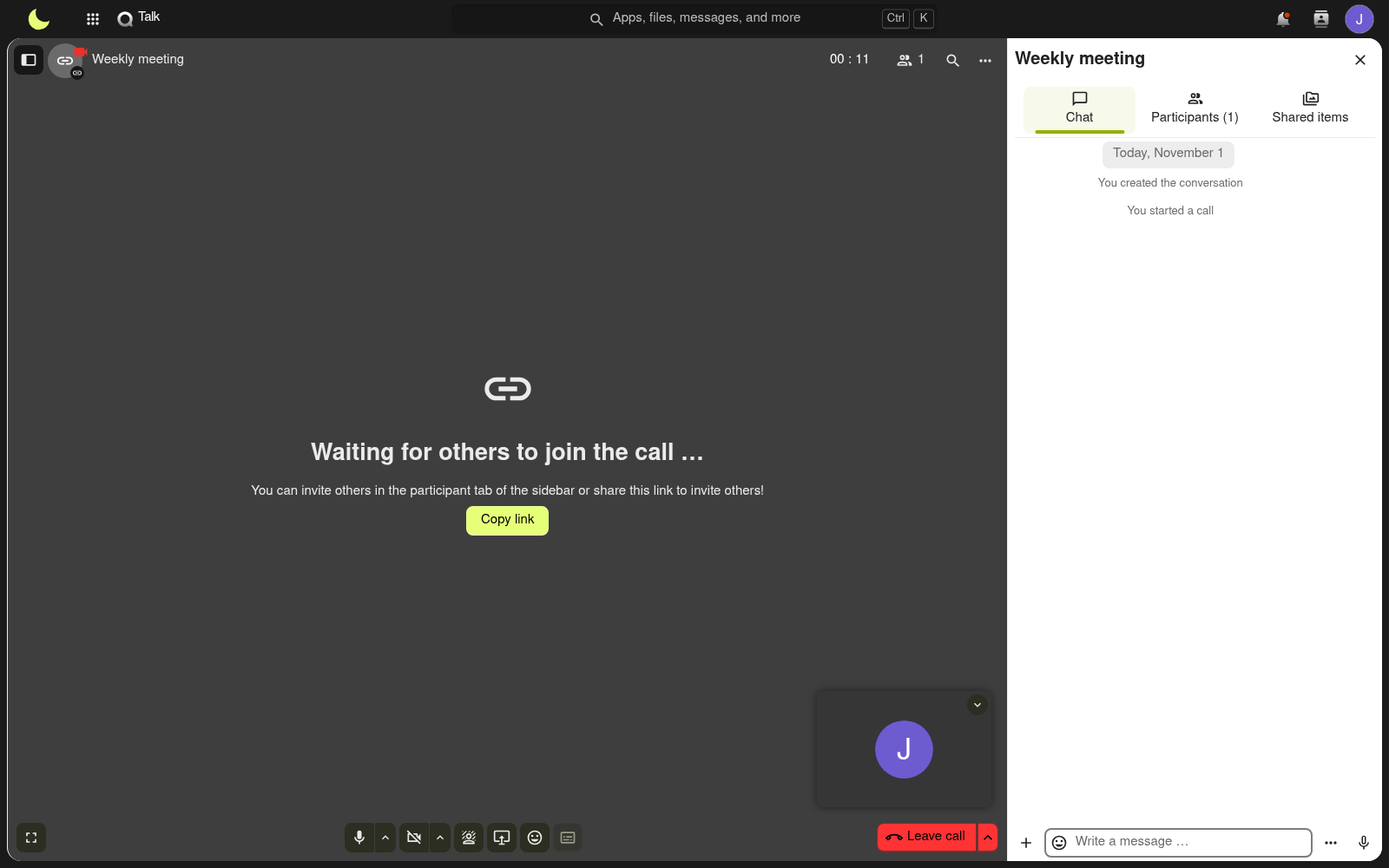
- Link created in the calendar event
- Same login as your email
- Nothing to install
How it works at lua.email
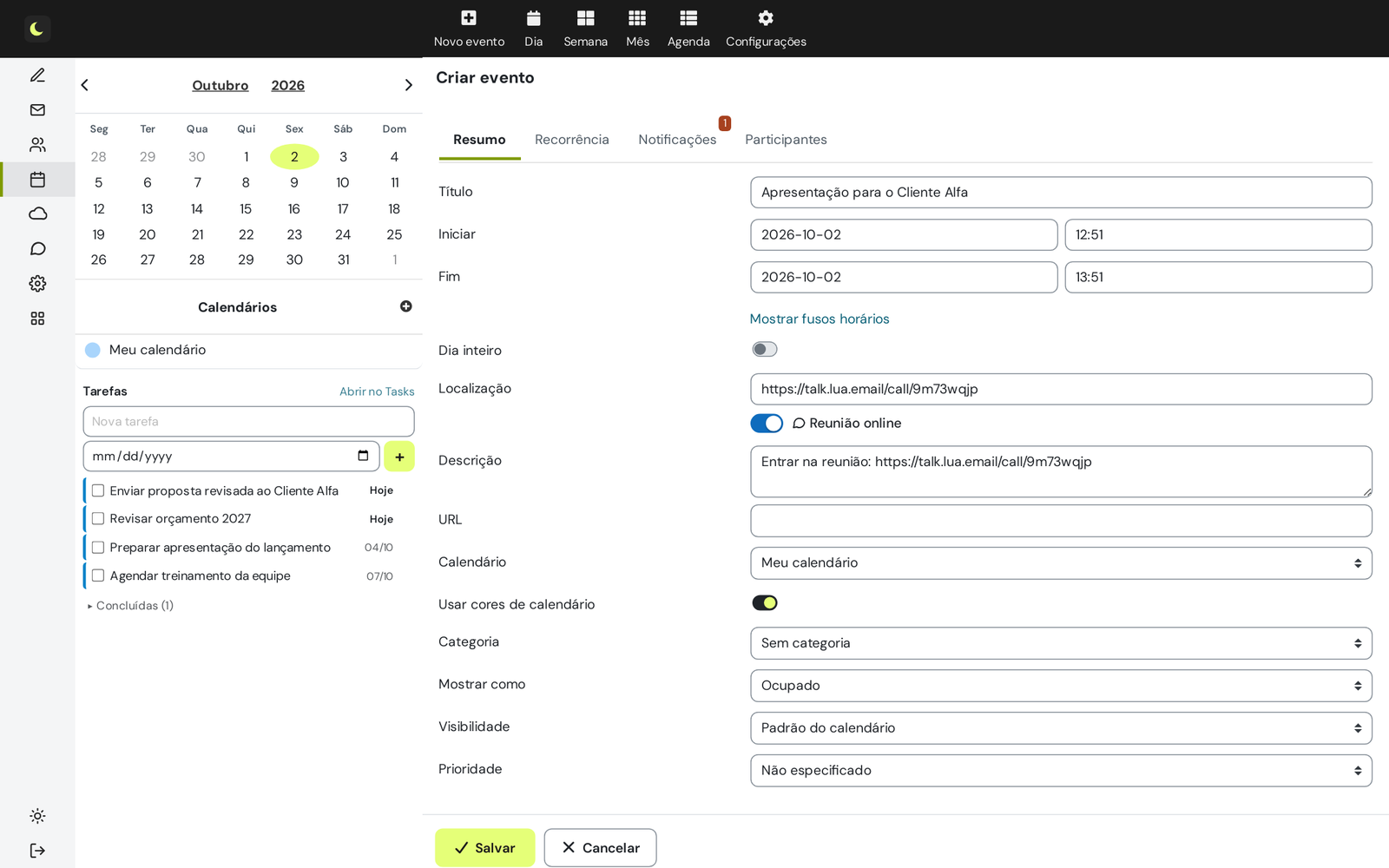
Create the event in the webmail calendar
Title, date, time and participants, like any appointment.
Turn on Online meeting
The room link goes into the event's location and description.
Save and send the invitation
Guests receive the invitation with the link, as in any calendar.
When it is time, join from the calendar or the reminder
The reminder has a Join meeting button. Coworkers from the company join directly, as moderators. Outside guests enter their name and wait in the waiting room until you or a coworker lets them in.
Good to know
- Camera, microphone and sharing of the whole screen, a window or a tab.
- Chat, raise hand and reactions during the call.
- Recording done by the moderator. Every participant confirms consent before joining, and the file goes to the Drive of whoever recorded.
- No time limit per meeting.
- Instant meeting: Start meeting now, on the Chat home page.
- Delete the event and the meeting room is deleted with it.
How companies use it
Everyday situations at small and midsize companies. The names and data are fictional.
A meeting with a customer outside the company
Situation. You schedule a presentation with a customer who has no account with your company and you want to control who joins.
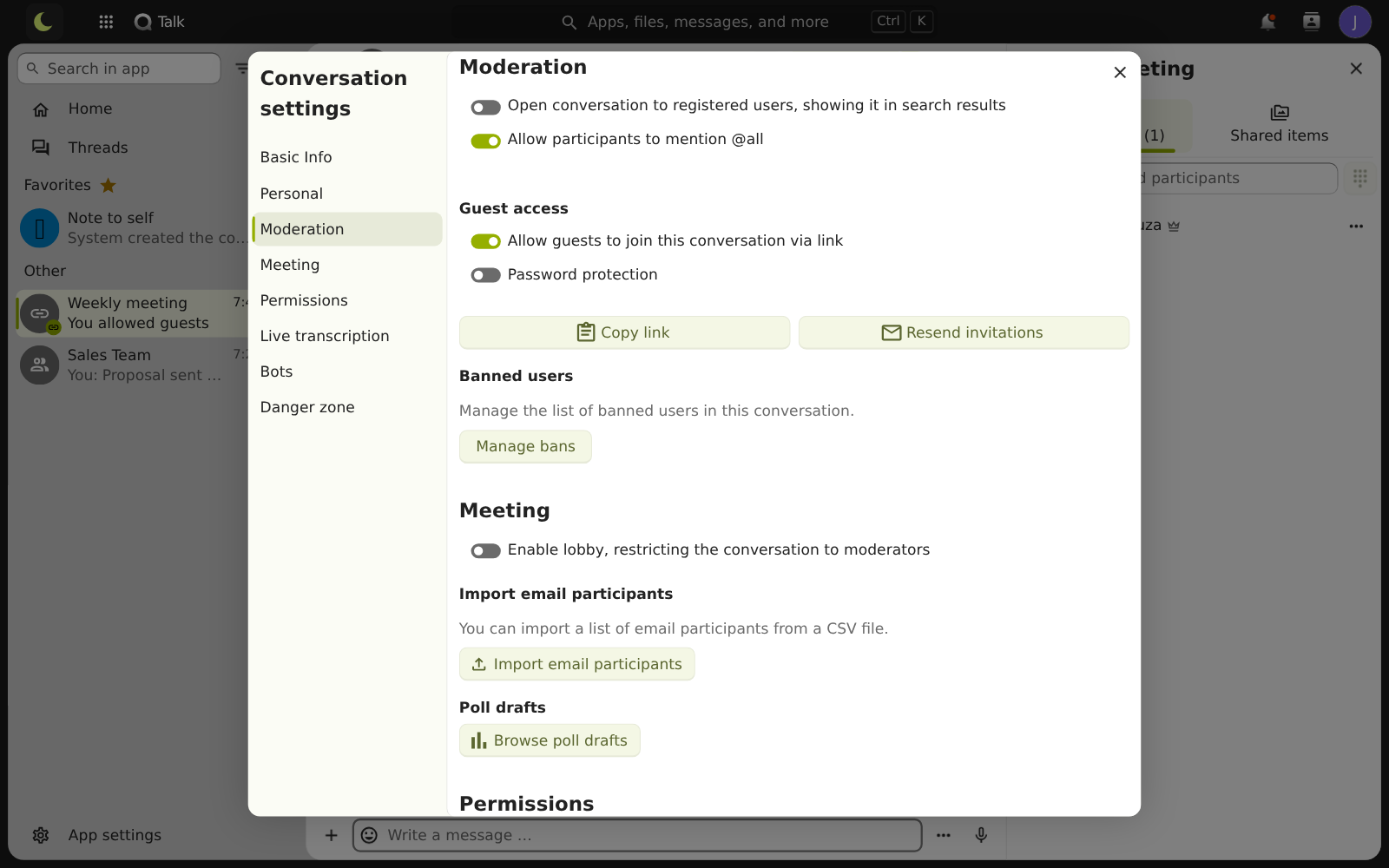
What the person does. Creates the meeting from the webmail calendar, turns on the guest link, sets a password if they want and keeps the waiting room on.
Result. The customer opens the link in the browser, enters their name and waits in the waiting room, without creating an account and without installing anything. You or a coworker lets them in.
Questions about video meetings
Can people without an account join a meeting?
Yes. The guest opens the link in the browser, enters their name and waits in the waiting room, with nothing to install. You or any coworker from the company (on the same domain) lets them in.
Is there a time limit?
There is no time limit per meeting.
Can I record the meeting?
Yes. The moderator starts the recording from the call menu, and every participant confirms consent before joining. The file goes to the Drive of whoever recorded.
Do meetings cost extra?
Yes. Video meetings have a separate license, R$ 3.00 per mailbox, per month. Chat, files, documents and the rest of lua Colabora come with every lua.email plan.
See also
Want this working at your company today?
lua.email costs from R$ 8.90 per mailbox, with webmail and lua Colabora on all plans. Signup is online and activation is automatic: pay by PIX and the account is ready in minutes for you to activate your domain. For questions, we answer on WhatsApp.
Subscribe now See pricing How we migratePrefer that our team contacts you? Leave your contact details