
Microsoft 365 alternative
A Microsoft 365 (formerly Office 365) alternative for your business email
If you want quality and features at a fair price, lua.email is a Microsoft 365 alternative, with email, calendar, files, a document editor and chat included, starting at R$ 8.90 per mailbox. Security stays under your control, and support comes from real people, in Brazil, in Portuguese.
Signing up is online and activation is automatic: pay by PIX and the account is ready in minutes for you to activate your domain. For questions, we answer on WhatsApp.
What it costs for 10 people
Per month. Prices from each company's public pages, checked on September 28, 2026.
| Option | What you get | 10 people per month |
|---|---|---|
| Microsoft 365 Business Standard | Office and Teams, with Copilot (R$ 134.60 per user) | R$ 1.346,00 |
| Microsoft 365 Business Basic | Office on the web and Teams (R$ 33.40 per user) | R$ 334,00 |
| lua.email, 20 GB mailboxes | 20 GB per mailbox, email and lua Colabora combined (R$ 18.90 each) | R$ 189,00 |
| lua.email, 10 GB mailboxes | 10 GB per mailbox (R$ 11.90 each) | R$ 119,00 |
| lua.email, 5 GB mailboxes | 5 GB per mailbox, the entry plan (R$ 8.90 each) | R$ 89,00 |
With Microsoft 365, the price is per user, billed annually, before taxes. With lua.email, each mailbox can have its own size, and the price is the same at signup and afterward. See the full comparison.
What matches what
For your team, only the address in the browser changes; the routine stays the same.
Outlook on the web
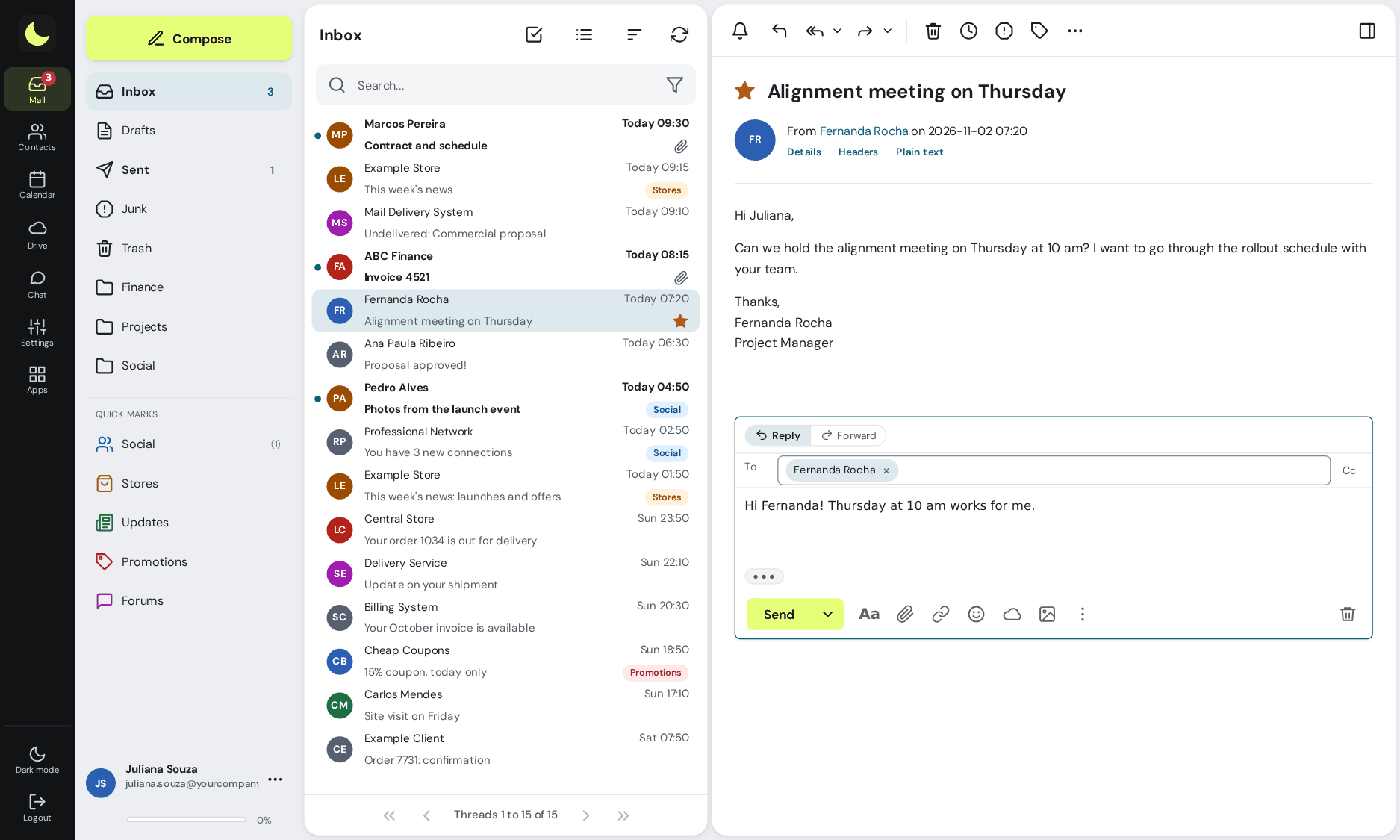
The webmail, with folders, quick flags and search with shortcuts. In Outlook on your computer and on your phone, the same mailbox, with calendar and contacts.
Calendar and global address list
The webmail calendar, with shared calendars, and the company directory with all your coworkers, also in Outlook and on your phone.
OneDrive
The lua Colabora Drive, with team folders and links with a password and an expiration date.
Word, Excel and PowerPoint on the web
The lua Colabora editor, in Word, Excel and PowerPoint formats, with several people editing at once.
Teams
Team chat, with one-on-one and group conversations, and video meetings with the link in the calendar event.
Planner, To Do, Whiteboard and OneNote
Tasks, Kanban boards, whiteboard and notes in lua Colabora, included in every plan.
Admin center
The admin panel, with mailboxes, aliases, groups, DKIM and DMARC, message tracing, and administrator, helpdesk and read-only roles.
When staying on Microsoft 365 makes sense
Not every company should switch everything. These are the cases where staying, fully or partly, makes sense.
Desktop Office apps
If your team relies on desktop Word, Excel or PowerPoint, the people who use those apps can stay on Microsoft 365.
Custom integrations
If your operations use systems or automations built on Microsoft 365, the people who depend on them stay there.
Lots of Teams meetings
If your work with clients runs through Teams meetings, the people who join them can keep their license.
Part of the team, not all of it
With lua Bridge, the people who need Microsoft 365 stay there, and the rest of the team moves to lua.email, on the same domain. lua.email's antispam also covers the accounts that stay with Microsoft.
How to leave Microsoft 365 without losing anything
We migrate Microsoft 365 (formerly Office 365) to lua.email with our own team: contact us to schedule the date and plan the steps.
Tell us about your setup
How many mailboxes the company has, how much email, aliases, groups and shared mailboxes. Our team takes stock and agrees with you on the steps and the switch date. See how our team migrates.
Mailboxes with the same addresses
Mailboxes are created in lua.email with the same addresses you use today. People who write to your company won't notice the switch.
Copying messages
Our team copies the messages and folders while everyone keeps using Microsoft 365.
Contacts, calendar and files
Contacts in vCard or CSV and calendar in .ics, imported into webmail, and OneDrive files exported and uploaded to lua Colabora.
MX switch
On the agreed day, the domain moves to lua.email, and new messages arrive in the new mailboxes. Nothing is deleted in Microsoft 365.
Outlook and phones
Our team helps set up Outlook and phones and stays close during the first few days.
Why choose lua.email
Complete quality and features, at a fair price, with security under your control.
Everything you need to work as a team
Webmail, calendar, contacts and lua Colabora (files, documents, chat and tasks) with the same login, on every plan.
A fair price, per mailbox
From R$ 8.90 per mailbox, per month, the same price when you subscribe and afterward. Each mailbox has the space the person needs. See the plans
Security you control
By mailbox group: access hours, access location by IP, protocols, two-step verification and password expiration. See security and control
Antispam that gets it right
99.91% accuracy, measured by users' own corrections, with antivirus on every plan. How it works
Sending that arrives and can be tracked
DKIM and DMARC set up in the admin panel, and tracking of every message for 180 days. See DKIM and DMARC
Shared mailboxes
The finance@ address or the front desk can reply from the same address, each person with their own account and no password sharing. See how it works
Migration done by our team
We migrate Microsoft 365 (formerly Office 365) with our own team: the addresses stay the same, and the switch happens on the agreed day. See how we migrate
Support based in Brazil, in Portuguese
You manage day to day in the admin panel, and someone on our team helps whenever you need, by the next business day. See support
Want to compare with what you pay for Microsoft 365?
Tell us how many licenses your company has, on which plan, and who uses desktop Office or Teams. Someone on our team puts together the comparison and tells you who can move to lua.email.
Chat on WhatsApp See pricingPrefer that our team contacts you? Leave your contact details
Security and control, without configuring person by person
In the admin panel, administrators set the rules once per group of mailboxes, or for the whole domain through the Default group. A mailbox in more than one group follows the strictest rule, and the panel records who did what.
Two-step verification required
The whole group registers the code, in the app or by email, with recovery codes. With the requirement on, people cannot remove their last method in the webmail. See how it works
Password expiration and change
From 30 to 360 days per group, change at next sign-in, a warning 7 days before expiry and a spreadsheet report. See how it works
Access hours and session timeout
No sign-ins outside business hours or on holidays, and the webmail asks for the password again after the time limit your company chooses. See how it works
Access location by IP
Webmail, Colabora, chat and phones with an Exchange account only from your company's IPs. The admin panel is never blocked. See how it works
Webmail-only group
The group's mailboxes have no IMAP, POP or SMTP in desktop and mobile apps, with webmail and Colabora working normally. See how it works
Phones and apps
Screen lock required on the Exchange account, a list of connected phones, and an app password separate from the webmail one. See how it works
Internal-only addresses
Mailboxes, aliases and groups that receive only from people on your domain. Anything from outside is rejected on arrival. See how it works
A record to check
180-day message tracing, failed sign-ins with the source IP, admin panel logs, and support access with a stated reason. See how it works
Questions from Microsoft 365 users
Does lua.email have everything Microsoft 365 has?
For email and teamwork, yes: webmail, calendar, contacts, global address list, files, a document editor for Word, Excel and PowerPoint formats, chat, tasks and video meetings (a separate license at R$ 3.00 per mailbox, per month). Desktop Office and Microsoft's own integrations are not included.
How much less does lua.email cost for 10 people?
On the entry plan, 10 Microsoft 365 Business Basic licenses cost R$ 334.00 per month, billed annually, before taxes. With lua.email, 10 mailboxes of 10 GB cost R$ 119.00 per month, and 10 mailboxes of 20 GB, R$ 189.00, with lua Colabora included. See the full comparison.
How does migration from Microsoft 365 work?
We migrate Microsoft 365 (formerly Office 365) to lua.email with our own team. Mailboxes are created with the same addresses, messages are copied while everyone keeps using Microsoft 365, and the MX switch happens on the agreed day. Contact us to schedule the date and plan the steps.
How much does it cost to migrate from Microsoft 365?
Migration with our team is billed hourly, quoted on request after we review your case: how many mailboxes and how much email.
Can the team keep using Outlook?
Yes. Outlook on the computer switches to the lua.email account, and on phones the mailbox is added as an Exchange account, with email, calendar and contacts together. Our team helps with setup.
Can part of the team stay on Microsoft 365?
Yes, with lua Bridge: people who use desktop Office or Teams stay on Microsoft 365, everyone else moves to lua.email, on the same domain, and everyone keeps emailing each other as usual.
Keep reading
Want to start with part of the team?
Signup is online and activation is automatic: if you pay by PIX, your account is ready in minutes for you to activate your domain. For questions, our team answers on WhatsApp. You can start with part of the team and keep the rest on Microsoft 365 through lua Bridge in the meantime.
Subscribe now See pricing How we migratePrefer that our team contacts you? Leave your contact details