
Webmail
Shared mailbox: the team replies from the same address
A customer writes to support@ and only one person has the password. They go on vacation and the messages sit unanswered. Or the password circulates around the team and nobody knows who answered what. Sharing the mailbox solves both: each person signs in with their own account and works in the team's mailbox.
Signing up is online and activation is automatic: pay by PIX and the account is ready in minutes for you to activate your domain. For questions, we answer on WhatsApp.
- On all lua.email plans
- In the browser, nothing to install
- Support based in Brazil, in Portuguese
How it works at lua.email
Go to Settings → Folders
In the mailbox you're going to share, like support@.
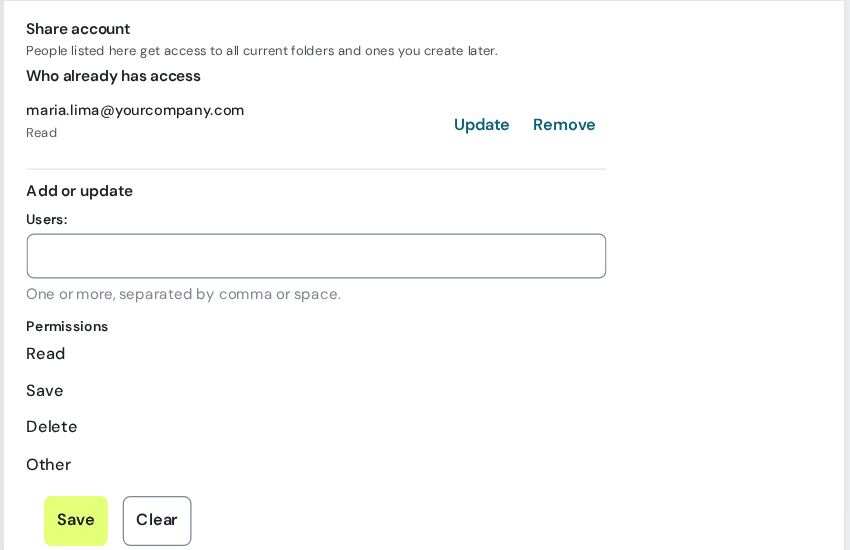
Click Share account…
To give access to a single folder, click the folder and use the Sharing section.
Type your colleague's email and check the permissions
Read, Save, and Delete, per person. Start with Read only and expand later.
Save
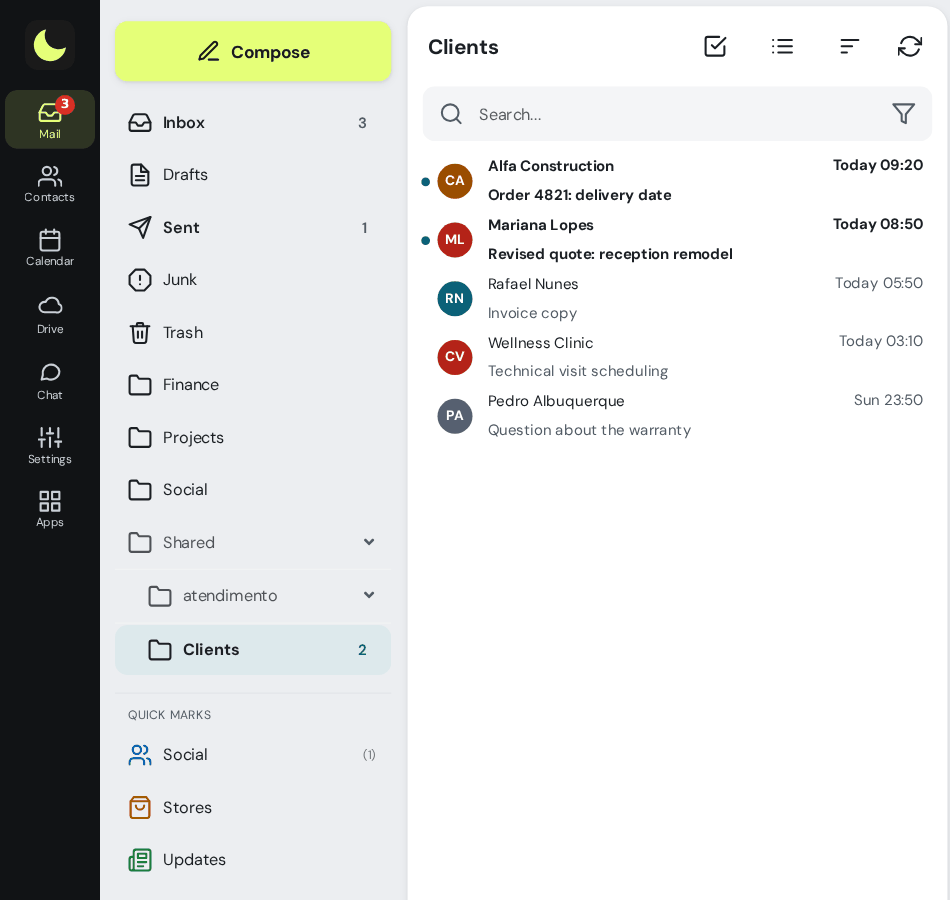
The mailbox appears on its own in your colleague's folder list, in webmail, Outlook, Thunderbird, and on the phone.
Good to know
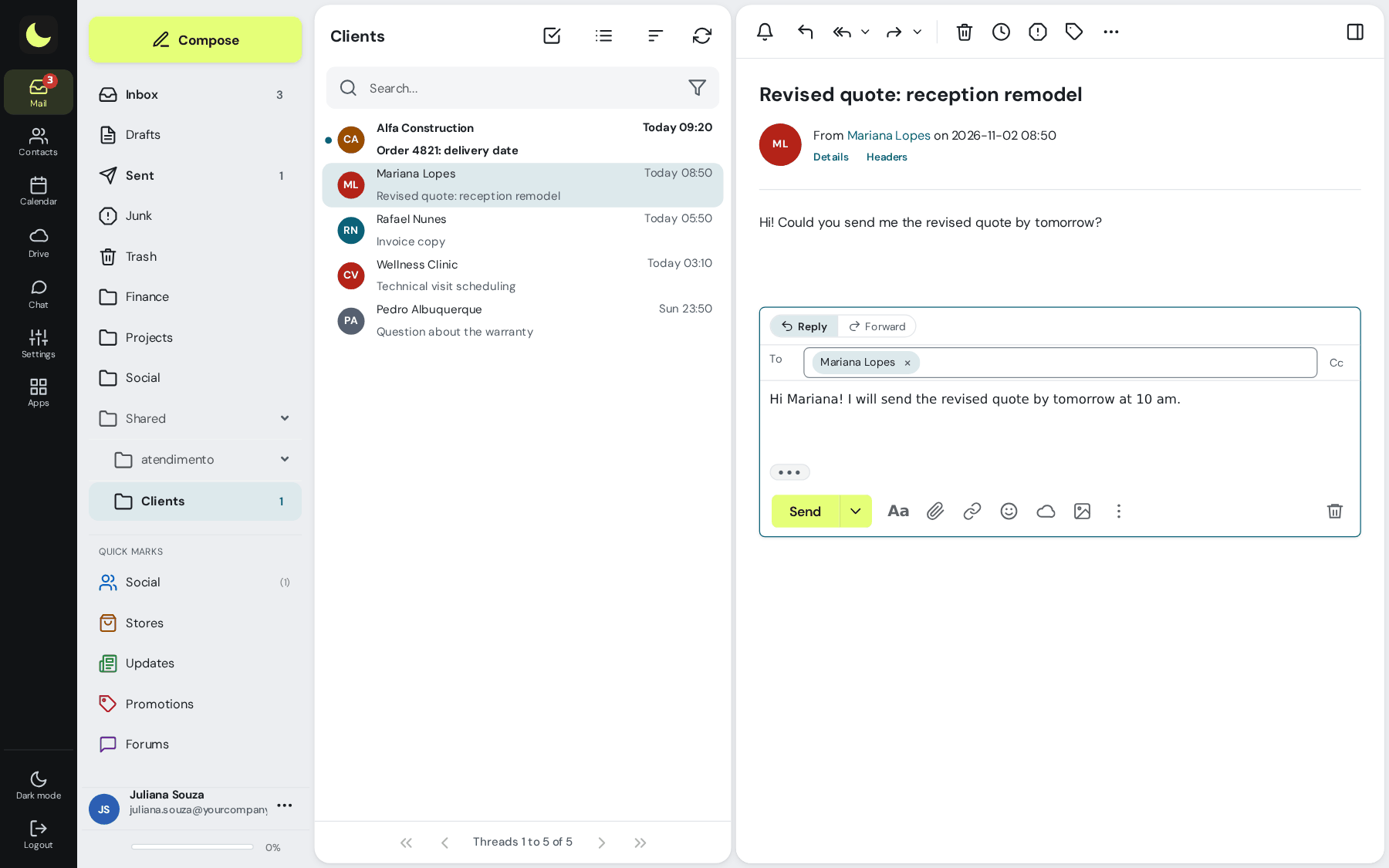
- When you reply to a message in the shared mailbox, the From field already has its address: the customer sees the reply coming from support@.
- The copy stays in the shared mailbox's Sent folder when the person has the Save permission. That way the team sees what has already been answered.
- Sharing the whole account also applies to folders created later.
- To remove access, just remove the person, without changing anyone's password.
How companies use it
Everyday situations at small and midsize companies. The names and data are fictional.
Support that several colleagues answer
Situation. Customers write to support@ and the company doesn't want a single person owning the mailbox, or passing around a password.
What the person does. The administrator gives access to the mailbox to whoever handles support, and each colleague sees support@ in their own webmail folder list and replies through it.
Result. The team works in the same mailbox, each with their own password, and the customer gets the reply from support@.
Questions about shared mailboxes
Do I need to give the mailbox password to the team?
No. Each person signs in with their own account and sees the shared mailbox in their folder list. To remove access, just remove the person.
Whose address does the reply go out from?
The shared mailbox's. When you reply to a message in it, the From field already has the mailbox address. To reply in your own name, change the address there.
Does it work in Outlook and on my phone?
Yes. Sharing is done on the server itself, so the mailbox also appears in Outlook, Thunderbird, and on the phone. In those programs, you may need to refresh the folder list.
Can I share just one folder?
Yes. Under Settings → Folders, click the folder and use the Sharing section. Subfolders created inside it later are shared from the start.
See also
Want this working at your company today?
lua.email costs from R$ 8.90 per mailbox, with webmail and lua Colabora on all plans. Signup is online and activation is automatic: pay by PIX and the account is ready in minutes for you to activate your domain. For questions, we answer on WhatsApp.
Subscribe now See pricing How we migratePrefer that our team contacts you? Leave your contact details