
Security
Webmail with two-step verification (2FA)
Passwords leak: on a fake page that imitates the sign-in screen, through a virus that records what you type, on a hacked site where you used the same password. With two-step verification, anyone who finds out your password but doesn't have your phone can't get in.
Signing up is online and activation is automatic: pay by PIX and the account is ready in minutes for you to activate your domain. For questions, we answer on WhatsApp.
- On all lua.email plans
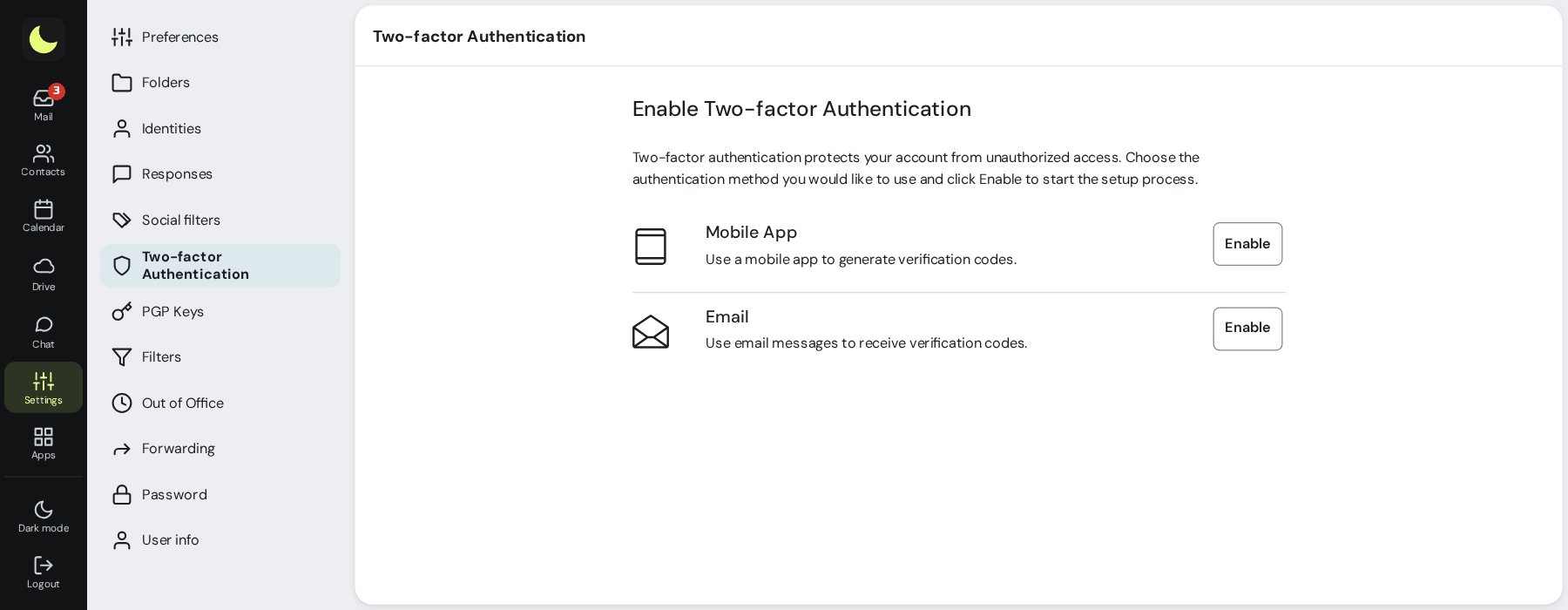
- Authenticator app or code by email
- Recovery codes
How it works at lua.email
Install an authenticator app
Any app that generates 6-digit codes, like Authy, Microsoft Authenticator, 2FAS, or your password manager.
Turn it on in webmail
Under Settings → Two-step verification, click Enable on the Authenticator app row. Scan the QR code with the app and enter the code.
Keep your recovery codes
Each one works for a single sign-in, in case you're without your phone. Don't keep them only inside the mailbox they protect.
Day to day
After the password, webmail asks for the 6-digit code, which changes every 30 seconds.
Good to know
- The company can require the code for a group of mailboxes, like finance, or for the whole domain: anyone who hasn't set it up can only use webmail and Colabora on the web after setting it up. In the mailbox's edit view, the option appears locked with the group name. See also password expiration and change by group.
- With the requirement on, a person can't remove their last method in webmail. Switching methods is still possible: add the new one and remove the old one.
- No app? The code can also arrive by email. Check which address it goes to.
- The app password (Outlook and phone over IMAP and SMTP) is different from the webmail password. If it leaks, it doesn't give access to webmail.
- Webmail shows when and from where the account was last accessed.
- The management panel also has two-step verification, and the company can make it mandatory for administrators.
- Never share the code with anyone, not even someone who calls saying they're from support or from the bank.
Questions about two-step verification
Does two-step verification cost extra?
No. It comes with all plans, and the person turns it on themselves under Settings → Two-step verification.
I lost my phone. Now what?
Sign in with a recovery code and set it up again with the new device. Without the codes, contact support, and change your password too.
Does 2FA apply to Outlook and the phone?
It protects sign-in through webmail. Programs like Outlook and phone apps use IMAP and SMTP, with the app password, which is separate from the webmail password.
Which method is more secure?
The authenticator app. The code by email is for people who don't want to install an app; in that case, avoid sending the code to the very mailbox you're protecting.
See also
Want this working at your company today?
lua.email costs from R$ 8.90 per mailbox, with webmail and lua Colabora on all plans. Signup is online and activation is automatic: pay by PIX and the account is ready in minutes for you to activate your domain. For questions, we answer on WhatsApp.
Subscribe now See pricing How we migratePrefer that our team contacts you? Leave your contact details