
Security
Block email access outside working hours
The field crew answers email at 11 p.m. and on Sundays. The front desk uses a shared computer and the session stays open from one day to the next. In the admin panel, you set the hours when each group of mailboxes cannot sign in and how long the browser session stays valid.
Signing up is online and activation is automatic: pay by PIX and the account is ready in minutes for you to activate your domain. For questions, we answer on WhatsApp.
- Step by step in the manual
- Support based in Brazil, in Portuguese
How to set it up in the panel
Create a service group
In Email → Service groups, click New group and add the mailboxes.
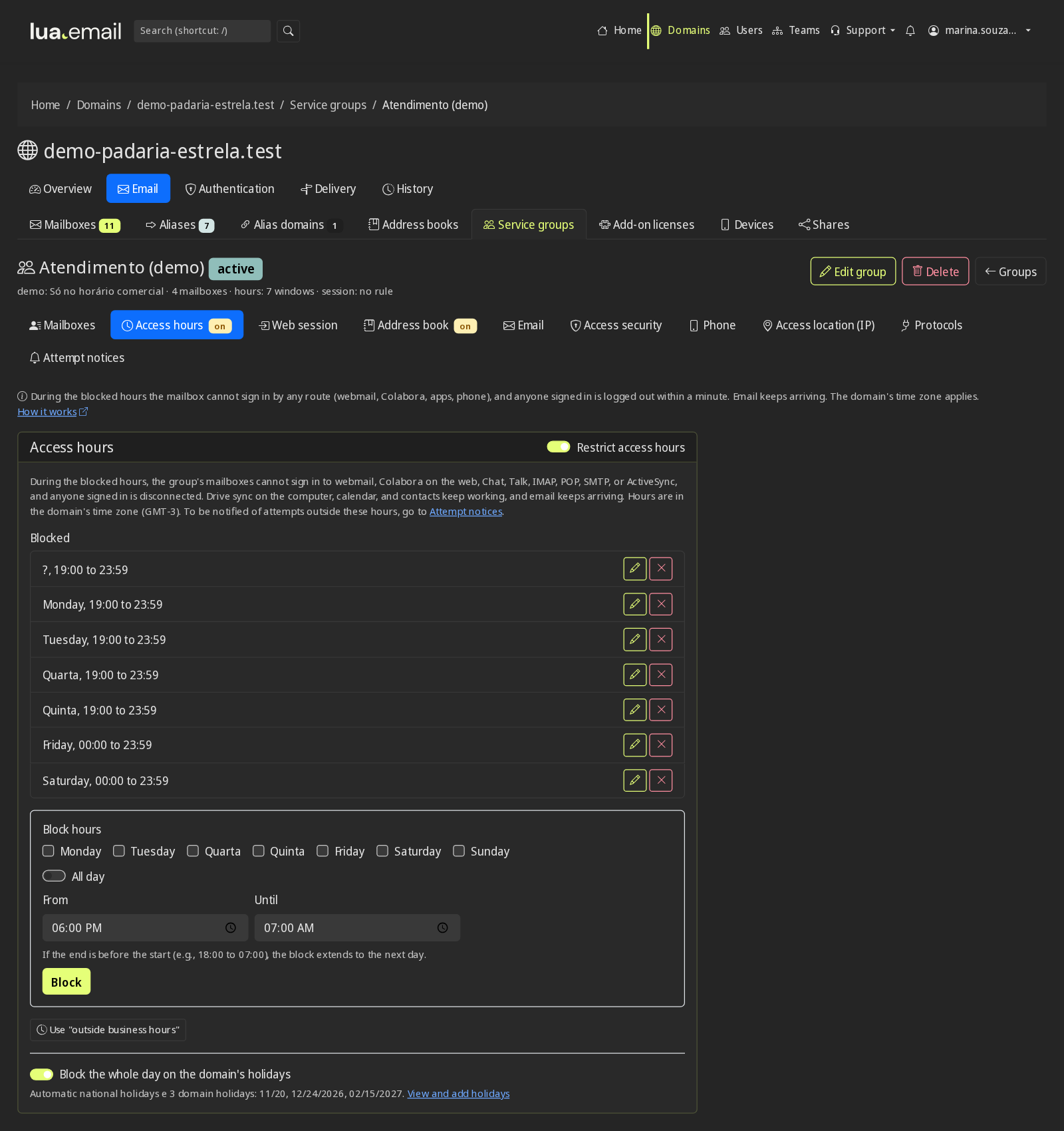
Mark the blocked hours
On the Access hours tab. The Use outside business hours button already fills in Monday to Friday from 6 p.m. to 7 a.m. and the whole weekend.
Include holidays
National holidays are added automatically, and you add the ones for your city. The same list appears in the mailboxes' calendar.
Set the web session
After how many hours webmail and Colabora ask for the password again, and whether the group can use stay signed in.
What happens during blocked hours
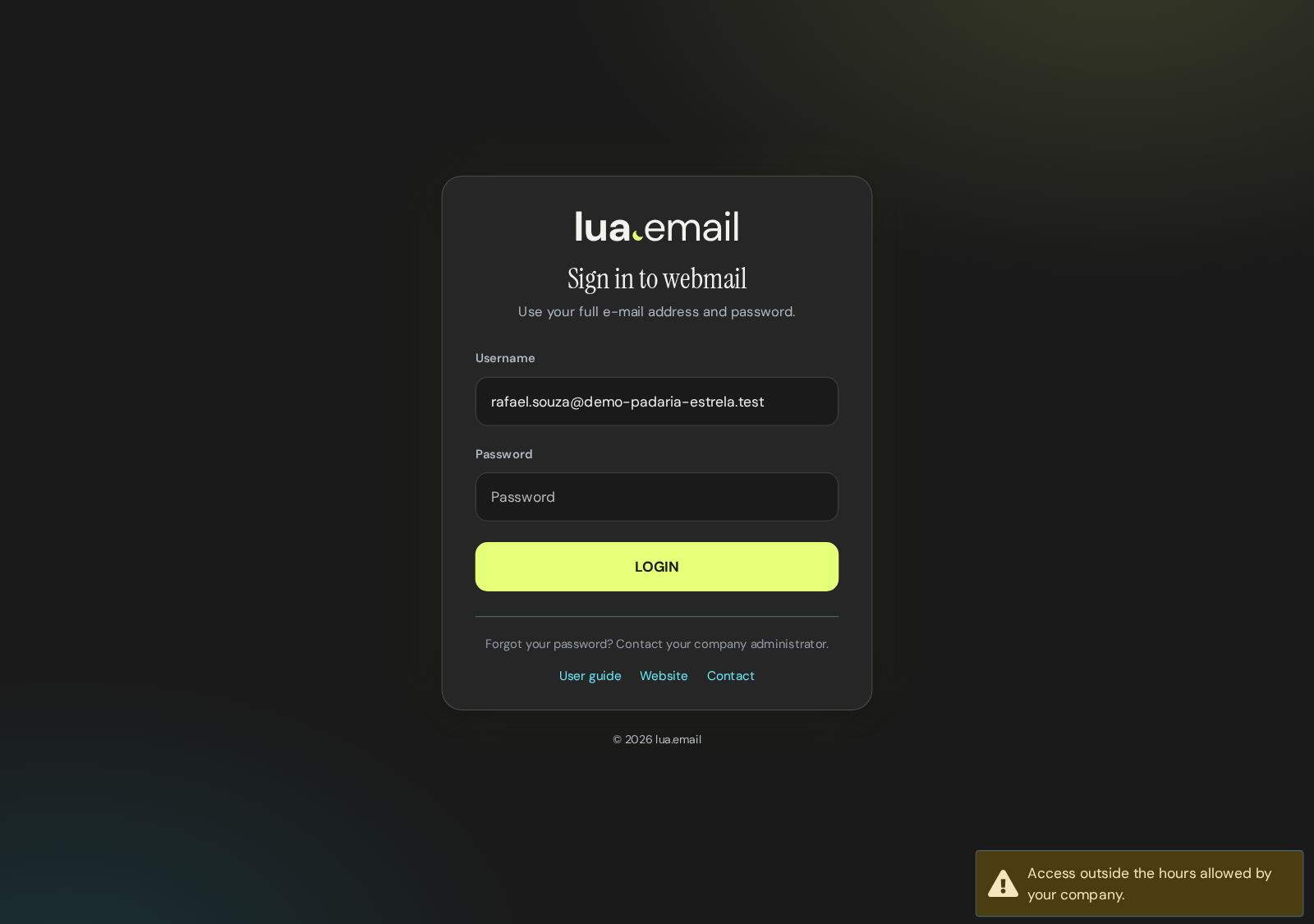
- During blocked hours, the person sees Access outside hours allowed by your company, in webmail and in the email app.
- Anyone who was signed in is logged out within a minute.
- Applies to webmail, Colabora, IMAP, POP, sending from the email app and phones with an Exchange account.
- Email keeps arriving: nothing is lost during blocked hours.
- The hours apply in your domain's time zone.
- When someone entered the right password and was turned away, an alert can go to the administrator, in the panel's bell or by email, with a 90-day history. Blocks on IMAP, POP and SMTP apply, but do not generate an alert.
Questions about access hours
Are messages lost during blocked hours?
No. Email keeps arriving normally, and the person finds everything in the mailbox when access reopens.
Does the block apply on phones?
Yes. A phone with an Exchange account stops syncing until access reopens, and the email app cannot connect.
Can I let one person in outside the hours?
Yes. Remove the mailbox from the group or change the hours. The change takes effect within a minute.
What about holidays?
Turn on Block the whole day on the domain's holidays. National holidays are added automatically every year, including those with moving dates, and you add the local ones, with the option to repeat every year. It is the same list that feeds the Holidays calendar in the mailboxes' calendar.
See also
Want this working at your company today?
lua.email costs from R$ 8.90 per mailbox, with webmail and lua Colabora on all plans. Signup is online and activation is automatic: pay by PIX and the account is ready in minutes for you to activate your domain. For questions, we answer on WhatsApp.
Subscribe now See pricing How we migratePrefer that our team contacts you? Leave your contact details