
Clinics and medical offices
Email for clinics and medical offices
At a clinic, email receives lab results, insurance requests and patient questions, often with health data in the middle. It needs to live in the clinic's own mailboxes, with the front desk replying from the same address and access closed to anyone outside the team.
Signing up is online and activation is automatic: pay by PIX and the account is ready in minutes for you to activate your domain. For questions, we answer on WhatsApp.
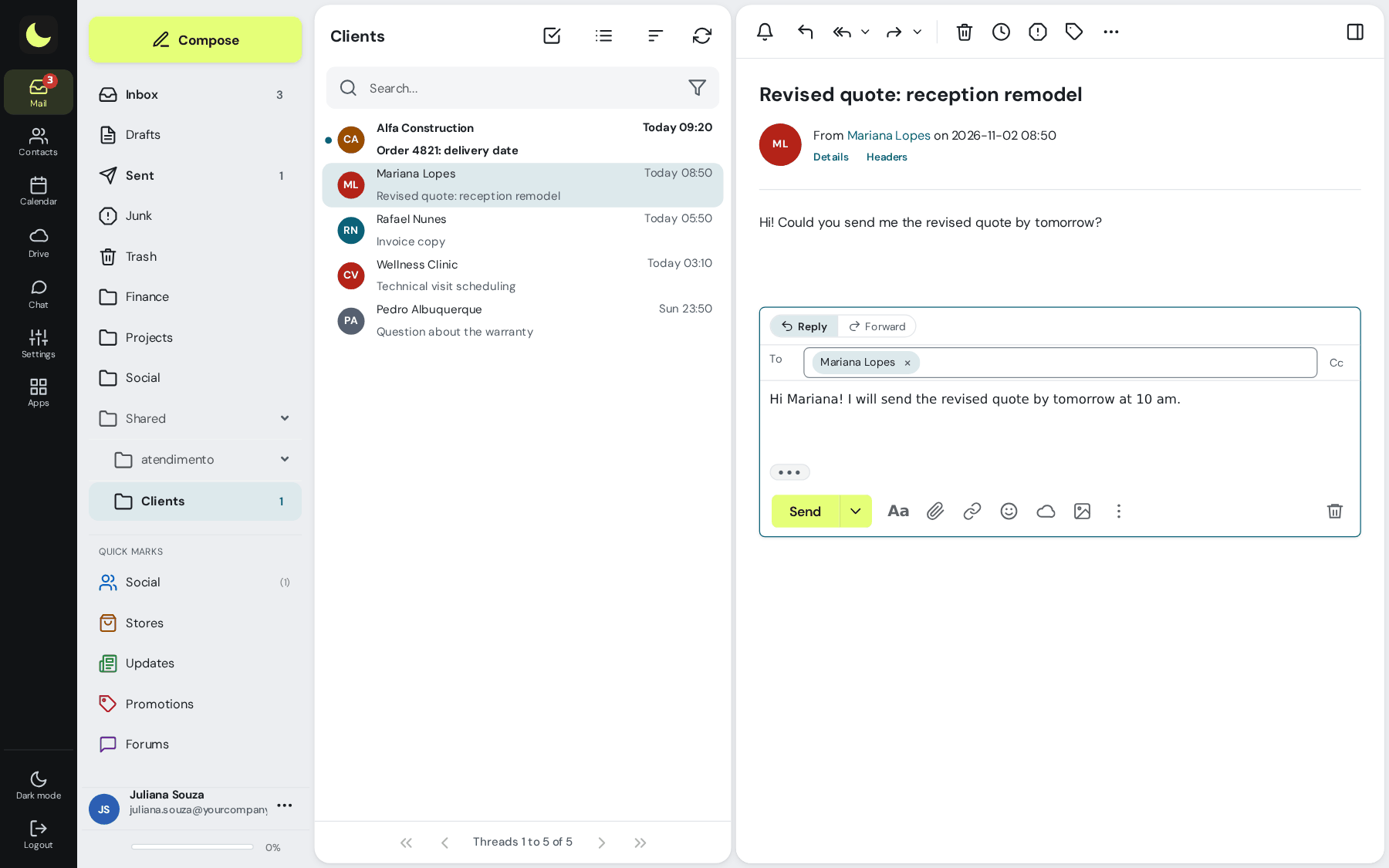
What changes in the clinic's day to day
Common situations, and the feature that solves each one.
recepcao@ answered by whoever is on shift
With the shared mailbox, each front desk person signs in with their own account and replies from the clinic's address. Whoever arrives for the next shift sees what has already been answered.
Patient data in clinic mailboxes
No more lab results in the secretary's personal email. The mailboxes belong to the clinic: admins create them, disable them and require two-step verification in the panel.
A large exam for the patient
The lua Colabora Drive link can have a password, an expiration date and a download limit. In webmail, an attachment that is too large turns into a link on its own.
Access only during working hours
With access hours, the team in a group can't sign in to email at night or on weekends. Messages keep arriving. With the IP list, webmail, Colabora and phones open only on the clinic's network.
Doctor on vacation, patient without a reply
The automatic reply lets people who write know, and can forward messages to the front desk while the doctor is away.
Scams using the clinic's name
With DKIM and DMARC, your patients' providers reject email that pretends to come from your domain. On the way in, the antispam stops the scam before it reaches the team's mailbox.
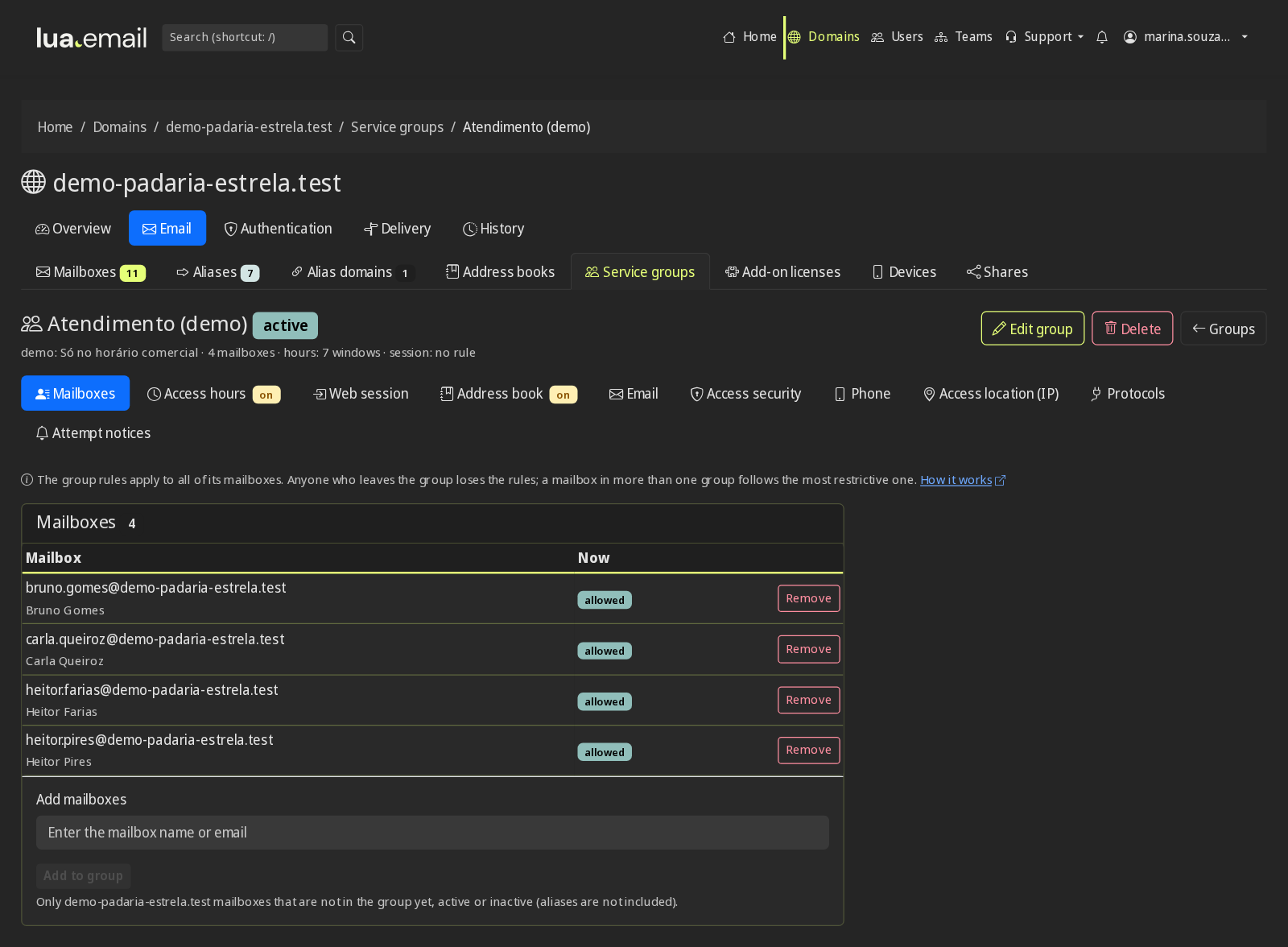
Access rules for the whole team
In the panel's mailbox groups, you set the hours when access is blocked, the browser session time, whether two-step verification is mandatory and how often the password must be changed. One rule applies to everyone in the group, such as the front desk or the nursing team. Password expiration and change and all security and control features.
How much it costs for a clinic with 8 people
An example. Each mailbox can have its own size, and addresses like contato@ can be groups, at no cost.
| Who or what | How it works | Per month |
|---|---|---|
| 4 healthcare professionals | 4 mailboxes of 10 GB (R$ 11.90 each) | R$ 47,60 |
| 3 front desk and administrative staff | 3 mailboxes of 5 GB (R$ 8.90 each) | R$ 26,70 |
| recepcao@, answered by the team | 1 shared mailbox of 10 GB (R$ 11.90) | R$ 11,90 |
| contato@, financeiro@ | Aliases and groups | R$ 0,00 |
| Total | 8 mailboxes, with lua Colabora included | R$ 86,20 |
Price per mailbox, per month, with lua Colabora included. Subscribing is online and activation is automatic: if you pay by PIX, the account is ready in minutes for you to activate your domain. For questions, we answer on WhatsApp. Calculate for your team.
Want to see how it would look at your clinic?
Count how many people you are, how the front desk is organized and where your email is today. You define the mailboxes and access rules in the admin panel, with someone from our team nearby to help with the design.
Chat on WhatsApp See pricingPrefer that our team contacts you? Leave your contact details
Questions from clinics and medical offices
Does lua.email replace the patient scheduling system?
No. The webmail calendar is for the team: meetings, on-call shifts, vacations and rooms. Booking appointments stays in the clinic's system. Email handles the conversation with patients, labs, insurers and suppliers.
How do I handle the health data that arrives by email?
Health data is sensitive data under the LGPD (Brazil's data protection law), and the first step is for it to live in the clinic's mailboxes, not in each employee's personal email. At lua.email, admins create and disable mailboxes, can require two-step verification, limit the browser session time and see failed logins. Files for patients go out by link with a password and expiration date.
Can the front desk reply from the same address?
Yes. recepcao@ becomes a shared mailbox: each person signs in with their own account, the reply goes out from the clinic's address and the copy stays in the shared mailbox's Sent folder.
Can I block access outside working hours?
Yes. In a mailbox group with access hours, the team can't sign in to webmail, an email app or the phone during blocked hours, and messages keep arriving.
How do I send a large exam to a patient?
Through lua Colabora Drive, with a link that can have a password, an expiration date and a download limit. In webmail, an attachment that is too large turns into a link on its own.
Keep reading
Want your clinic to give better service and pay less for email?
The mailbox costs from R$ 8.90 per month, with lua Colabora included and support from people, in Portuguese. Subscribing is online and activation is automatic: if you pay by PIX, the account is ready in minutes for you to activate your domain. For questions, we answer on WhatsApp.
Subscribe now See pricing How we migratePrefer that our team contacts you? Leave your contact details