
Law firms
Email for law firms
At a law firm, email carries strategy, client documents and deadlines. It has to stay closed to people who shouldn't see it, open to the colleague who takes over a case when someone is on vacation, and with the firm's name protected from anyone trying to use it in a scam.
Signing up is online and activation is automatic: pay by PIX and the account is ready in minutes for you to activate your domain. For questions, we answer on WhatsApp.
What changes in the firm's day to day
Common situations, and the feature that solves each one.
Access only for those who should have it
Two-step verification can be required for every mailbox in a group, and admins set how long the session stays open in the browser. The IP list limits webmail, Colabora and phones to the firm's network. Failed logins show up in the panel with the source IP.
A colleague takes over the case during vacation
You share the mailbox or just a folder with whoever will cover, with permission to read, save or delete. Nobody hands over a password, and the reply can go out from the account of the person who is away.
The firm's name used in a scam
A message in the firm's name asking for payment of court costs is a common scam. With DKIM and DMARC, your clients' providers reject email that pretends to come from your domain.
Filings and evidence too large to attach
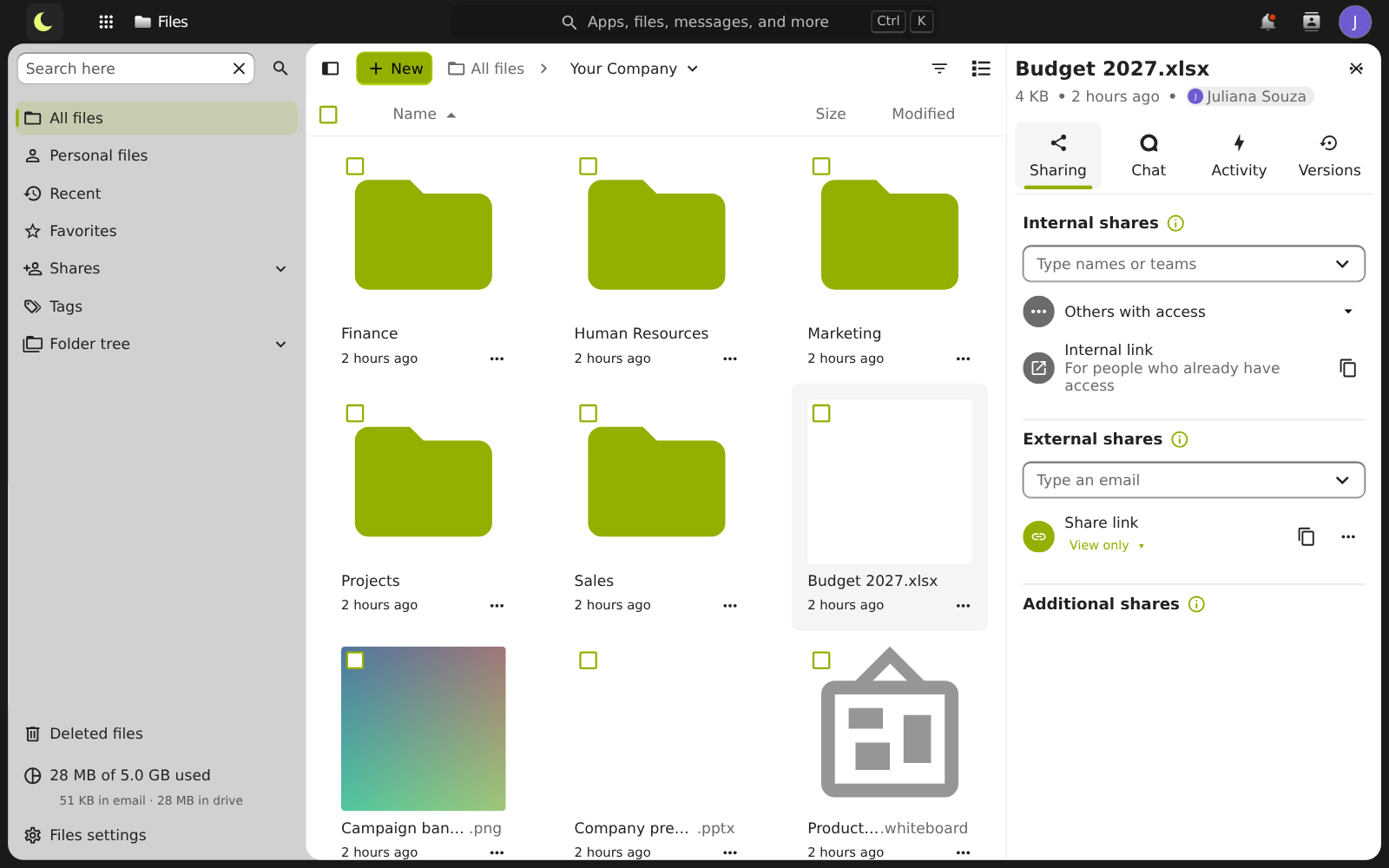
In lua Colabora Drive, the link sent to the client can have a password, an expiration date and a download limit.
A petition edited by several people
Word files open in the browser and several people edit together, with comments, tracked changes and versions.
Hearings on the team calendar
A shared calendar for hearings and deadlines, in webmail, on the phone and in Outlook, and the client meeting in the browser, with the link in the event.
Access rules for the whole firm
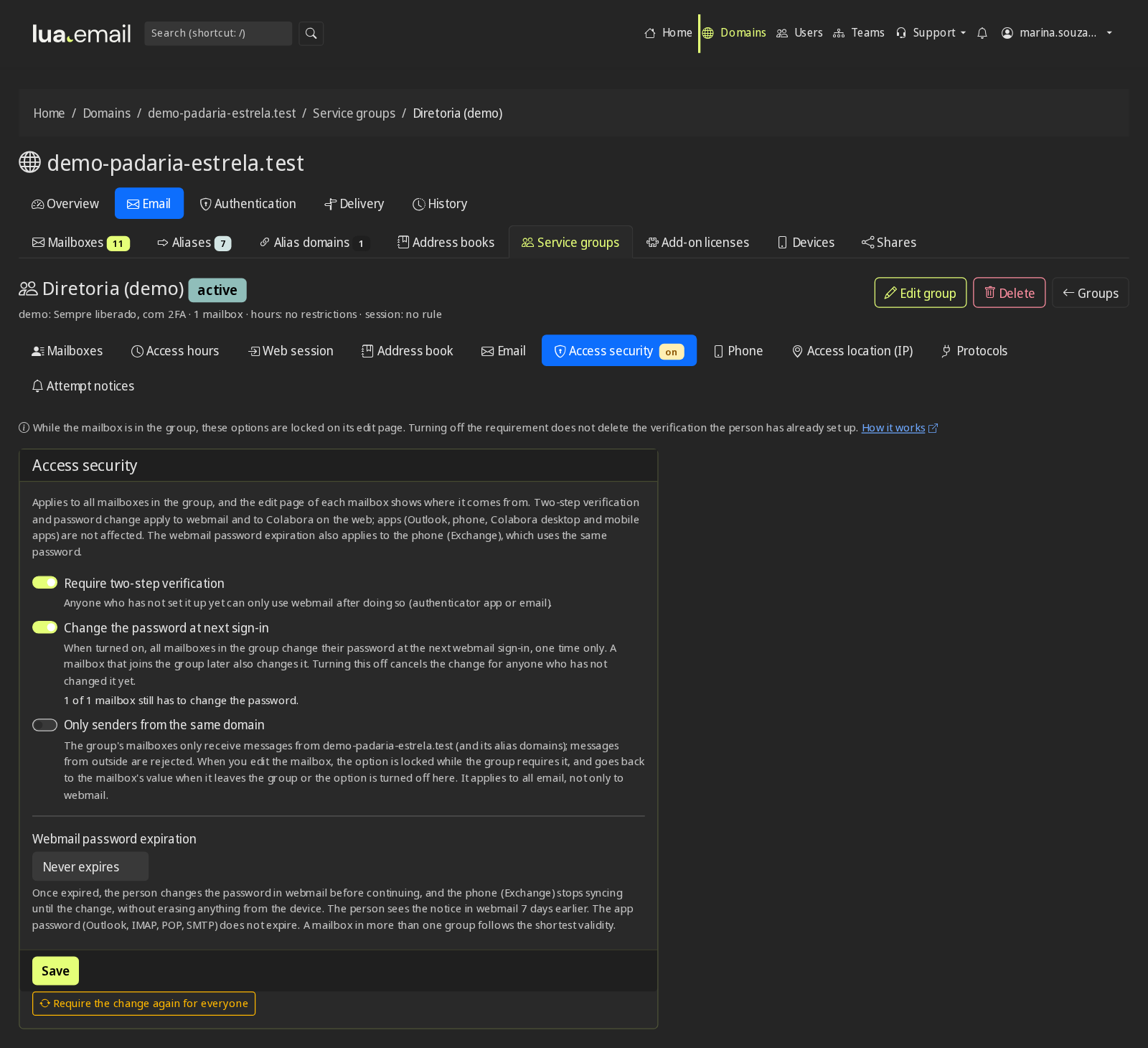
In the panel's mailbox groups, you require two-step verification, a password change at first login and password expiration (30 to 360 days), set the browser session time and, if you want, the hours when access is blocked. One rule applies to everyone in the group, with no person-by-person setup. The panel records who did what. Password expiration and change and all security and control features.
How much it costs for a firm of 9 people
An example. Each mailbox can have its own size, and addresses like contato@ can be groups, at no cost.
| Who or what | How it works | Per month |
|---|---|---|
| 6 lawyers | 6 mailboxes of 20 GB (R$ 18.90 each) | R$ 113,40 |
| 2 support staff | 2 mailboxes of 5 GB (R$ 8.90 each) | R$ 17,80 |
| atendimento@, answered by the team | 1 shared mailbox of 10 GB (R$ 11.90) | R$ 11,90 |
| contato@, financeiro@ | Aliases and groups | R$ 0,00 |
| Total | 9 mailboxes, with lua Colabora included | R$ 143,10 |
Price per mailbox, per month, with lua Colabora included. Subscribing is online and activation is automatic: if you pay by PIX, the account is ready in minutes for you to activate your domain. For questions, we answer on WhatsApp. Calculate for your team.
Want to see how it would look at your firm?
Count how many people you are, how the team is divided and where your email is today. You create the mailboxes and access rules in the admin panel, and someone on our team helps you design the sharing.
Chat on WhatsApp See pricingPrefer that our team contacts you? Leave your contact details
Questions from law firms
How do I protect the firm's email from improper access?
With two-step verification, which the panel can require for every mailbox in a group, a browser session time set by the admin, and a log of failed logins with the source IP. Anyone who needs to see a colleague's mailbox gets it shared, without passing the password.
Does the panel's tracking work as proof of sending?
It shows whether the message was delivered to the recipient's server, rejected with the reason, or is still in the queue, with 180 days of history. It is a useful technical record for settling a doubt, but it does not show whether the person read it and does not replace the forms of summons and notification provided by law.
How do I send a large file to a client?
Through lua Colabora Drive, with a link that can have a password, an expiration date and a download limit. In webmail, an attachment that is too large turns into a link on its own.
A lawyer left the firm. What happens to their email?
The mailbox belongs to the firm. The admin disables access in the panel, and messages to that address start reaching whoever took over the clients, with the history intact.
Can I hold a client meeting without them installing anything?
Yes. The video meeting is created from the calendar event, and the client joins through the link, in the browser.
Keep reading
Want your firm to work better and pay less for email?
The mailbox costs from R$ 8.90 per month, with lua Colabora included and support from people, in Portuguese. Subscribing is online and activation is automatic: if you pay by PIX, the account is ready in minutes for you to activate your domain. For questions, we answer on WhatsApp.
Subscribe now See pricing How we migratePrefer that our team contacts you? Leave your contact details